
 Martín Véliz

Are you a content creator feeling the pressure? The relentless demand to create, edit, and publish consistently across every platform is overwhelming. You’re constantly battling writer’s block, spending hours manually turning one video into a few social posts, and feeling like your growth has stalled.
This leads to burnout, an inconsistent posting schedule, and a stagnant audience. What if you could solve this problem? What if you could automate the tedious parts of content creation and get back to what you love—creating high-impact content?
This guide is your strategic playbook. It’s a detailed breakdown of the best AI tools for content creators, each chosen to solve a specific, painful part of your workflow. We’ll show you how a tool like EchoWrite AI can multiply one piece of your content into a month’s worth of posts, how you can generate studio-quality audio with a clone of your voice, and how to create stunning visuals without any design experience.
This isn’t just a generic list. Each tool is analyzed with practical use cases, screenshots, and links to help you build an AI-powered content machine. Our goal is to solve your biggest problems, save you 10+ hours a week, and empower you to grow your audience faster than ever. Let’s find the right tools for you.
1. EchoWrite AI
Are you buried under the relentless demand for consistent, high-quality social media content? EchoWrite AI is the definitive solution, engineered specifically to solve the creator’s biggest bottleneck: the time-consuming and manual process of repurposing content. Instead of just scheduling posts, this platform is an automated content multiplication engine. It solves the problem of “what to post” by transforming your single blog post, podcast, or YouTube video into weeks of platform-native social content, freeing you from the content treadmill.
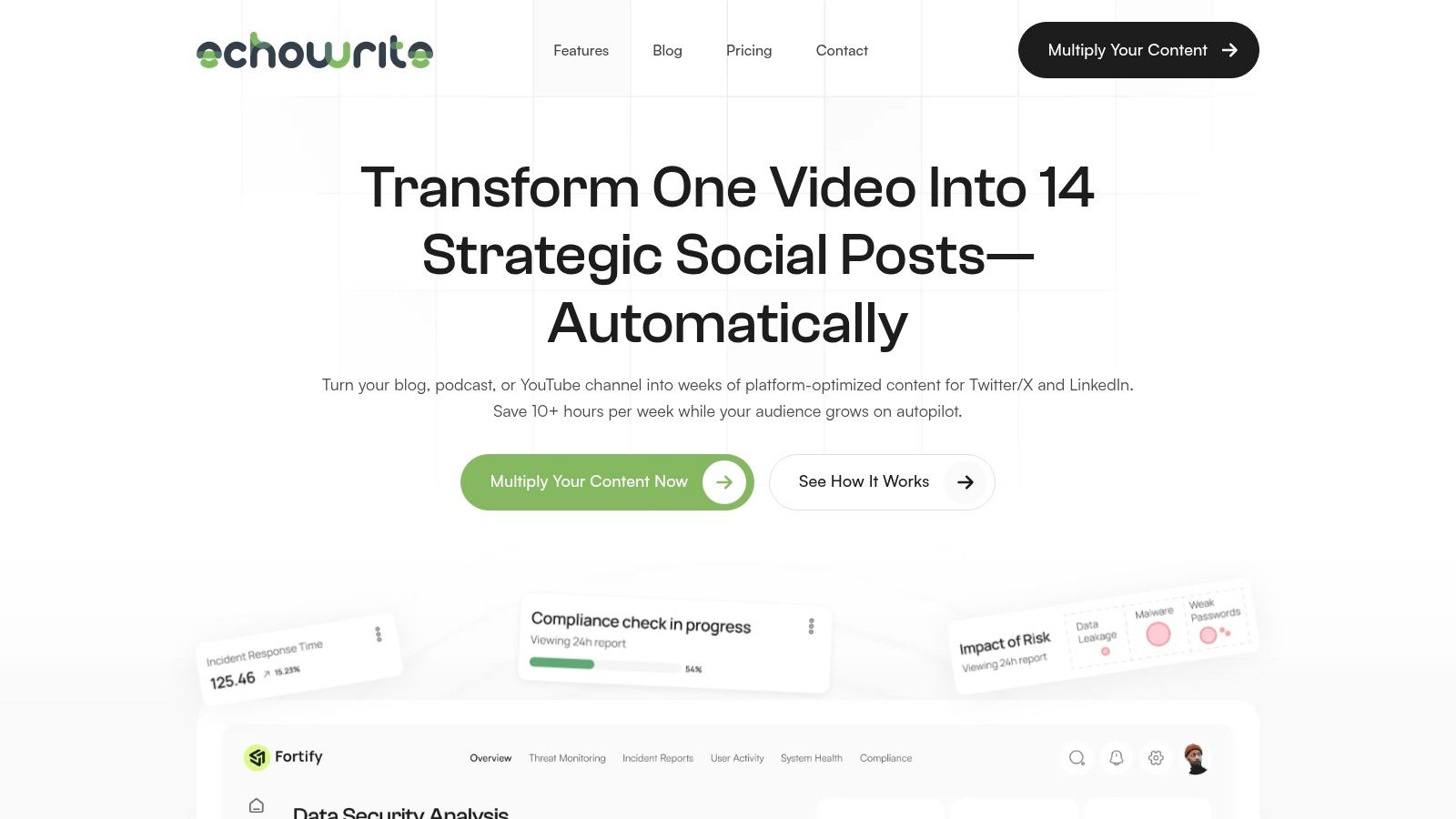
The platform’s core strength lies in its Viral Voice AI. It solves the problem of generic AI content by training on your entire content library to learn your unique tone, style, and messaging. This delivers an astonishing 99% voice authenticity, ensuring every generated post sounds like it was written by you, not a robot. This is how you maintain your personal brand integrity while scaling your output exponentially.
Key Features & How They Solve Your Problems
- Problem: Repurposing content takes hours. Solution: End-to-End Content Repurposing. Connect your YouTube, blog, or podcast, and EchoWrite’s AI automatically detects new content. Within minutes, it generates 12-16 native posts for Twitter/X and LinkedIn, complete with threads, carousels, and strategic hashtags.
- Problem: My posts lack a clear strategy. Solution: Strategic Campaign Templates. Move beyond simple scheduling with pre-built, proven strategies like the “7-Day Echo” campaign. These templates are designed to maximize engagement and ensure your core message reaches a wider audience over time.
- Problem: AI tools make my content sound generic. Solution: Authentic Voice & Brand Alignment. The Viral Voice AI ensures every piece of content reflects your unique perspective, solving the common problem of off-brand AI outputs.
- Problem: I have no time to create more content. Solution: Massive Time Savings. Creators report saving over 10 hours per week, reducing their content promotion workload to just 30 minutes. Reinvest that time into creating more primary content or engaging with your community.
Pricing & Value Proposition
EchoWrite AI is positioned as a high-ROI alternative to hiring a social media manager. A limited-time founding member special is available for $49/month, which includes access to a suite of content multiplication tools. This investment is backed by a 60-day Time-Saver Guarantee and a $100 PayBack Promise, making it a risk-free choice for serious creators.
| Pros | Cons |
|---|---|
| Turns one content piece into 12-16+ social posts, saving 10+ hours weekly. | Best for creators with an existing library of long-form content. |
| AI trains on your voice for highly authentic, brand-aligned posts. | Primary focus is on text-based platforms like Twitter/X and LinkedIn. |
| Uses strategic campaign templates, not just basic scheduling. | |
| Far more affordable than hiring a content manager, with strong guarantees. |
Ultimately, EchoWrite AI is one of the best AI tools for content creators who have a solid foundation of long-form content and want to amplify their reach without sacrificing authenticity or their valuable time. It’s an indispensable asset for YouTubers, bloggers, and solopreneurs looking to stop posting and start growing.
Website: https://echowriteai.com
2. OpenAI – ChatGPT
No list of the best AI tools for content creators would be complete without the one that started it all: ChatGPT. While many specialized tools exist, ChatGPT remains the ultimate creative partner for brainstorming, ideation, and first-draft generation. It’s an indispensable general-purpose AI that can kickstart any project, from drafting a YouTube script to outlining a month’s worth of blog posts. Its conversational interface makes it incredibly accessible, allowing you to refine ideas in real-time as if you were talking to a creative assistant.
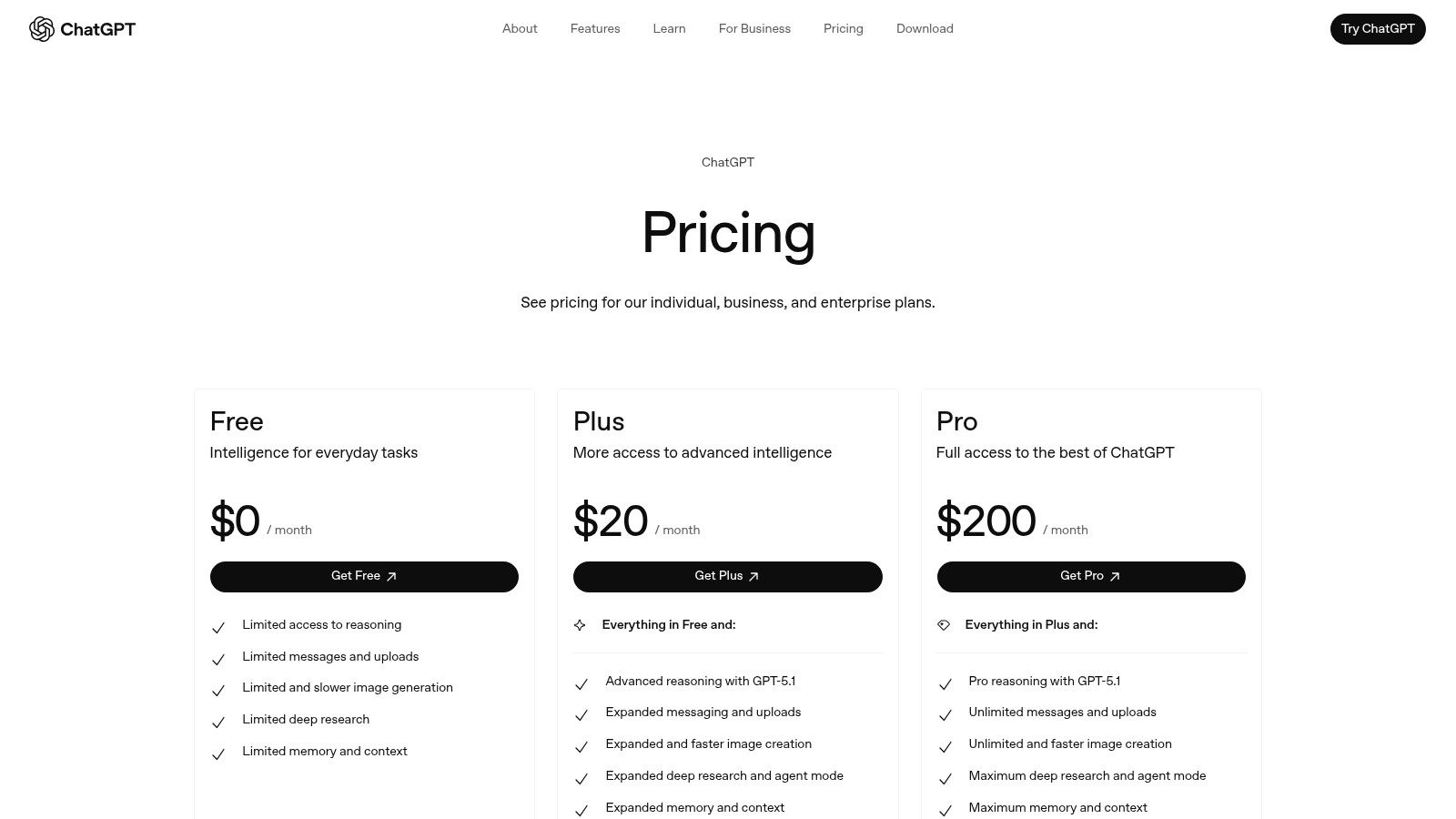
The power of ChatGPT lies in its versatility. Paid tiers unlock access to the latest models like GPT-4o, offering advanced reasoning, multimodal inputs (voice, images, files), and faster DALL-E 3 image generation. The custom GPTs feature allows you to create specialized assistants tailored to your brand’s voice or specific content formats, streamlining repetitive tasks.
However, ChatGPT is a starting point, not a complete solution. It excels at generating initial ideas but lacks the specialized workflows needed to turn those ideas into a high-volume, cross-platform content strategy. This is where tools like EchoWrite AI come in, taking a single concept and multiplying it into a full campaign. While ChatGPT can give you a solid blog post draft, you still face the manual effort of adapting it for social media. For those looking to solve that specific problem, learning how to efficiently create content for social media is the critical next step.
Key Features & Pricing
| Feature | Free Tier | Plus ($20/mo) | Team ($25/user/mo) |
|---|---|---|---|
| Model Access | GPT-3.5, Limited GPT-4o | GPT-4, GPT-4o | Higher message limits on GPT-4/4o |
| Multimodal Input | Limited | Yes (Voice, Image, Files) | Yes |
| Custom GPTs | Access to GPT Store | Create & Share | Secure team collaboration |
| Data Analysis | No | Yes | Yes |
- Pros: Best-in-class general AI, massive ecosystem of custom GPTs, simple and accessible interface.
- Cons: Not specialized for content repurposing, usage limits can be restrictive, video generation (Sora) is not widely available.
- Best For: Content creators needing a powerful, all-purpose assistant for brainstorming, research, and initial drafting.
Website: https://openai.com/chatgpt/pricing
3. Adobe – Firefly + Creative Cloud
For creators deeply embedded in the Adobe ecosystem, Firefly isn’t just another AI tool; it’s a native extension of their existing workflow. Adobe has integrated its generative AI model directly into flagship apps like Photoshop, Premiere Pro, and Illustrator, transforming them into powerful, AI-assisted creative suites. This makes it one of the best AI tools for content creators who need professional-grade control, allowing you to use features like Generative Fill to seamlessly expand images or remove objects without ever leaving your project file.
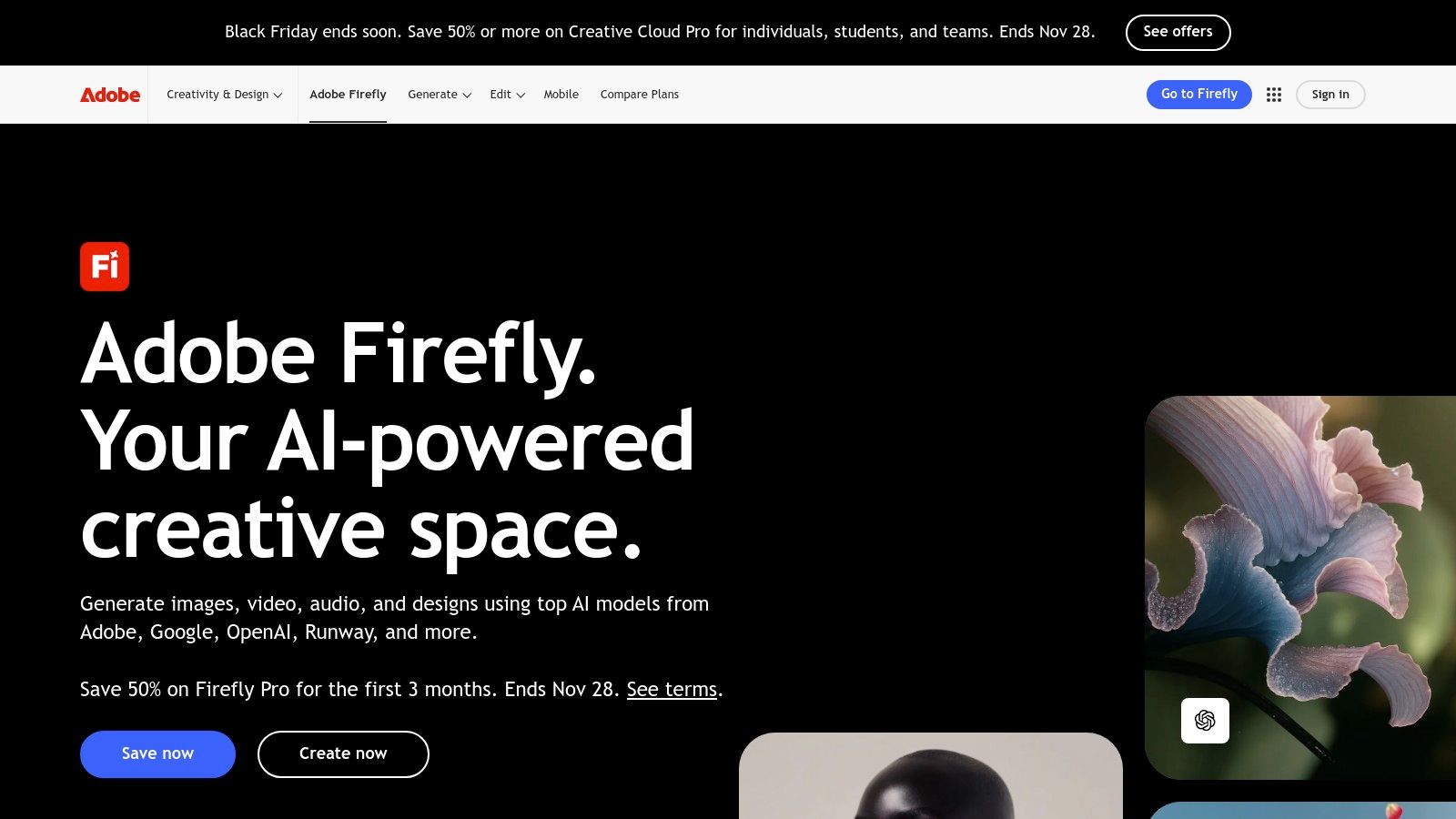
What sets Adobe Firefly apart is its deep integration and enterprise-readiness. The AI is trained on Adobe Stock’s library, which means the content it generates is designed to be commercially safe, avoiding copyright issues that can arise with other models. This tight coupling allows for a fluid creative process, from generating vector art in Illustrator to adding AI-generated B-roll in Premiere Pro. The credit-based system allows for scalable usage, catering to both individual freelancers and large creative teams.
However, while Adobe excels at creating and refining individual assets, it doesn’t solve the high-volume distribution challenge. You can perfect a stunning graphic in Photoshop with Firefly, but you still need to manually adapt and write captions for LinkedIn, X (formerly Twitter), and Instagram. This is the exact gap EchoWrite AI is designed to fill. By taking your core concept or completed asset, EchoWrite AI can generate a complete social media campaign around it, creating unique posts tailored for each platform, effectively bridging the gap from asset creation to content distribution.
Key Features & Pricing
| Feature | Creative Cloud All Apps | Firefly for Business |
|---|---|---|
| Generative Credits | Starts at 1,000/mo | Pooled credits for teams |
| Integration | Photoshop, Premiere Pro, etc. | All Adobe apps |
| Text-to-Image | Yes (in-app & web) | Yes |
| Commercial Use | Yes | Yes, with IP indemnity |
- Pros: Seamless integration with industry-standard Adobe apps, commercially safe and brand-friendly outputs, scalable credit system for high-volume work.
- Cons: The credit system can become complex and expensive with heavy use, primarily focused on asset generation rather than content distribution.
- Best For: Professional designers, video editors, and creative teams who already use Adobe Creative Cloud and need powerful, integrated AI capabilities.
Website: https://www.adobe.com/creativecloud/business/teams/firefly.html
4. Canva – Magic Studio
Canva has evolved from a simple design tool into a comprehensive AI-powered creative suite, making it one of the best AI tools for content creators focused on visual media. Its Magic Studio integrates AI directly into the design workflow, allowing for the rapid creation of everything from social media posts and thumbnails to short-form videos. For solo creators or small teams, Canva democratizes design, removing the barrier of complex software and empowering anyone to produce professional-quality assets quickly.
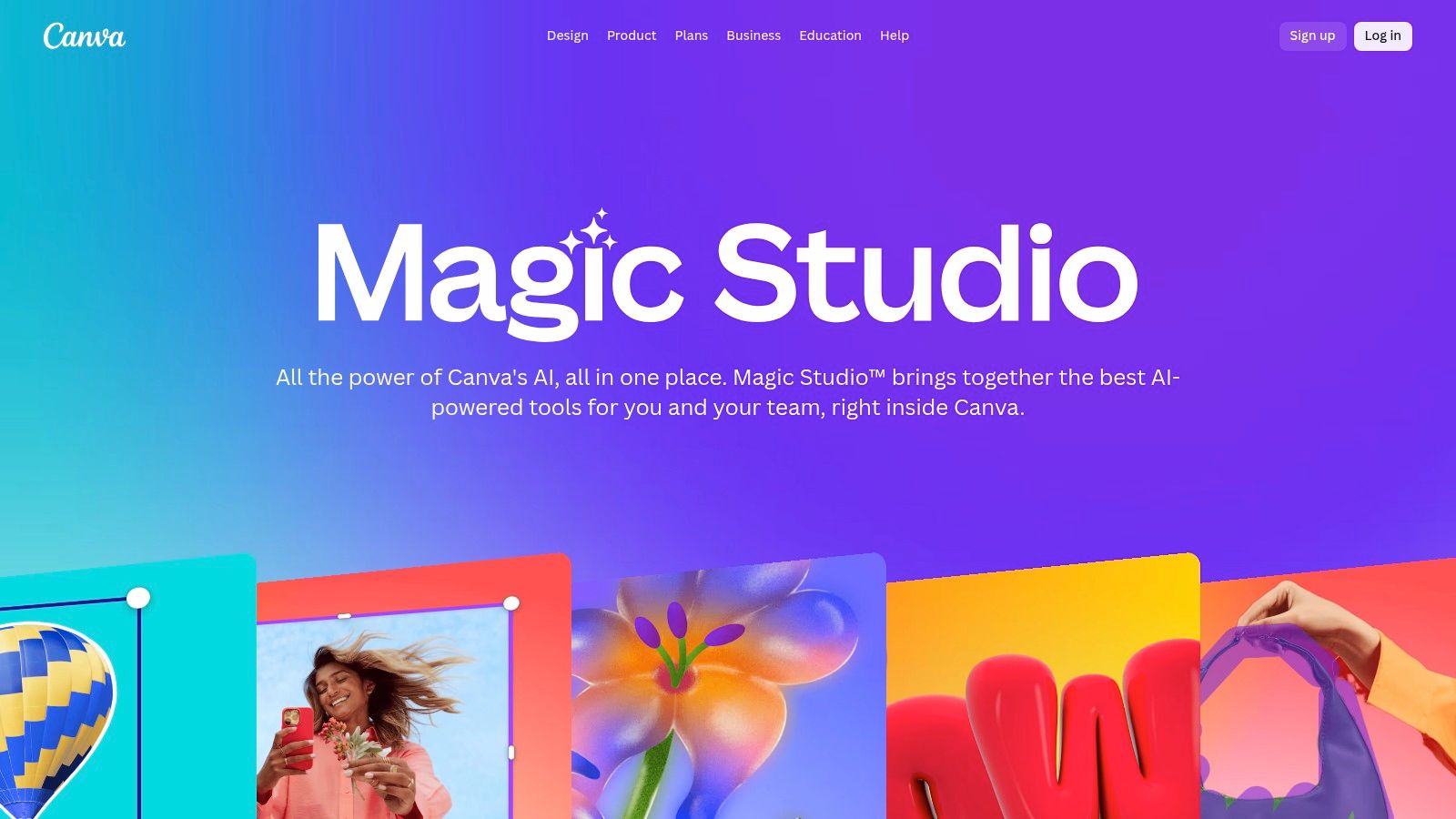
The strength of Magic Studio lies in its accessibility. Features like Magic Write generate copy on the fly, while Magic Design creates entire presentations or carousels from a single prompt. This integration of AI into a template-driven, user-friendly interface is a game-changer for producing high-volume social content without sacrificing quality. The built-in content planner and brand kit further streamline the entire process from creation to publication.
However, Canva is primarily a visual-first platform. While it excels at creating the assets, it doesn’t solve the core challenge of generating the foundational ideas and repurposing them across formats. It’s the perfect tool for executing a visual strategy, but creators still need a system for originating the core message. That’s where a tool like EchoWrite AI becomes critical, providing the initial blog post or script that can then be visually adapted using Canva’s powerful design features. For creators looking to build an efficient visual content engine, understanding the landscape of social media content creation tools is key to building a complete and effective workflow.
Key Features & Pricing
| Feature | Free | Pro ($14.99/mo) | Teams ($29.99/user/mo) |
|---|---|---|---|
| Magic Studio AI Tools | Limited credits | More credits, premium features | More credits, team features |
| Templates & Assets | 250,000+ free templates | 100+ million premium stock photos, etc. | Same as Pro |
| Brand Kit | 1 kit, limited colors | 100 Brand Kits | 300 Brand Kits |
| Content Planner | No | Yes | Yes |
- Pros: Extremely easy for non-designers to create polished visuals, massive template and asset library, AI features are seamlessly integrated into the design workflow.
- Cons: Key AI and brand features are locked behind paid plans, can feel template-heavy if you’re seeking a highly unique aesthetic.
- Best For: Individuals and teams needing a fast, easy-to-use platform for creating a high volume of visual content for social media and marketing.
Website: https://www.canva.com/magic/
5. Descript
For podcasters, YouTubers, and anyone creating audio or video content, Descript has become an indispensable part of the workflow. It revolutionizes the editing process by treating video and audio like a text document. After recording or uploading your media, Descript automatically transcribes it, allowing you to edit your content simply by deleting words or sentences in the transcript. This intuitive approach dramatically lowers the barrier to entry for professional-grade video and audio production.
Descript’s power features are what make it one of the best AI tools for content creators. Studio Sound cleans up audio with a single click, removing background noise and echo to produce professional-quality sound. The AI can also automatically remove filler words like “um” and “uh,” saving hours of tedious manual editing. With its multitrack timeline and Overdub voice cloning, you can seamlessly correct mistakes or add new lines without re-recording, making it a complete production suite.
While Descript is exceptional for editing a single piece of long-form media, the next step is often multiplying that polished content across different platforms. This is where a dedicated repurposing tool complements Descript’s workflow. After perfecting your video podcast in Descript, a platform like EchoWrite AI can take that core content and automatically generate social media posts, blog articles, and email newsletters. Mastering the art of AI content repurposing is key to maximizing the reach of every video or podcast you create.
Key Features & Pricing
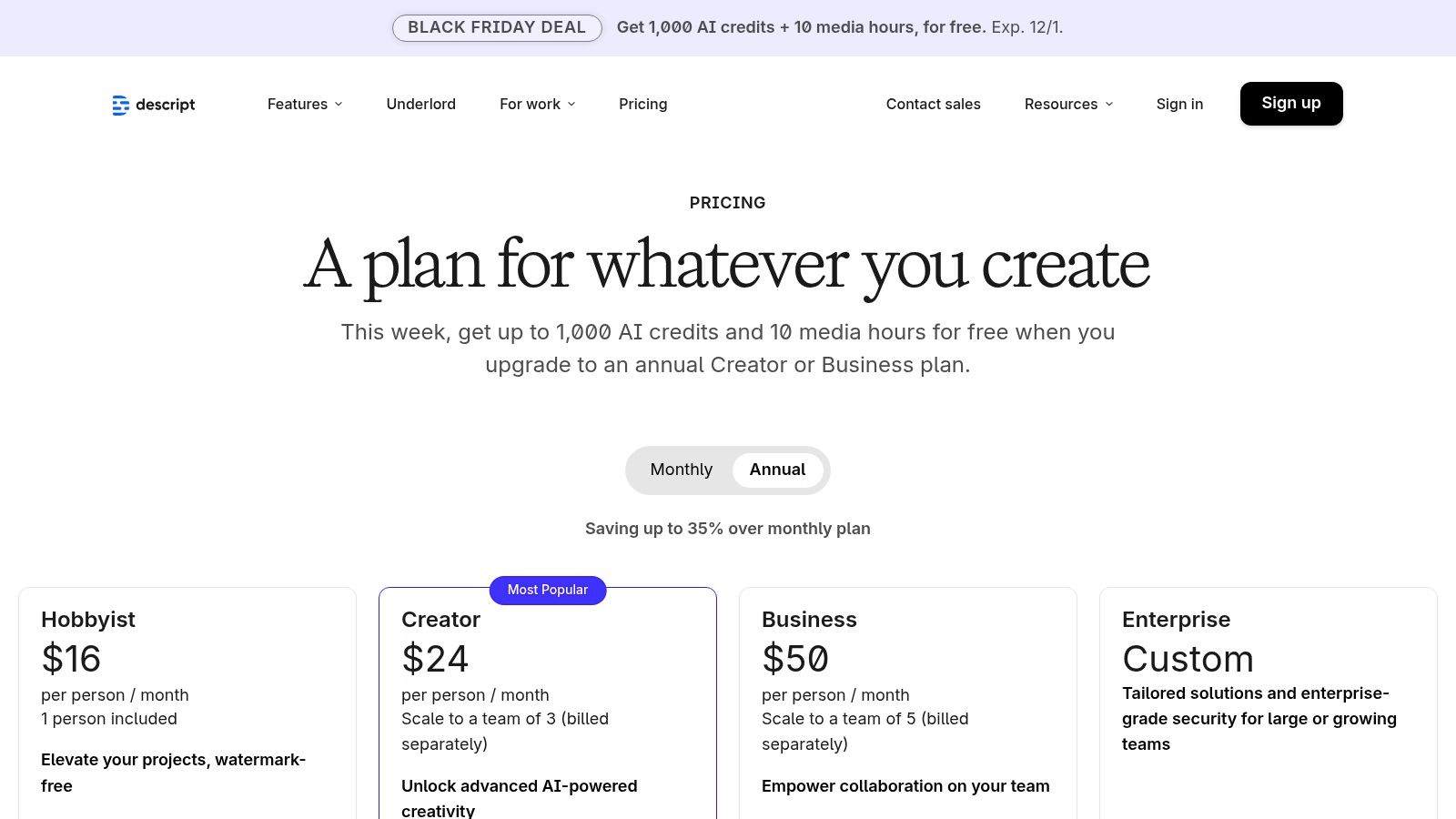
| Feature | Free Tier | Creator ($12/user/mo) | Pro ($24/user/mo) |
|---|---|---|---|
| Transcription Hours | 1 hour/month | 10 hours/month | 30 hours/month |
| Studio Sound | Yes | Yes | Yes |
| Filler Word Removal | 1 file | Yes (“uh,” “um”) | Yes (18+ words) |
| Overdub | 1,000-word vocabulary | Yes | Yes |
- Pros: Intuitive text-based editing consolidates multiple production steps, powerful AI audio cleanup and filler word removal, great value for creators focused on audio and video.
- Cons: The credit and transcription minute pools can be confusing and require planning for heavy usage, pricing structure can change for legacy users.
- Best For: Podcasters, video creators, and educators who need a fast, AI-powered workflow to record, transcribe, and edit spoken-word content.
Website: https://www.descript.com/pricing
6. Runway
For content creators pushing the boundaries of visual storytelling, Runway is the undisputed leader in AI-powered video generation and editing. While many tools offer basic text-to-video, Runway provides a professional-grade suite of models like Gen-3 Alpha, giving creators cinematic control over motion, style, and character consistency. It’s an essential tool for producing high-impact social media clips, mesmerizing B-roll, or experimental short films that would otherwise require complex VFX software and extensive rendering time.
Runway’s strength lies in its comprehensive multimodal editor, which integrates generative tools directly into a familiar timeline interface. This allows you to generate a clip, remove its background, extend its length, and upscale it, all within a single workflow. The platform’s credit-based system offers flexibility, letting you choose between faster (but more expensive) Turbo models or more economical options for different stages of your project.
However, creating stunning visuals is only half the battle; distributing them effectively is the other. Once you have your masterpiece from Runway, the challenge becomes adapting it for a multi-platform campaign with engaging copy, headlines, and descriptions. This is where a content multiplication tool like EchoWrite AI becomes indispensable. By feeding your core video concept into EchoWrite, you can instantly generate a complete set of promotional assets, from a blog post breaking down the video’s creation to dozens of social media posts tailored for TikTok, Instagram, and X, ensuring your visual content gets the audience it deserves.
Key Features & Pricing
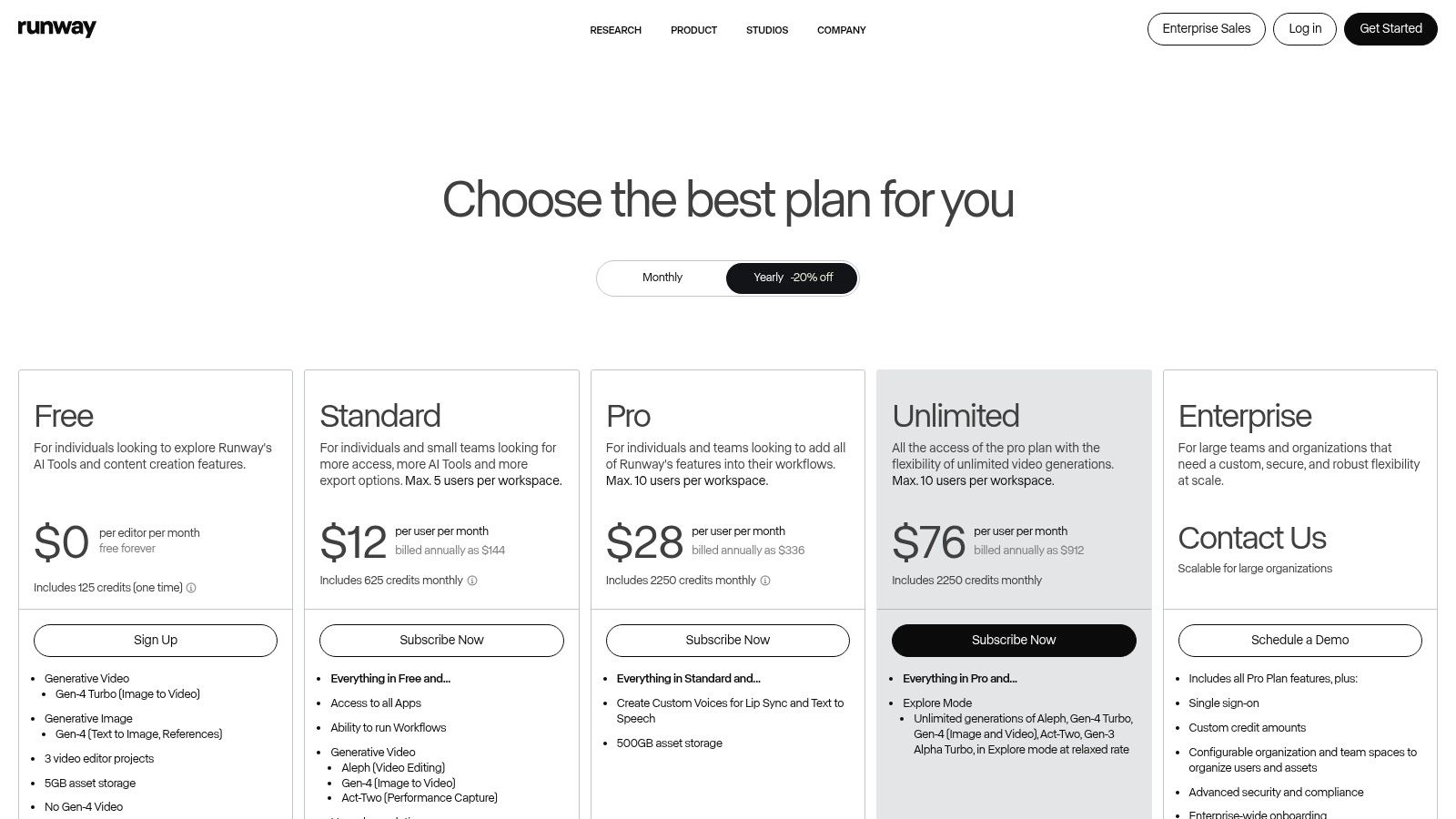
| Feature | Free Tier | Standard ($12/user/mo) | Pro ($28/user/mo) |
|---|---|---|---|
| Generations | 125 credits | 625 credits/mo | 1250 credits/mo |
| Video Models | Gen-1, Gen-2 | Gen-1, Gen-2 | Access to Gen-3 Alpha |
| Upscaling & Exports | 720p, Watermarked | 4K, No Watermark | ProRes Export |
| Explore Mode | No | No | Unlimited low-speed previews |
- Pros: State-of-the-art video quality and model control, integrated editing suite, collaborative workspaces for teams.
- Cons: The credit-based system can be confusing and costly for high-resolution or long-form projects, newest models are behind the highest paywall.
- Best For: Video creators, animators, and marketers focused on producing cutting-edge generative video content and special effects.
Website: https://runwayml.com/pricing
7. ElevenLabs
For creators looking to expand into audio content, ElevenLabs sets the industry standard for AI-powered voice generation. It moves far beyond robotic text-to-speech, offering incredibly natural, human-like voices perfect for podcast intros, YouTube narration, and accessibility features on a blog. Its powerful voice cloning and multilingual capabilities make it an essential tool for scaling audio production and reaching a global audience without needing expensive recording equipment or voice actors.
What makes ElevenLabs one of the best AI tools for content creators is its focus on high-fidelity audio output and localization. The platform’s AI Dubbing feature can automatically translate and re-voice video content while preserving the original speaker’s tone, a game-changer for creators targeting international markets. This allows a single piece of video content to be repurposed for multiple languages, drastically increasing its reach and impact.
However, turning text into high-quality audio is just one part of a modern content strategy. While ElevenLabs solves the audio production challenge, creators still need an efficient way to generate the initial scripts and written content to feed into it. This is where a tool like EchoWrite AI becomes critical. You can generate a full-length article in EchoWrite, then use ElevenLabs to instantly convert it into a podcast script or video narration, creating a seamless text-to-audio workflow.
Key Features & Pricing
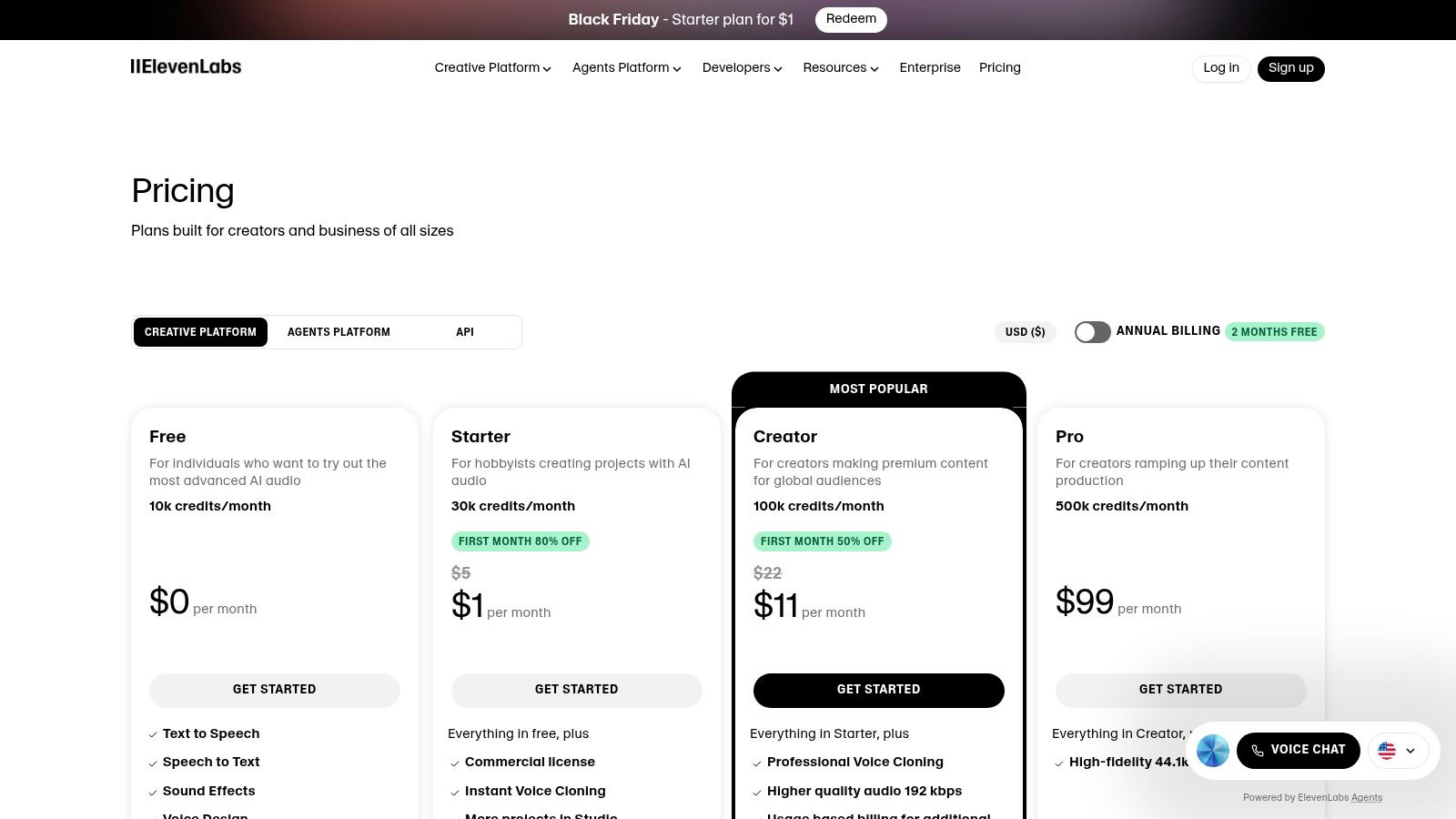
| Feature | Free Tier | Starter ($5/mo) | Creator ($22/mo) |
|---|---|---|---|
| Characters/Month | 10,000 | 30,000 | 100,000 |
| Custom Voices | Up to 3 | Up to 10 | Up to 30 |
| Voice Cloning | No | Yes | Yes |
| AI Dubbing | No | No | Yes |
- Pros: Industry-leading voice quality and naturalness, powerful voice cloning and dubbing features, transparent credit-based pricing for scalability.
- Cons: The credit-based system requires careful management for high-volume use, can become costly for extensive projects.
- Best For: Podcasters, YouTubers, and course creators who need high-quality, scalable voiceovers and content localization.
Website: https://elevenlabs.io/pricing
8. Midjourney
For content creators who need stunning, original visuals, Midjourney has become a household name. This powerful AI image generator is renowned for its highly artistic and often cinematic output, making it an essential tool for creating custom YouTube thumbnails, blog post headers, concept art, and social media graphics that demand attention. Operating primarily through Discord, it fosters a unique, community-driven environment where users can learn and draw inspiration from public prompts.

Midjourney’s strength lies in its distinctive aesthetic and the powerful control it gives creators over style and composition. While it’s fantastic for generating standalone images, the real challenge for creators is integrating these visuals into a broader content strategy. Creating a beautiful image is one thing, but writing compelling social media posts to accompany it, drafting a blog that expands on its theme, and ensuring brand consistency across platforms is a separate, time-consuming workflow. This is a common bottleneck that tools like EchoWrite AI are built to solve, allowing you to take a single visual concept and instantly generate all the written content needed to support it across multiple channels.
Key Features & Pricing
| Feature | Basic Plan ($10/mo) | Standard Plan ($30/mo) | Pro Plan ($60/mo) |
|---|---|---|---|
| Fast GPU Time | 3.3 hr/month | 15 hr/month | 30 hr/month |
| Relax Mode Jobs | No | Unlimited | Unlimited |
| Stealth Mode | No | No | Yes (Private Generations) |
| Concurrent Jobs | 3 Jobs | 3 Jobs | 12 Fast, 3 Relaxed |
- Pros: Produces distinctive, high-quality artistic images, active and inspiring community, predictable and scalable plan tiers.
- Cons: The Discord-based workflow can have a learning curve, and commercial rights/privacy features are reserved for higher-priced plans.
- Best For: Creators who prioritize unique, high-impact visuals and need a top-tier tool for generating custom art and graphics from text prompts.
Website: https://docs.midjourney.com/docs/plans
9. Synthesia
For creators who need to produce professional-looking video content at scale without a camera or crew, Synthesia is a game-changing solution. This AI video generation platform allows you to create polished, avatar-led videos from a simple text script, making it perfect for tutorials, corporate training, or product explainers. Instead of spending days on filming and editing, you can generate a high-quality “talking head” video in minutes, complete with realistic AI avatars and a wide range of voices.
Synthesia’s strength lies in its speed and localization capabilities, offering over 140 languages to reach a global audience effortlessly. You can choose from a large library of stock avatars or create a custom digital twin of yourself for a more personal touch. The platform’s AI Video Assistant can even build a video for you from a document, link, or idea, drastically cutting down production time. This makes it an invaluable tool for turning blog posts or guides into engaging video assets.
However, the platform is hyper-focused on avatar-based video creation. While excellent for that specific niche, it doesn’t solve the broader challenge of creating a cohesive, multi-format content campaign around that video. After producing a great explainer video, you still need to manually write social media posts, email newsletters, and blog articles to promote it. This is where a content multiplication tool like EchoWrite AI becomes essential, taking your core video concept and transforming it into a full suite of promotional assets for every channel.
Key Features & Pricing
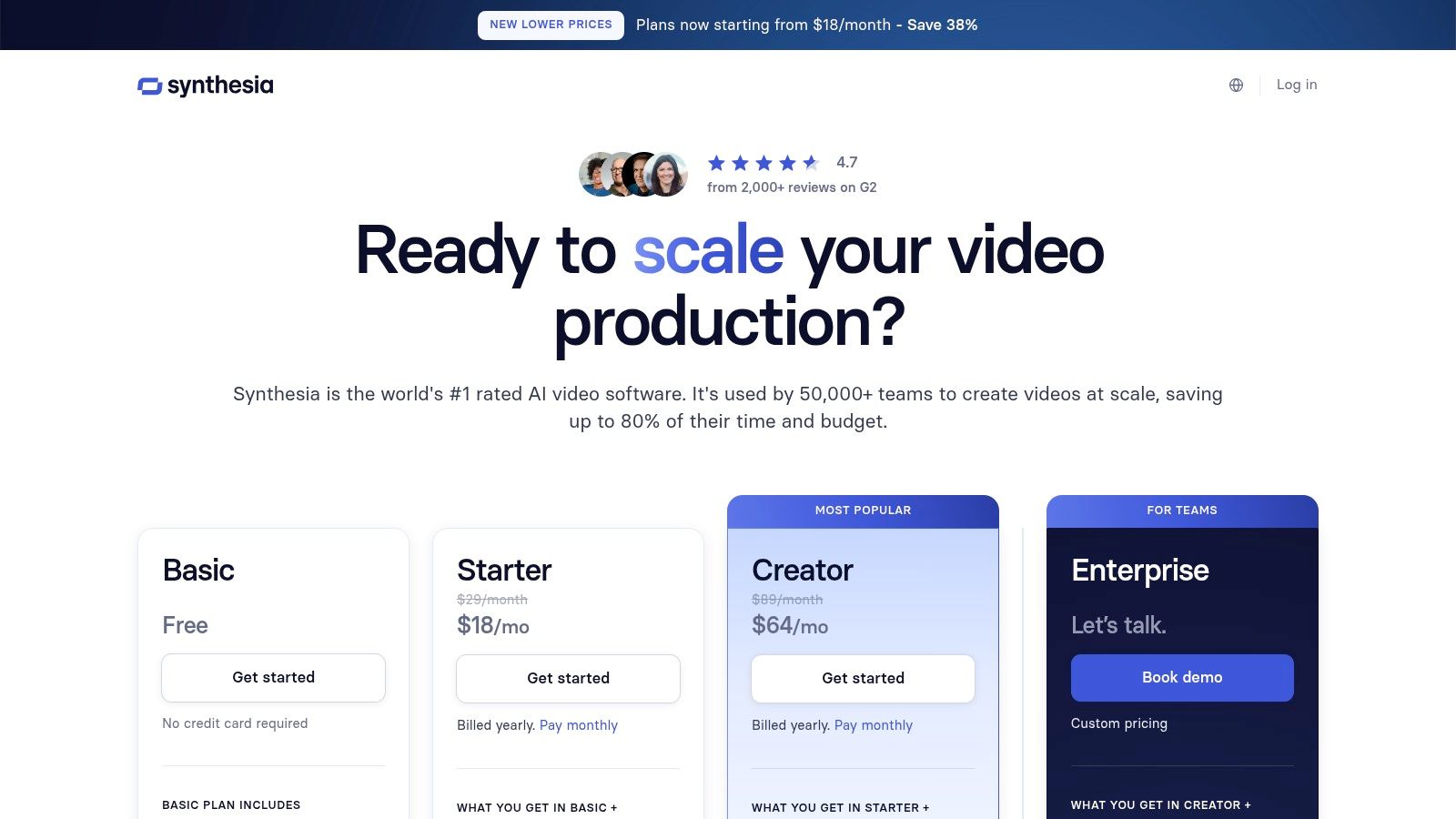
| Feature | Starter ($22/mo) | Creator ($67/mo) | Enterprise (Custom) |
|---|---|---|---|
| Video Minutes | 10 mins/month | 30 mins/month | Custom |
| AI Avatars | 90+ Stock Avatars | 140+ Stock Avatars | Custom Avatars Available |
| Voices/Languages | 120+ Voices & Languages | 130+ Voices & Languages | 140+ Voices & Languages |
| Branding & API | No | Basic Branding | Advanced Branding, API Access |
- Pros: Extremely fast video production, strong multilingual capabilities for global reach, robust enterprise options for integration and scale.
- Cons: Credit-based system can be limiting on lower tiers, not a tool for live-action or creative video editing.
- Best For: Corporate trainers, educators, and marketers who need to produce consistent, script-based video content quickly.
Website: https://www.synthesia.io/pricing-options
10. Grammarly
Long before generative AI became a household name, Grammarly established itself as the go-to writing assistant for polishing content. For creators, it’s more than just a spell-checker; it’s an essential quality control tool that refines everything from blog posts to video scripts. Its real-time suggestions for grammar, clarity, and tone ensure your final output is professional and error-free, safeguarding your brand’s reputation with every word you publish.
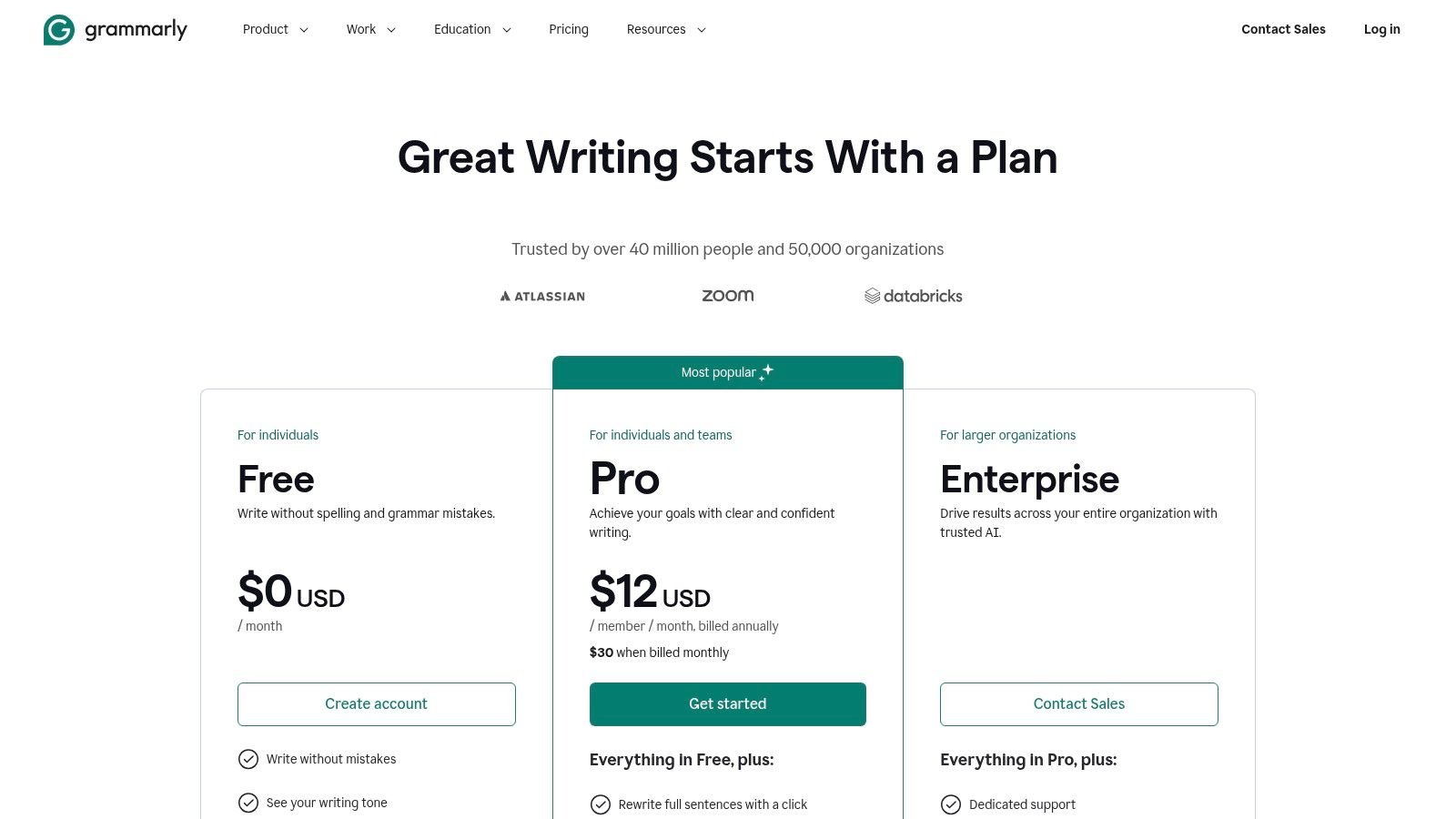
Grammarly has evolved with the times, integrating AI features like sentence rewrites and generative prompts to help you overcome writer’s block or rephrase a stale sentence. Its strength lies in its widespread browser and app integrations, making it a seamless part of your existing workflow. While it excels at perfecting a single piece of content, it doesn’t solve the creator’s core challenge of content volume and distribution.
This is where a dedicated repurposing tool complements Grammarly perfectly. Once Grammarly helps you craft a flawless blog post, a platform like EchoWrite AI can take that polished piece and instantly multiply it into a dozen social media updates, a newsletter, and more. This combination allows you to maintain high quality while dramatically increasing your output, solving both sides of the content creation equation.
Key Features & Pricing
| Feature | Free | Premium ($12/mo) | Business ($15/user/mo) |
|---|---|---|---|
| Grammar & Spelling | Basic | Advanced | Advanced |
| Clarity & Tone | Basic | Yes (Rewrites, Tone Adjustments) | Yes |
| Plagiarism Detection | No | Yes | Yes |
| Generative AI | 100 prompts/mo | 1000 prompts/mo | 2000 prompts/user/mo |
| Team Controls | No | No | Style Guide, SSO, Admin Controls |
- Pros: Mature and reliable writing feedback, seamless browser and app integrations, strong enterprise features for team consistency.
- Cons: Monthly pricing is significantly higher than annual, unlimited AI prompts are locked behind enterprise plans.
- Best For: All content creators who need a robust, real-time editor to ensure every piece of content is polished and professional before publishing.
Website: https://www.grammarly.com/business/pricing
11. AppSumo
For content creators on a budget or those who love discovering new technology, AppSumo is less a single tool and more an essential treasure chest. It’s a curated marketplace known for its lifetime deals (LTDs) on emerging software, including a massive collection of the best AI tools for content creators. Instead of committing to another monthly subscription, you can often acquire powerful AI writers, video editors, or social media schedulers for a single, heavily discounted price, making it a strategic way to build your creative toolkit without recurring costs.
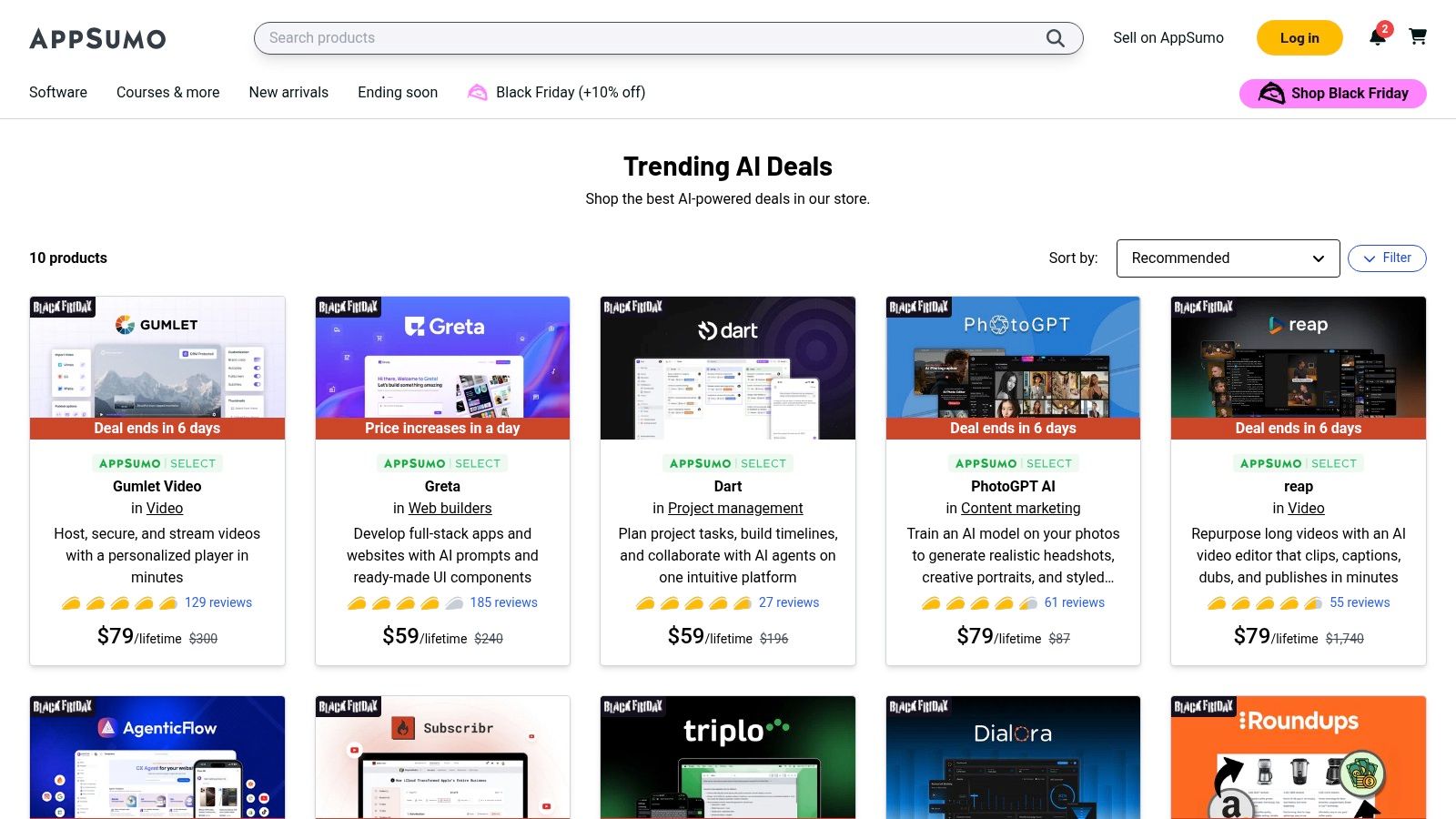
The platform’s strength is in its variety and value. You can find niche AI tools for specific tasks like generating B-roll footage, creating AI-powered chatbots, or optimizing SEO. However, the nature of lifetime deals on early-stage software means you’re investing in a product’s future potential. This requires careful vetting of user reviews and product roadmaps.
While AppSumo is great for finding individual point solutions, it rarely offers tools that solve the entire content multiplication workflow. A creator might find a great deal on an AI writer, but still needs a separate tool to handle the repurposing and distribution across social platforms. This highlights the need for integrated solutions like EchoWrite AI, which are built specifically to solve the end-to-end problem of turning one idea into a complete, cross-channel campaign, a capability that a collection of separate LTDs can’t easily replicate.
Key Features & Pricing
| Feature | Description |
|---|---|
| Lifetime Deals (LTDs) | Pay once to get lifetime access to software, avoiding monthly subscriptions. |
| Curated Collections | A dedicated, frequently updated section for trending AI tools. |
| Buyer Reviews & Questions | Verified user feedback and Q&A sections help vet product quality and support. |
| 60-Day Money-Back Guarantee | Offers a generous window to test a tool and ensure it fits your workflow. |
- Pros: Incredible value with one-time payments, access to a wide variety of emerging AI tools, trusted community reviews.
- Cons: Deals are temporary and can sell out, quality and long-term support from vendors can vary, requires research before purchasing.
- Best For: Budget-conscious creators and early adopters looking to build a diverse set of AI tools without accumulating monthly fees.
Website: https://appsumo.com/collections/trending-ai/
12. G2
While not an AI tool itself, G2 is an indispensable resource for any creator navigating the crowded market of best AI tools for content creators. It’s a peer-to-peer review site that provides unbiased, real-world feedback on software, allowing you to vet marketing claims and understand how a tool performs in practice. Before committing to a subscription, you can use G2 to compare features, read detailed pros and cons from actual users, and see how different platforms stack up against each other.
The platform’s power lies in its detailed filtering and side-by-side comparison grids. You can drill down into specific categories like “AI Writing Assistant” or “Social Media Management” and sort tools by user satisfaction, market presence, and specific features. This helps you move beyond flashy landing pages to see which tools genuinely solve the problems of creators like you, such as the overwhelming task of content repurposing.
G2 is the perfect starting point for research, but the ultimate test is how a tool fits your specific workflow. After identifying top contenders for content multiplication on G2, the next step is to trial a platform like EchoWrite AI to experience firsthand how it can transform a single piece of content into a comprehensive social media campaign. This combination of community validation and hands-on testing ensures you invest in a tool that delivers real results.
Key Features & Pricing
| Feature | Free Tier | Paid Tiers (For Vendors) |
|---|---|---|
| User Reviews | Yes (Unlimited Access) | N/A |
| Tool Comparison | Yes (Side-by-side grids) | N/A |
| Category Reports | Yes (Free to view) | N/A |
| Pricing | Free for researchers | Varies for software vendors |
- Pros: Large volume of authentic user reviews, powerful comparison and filtering features, helps validate vendor claims before purchasing.
- Cons: Can have some marketing noise from vendors, reviews may not always reflect the latest product updates, requires cross-referencing with official sites.
- Best For: Creators and marketers conducting due diligence to find the perfect AI tool for their specific needs and budget.
Website: https://www.g2.com/categories/ai-writing-assistant
Top 12 AI Tools for Content Creators — Comparison
| Product | Core features | Quality ★ | Value 💰 | Target 👥 | Unique / USP ✨ |
|---|---|---|---|---|---|
| EchoWrite AI 🏆 | Transforms long-form → 12–16 native X/LinkedIn posts; voice-training; campaign templates; auto-schedule | ★★★★★ — strong engagement lifts; 10+ hrs/wk saved | 💰 $29–79/mo (founding $49) · 60‑day Time‑Saver Guarantee | 👥 YouTubers, bloggers, solopreneurs, SMBs | ✨ Learns your voice; native threads/carousels; rapid campaign automation 🏆 |
| OpenAI – ChatGPT | General-purpose AI: drafting, ideation, multimodal, custom GPTs | ★★★★★ — versatile, large-context reasoning | 💰 Free tier; paid Pro/enterprise for GPT-5.1 & advanced features | 👥 Creators, teams, researchers | ✨ Custom GPTs, Projects, large ecosystem |
| Adobe – Firefly + CC | Generative image/video/audio across Photoshop/Premiere; stock + workflow integration | ★★★★☆ — professional, brand-safe outputs | 💰 Creative Cloud + credits; enterprise licensing | 👥 Designers, agencies, enterprises | ✨ Deep Adobe app integration & governance |
| Canva – Magic Studio | Templates, Magic Write/Video, Brand Kit, content planner & collaboration | ★★★★☆ — very easy, fast for socials | 💰 Free & Pro/team plans | 👥 Non-designers, small teams, social creators | ✨ Templates + Brand Kit + collaborative workflow |
| Descript | Text-based audio/video editing, overdub, Studio Sound, transcription | ★★★★☆ — efficient editor for pod/video creators | 💰 Tiered plans; credits for generative tasks | 👥 Podcasters, educators, video creators | ✨ Edit-by-text, overdub, fast turnaround |
| Runway | Gen-3/4 generative video, upscalers, advanced editor & team workspaces | ★★★★☆ — state-of-the-art video quality | 💰 Credit-based; Pro tiers for high-res exports | 👥 Video creators, VFX teams | ✨ Cutting-edge video models & export options |
| ElevenLabs | High-quality TTS, voice cloning, dubbing, API & multilingual support | ★★★★☆ — natural narration voices | 💰 Credit/API pricing; scalable per-minute | 👥 Narrators, localization, developers | ✨ Studio dubbing, voice cloning, Agents |
| Midjourney | Discord-centric generative art (images, emerging video) with community features | ★★★★☆ — distinctive, stylized output | 💰 Subscription tiers; Pro private/commercial options | 👥 Artists, thumbnail & concept creators | ✨ Unique aesthetics + active community prompts |
| Synthesia | AI avatar talking-head videos, multilingual voices, API & SCORM export | ★★★★☆ — fast avatar-based video production | 💰 Tiered pricing; minutes/credits limits | 👥 Training teams, marketers, L&D | ✨ Stock/personal avatars, robust localization |
| Grammarly | Grammar/style/tone checks, rewrites, plagiarism, team controls | ★★★★☆ — mature, reliable writing feedback | 💰 Free & Pro (best value annual); enterprise plans | 👥 Writers, marketers, teams | ✨ Deep integrations, tone & clarity suggestions |
| AppSumo | Curated marketplace for lifetime & discounted AI tools and SaaS deals | ★★★☆☆ — deal quality varies widely | 💰 One-time/lifetime deals; high potential value | 👥 Budget creators, early adopters | ✨ Lifetime discounts & rotating curated offers |
| G2 | Independent reviews, category rankings, side-by-side comparisons | ★★★★☆ — large review volume for vetting | 💰 Free research & shortlist tool | 👥 Buyers, procurement, tool researchers | ✨ Filterable reviews, reviewer demographics & scores |
Your Next Step: Build Your Automated Content Engine
Navigating the landscape of AI tools for content creators can feel overwhelming, but the journey you’ve just taken through this guide reveals a powerful truth: you no longer have to choose between quality, quantity, and your own sanity. The creator economy is fiercely competitive, and the relentless demand for fresh content is the single biggest cause of burnout. The solution isn’t to work harder; it’s to build a smarter system, an automated engine that works for you.
We’ve explored a wide array of tools, from foundational models like ChatGPT that spark initial ideas, to specialized platforms like Descript and Runway that revolutionize video and audio editing. We’ve seen how design suites like Canva’s Magic Studio and Adobe Firefly can elevate your visual brand, and how text-to-voice generators like ElevenLabs can give your content a human touch without a microphone. Each of these tools is a powerful gear in your potential content machine.
But the most significant bottleneck for most creators isn’t ideation or even initial production. It’s the time-consuming, repetitive work of repurposing, formatting, and distributing that content across multiple social platforms. This is where the concept of a content engine truly comes to life. Your core problem isn’t a lack of great ideas; it’s the friction in transforming one great idea into a month’s worth of high-impact social posts.
From Individual Tools to an Integrated System
The real power lies not in using one of these tools, but in strategically stacking them to create an unstoppable workflow. Imagine this: you record one pillar video, edit it in Descript, generate stunning custom thumbnails with Midjourney, and then what? The old way involved manually chopping up clips, writing dozens of unique captions, and scheduling everything by hand. The new way feeds that core asset into a content multiplication platform.
This is precisely the problem EchoWrite AI was built to solve. It acts as the central hub of your content engine, taking your long-form content and automatically turning it into a complete, multi-platform social media campaign. It doesn’t just slice up a video; its Viral Voice AI learns your unique style, tone, and messaging to generate authentic, ready-to-post content that sounds like you. This is the missing link for creators who feel stuck on the content treadmill.
How to Choose Your AI Stack
As you assemble your personal toolkit from the best ai tools for content creators we’ve listed, don’t just chase the newest feature. Instead, focus on your specific pain points and goals.
- If you struggle with writing: Start with a combination of ChatGPT for brainstorming and Grammarly for refinement.
- If video is your focus: A stack of Descript for editing, Runway for visual effects, and ElevenLabs for voiceovers is a production powerhouse.
- If visual branding is key: Integrating Canva and Adobe Firefly will give you an endless supply of high-quality creative assets.
- If distribution is your bottleneck: This is the most common challenge. No matter what you use to create, a tool like EchoWrite AI is essential to multiply your output and reclaim your time. It’s the final, critical step that ensures your hard work actually reaches its full audience potential.
The era of the solo creator as a one-person production agency is over. The most successful creators of tomorrow will be the ones who become architects of their own automated systems. They will leverage AI not just as a creative assistant, but as a strategic partner that handles the 80% of repetitive work, freeing them up to focus on the 20% that truly matters: connecting with their audience and building their brand. Stop being just a content creator and start being the architect of your content empire.
Ready to stop the manual grind and build your automated content engine? Discover how EchoWrite AI can learn your voice and transform a single piece of content into a month’s worth of high-performing social posts. Start multiplying your content, not your workload, with EchoWrite AI today!