
 Martín Véliz
You know LinkedIn is a goldmine for leads, networking, and brand building, but the manual effort is staggering. Are you spending hours every week sending personalized connection requests, following up with prospects, and struggling to publish high-quality content consistently? This relentless grind pulls you away from the strategic work you should be doing—closing deals, building client relationships, and growing your business. You know you need to be active to stay relevant, but who really has the time?
This is where LinkedIn automation tools change the game. The problem isn’t just about scheduling posts; it’s about escaping the manual treadmill of outreach, engagement, and lead nurturing. The right platform solves this by automating repetitive tasks, ensuring you never miss a follow-up, and even helping you create better content. This frees you up to focus on high-value activities. However, choosing the wrong tool can lead to a suspended account, wasted budget, and a damaged reputation.
This guide cuts through the noise to solve your scaling problem. We’ve compiled a definitive list of the best LinkedIn automation tools available, diving deep into what makes each one unique. Forget generic feature lists. We provide a detailed analysis of 12 top-tier platforms, including Expandi, Dux-Soup, and Dripify, with screenshots and direct links for each. You’ll get an honest look at their features, pros, cons, pricing, and safety considerations. We’ll also show you how our own solution, EchoWrite AI, solves the real bottleneck in your LinkedIn strategy: creating authentic, high-quality content at scale, so your automation efforts actually deliver results. This resource is designed to help you find the perfect tool for your specific goals, whether you’re a solopreneur, a marketing agency, or a growing sales team.
1. EchoWrite AI
Best for: Content creators, solopreneurs, and small businesses who want to maximize the reach of their existing content without dedicating hours to social media management.
EchoWrite AI stands out as a premier LinkedIn automation tool by solving the biggest problem for busy professionals: the content bottleneck. While other tools automate outreach, EchoWrite AI automates the creation of high-quality, authentic content that makes people want to connect with you. It’s designed to solve the critical challenge of consistently adapting your long-form content (like blogs, podcasts, or videos) into engaging, platform-native posts for LinkedIn.
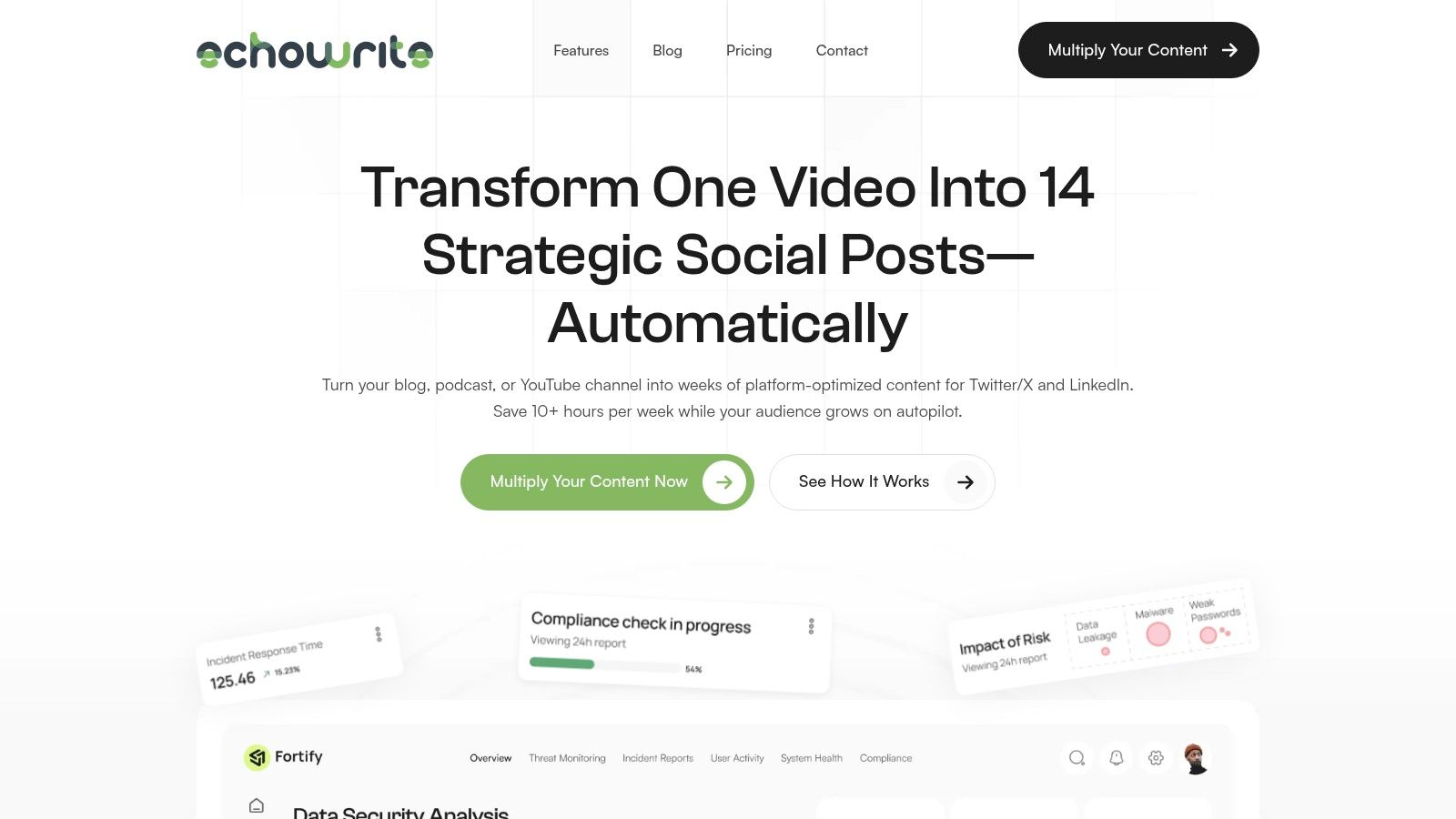
Its core strength lies in its ability to ingest a single piece of your content and auto-generate an entire campaign of 12-16 high-performing posts. This isn’t simple content slicing; EchoWrite’s proprietary “Viral Voice” AI trains on your unique tone and style, achieving a claimed 99% voice authenticity. The result is a series of posts that sound genuinely like you, formatted perfectly for LinkedIn’s algorithm and audience expectations. For a deeper dive into crafting effective updates, you can explore their guide on how to write compelling LinkedIn posts.
The platform strategically sequences these posts using proven templates like the “7-Day Echo,” ensuring your content gets seen without repetitive effort. This approach solves the time-suck problem by transforming a 10+ hour per week social media grind into a manageable 30-minute review session.
Key Features & Analysis
- Content Multiplication Engine: Turns one URL, video, or podcast into a full campaign of platform-native posts for LinkedIn and Twitter/X.
- Viral Voice AI Training: Learns your distinct voice and writing style to generate authentic, human-like content that resonates with your audience.
- Pre-built Campaign Templates: Leverages proven marketing sequences (e.g., “Launch Sequence”) to schedule posts for maximum visibility and engagement.
- ROI-Focused Analytics: Includes a time-saved calculator and performance metrics to track the direct impact of your automated campaigns.
Pricing
EchoWrite AI is positioned as a high-value alternative to hiring a social media manager. It offers a special founding-member launch price of $49/month, which includes a 60-day Time-Saver Guarantee and a $100 PayBack Promise, making it a low-risk investment for serious creators.
Pros & Cons
| Pros | Cons |
|---|---|
| Massive Time Savings: Drastically cuts social media management time from hours daily to minutes weekly. | Platform Focus: Primarily optimized for LinkedIn and Twitter/X; functionality on other platforms may be limited. |
| Authentic AI Voice: Produces posts that genuinely reflect your personal brand and tone. | Requires Quality Input: The AI’s output quality is dependent on the clarity and depth of your source content. |
| Strategic Automation: Goes beyond simple scheduling with built-in campaign logic for better content performance. | Human Oversight Recommended: Best results are achieved when you review and approve the AI-generated posts. |
| Strong ROI: The low monthly cost provides immense value compared to the expense of a human social media manager. |
Website: https://echowriteai.com
2. Expandi
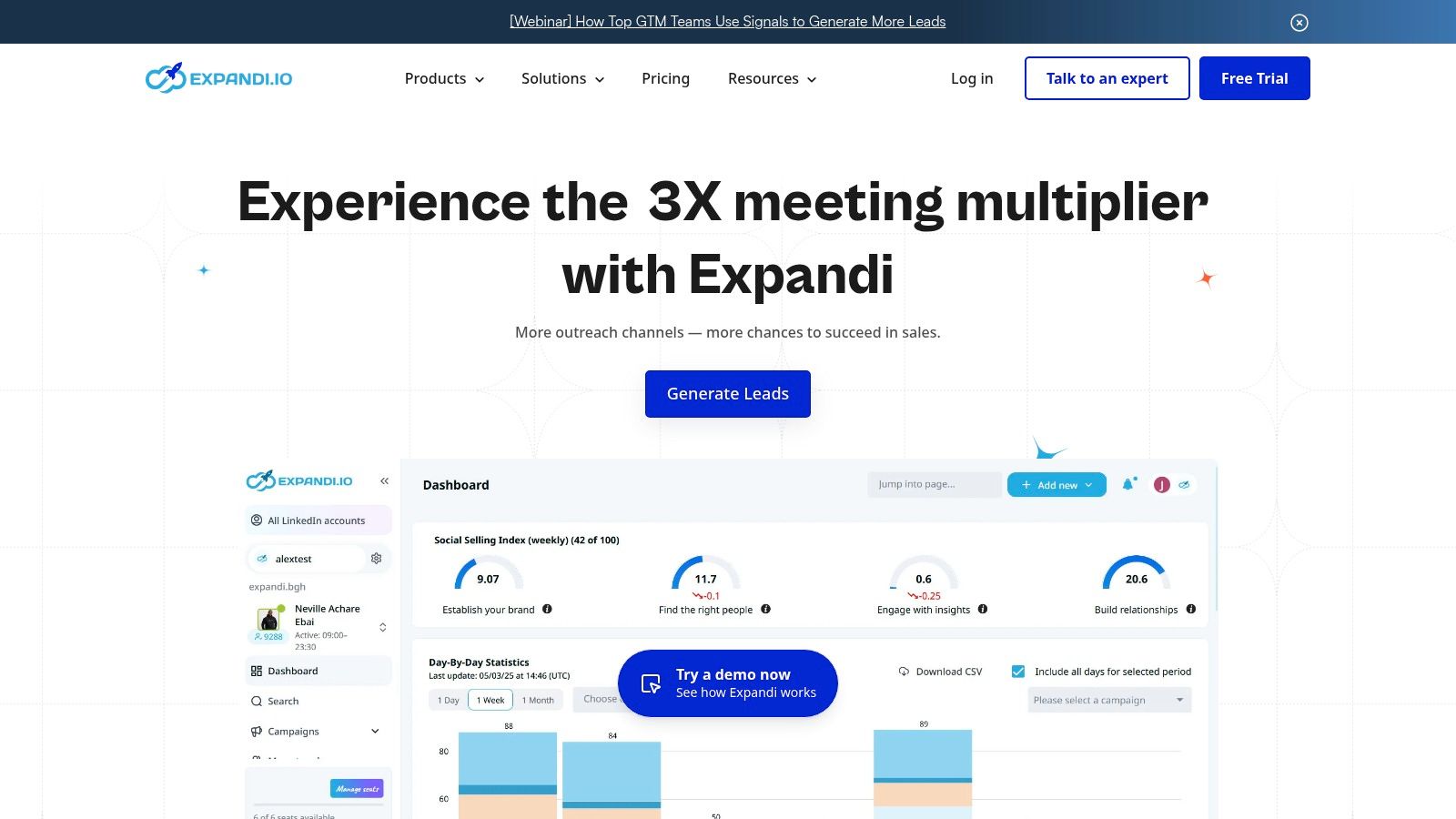
Expandi solidifies its spot as one of the best LinkedIn automation tools by focusing intensely on safety and multichannel outreach. It solves the critical problem of account suspension by operating from the cloud with a dedicated IP address for your account, mimicking human behavior to reduce risk. This makes it an excellent choice for serious lead generators, sales teams, and agencies who cannot afford to have their primary growth channel shut down.
It excels at solving the challenge of breaking through the noise by creating smart, automated sequences that combine LinkedIn actions (like connection requests) with email follow-ups. The platform’s built-in “warm-up” feature gradually increases activity on new accounts, solving the problem of new accounts being flagged for suspicious activity.
Key Features & Ideal Use Case
Expandi is built for users who prioritize safe, scalable outreach. Its agency-centric features, like white-labeling and team management dashboards, make it a go-to for professionals managing client campaigns.
- Best For: Agencies, sales teams, and serious solopreneurs needing a robust, safety-first platform for multichannel outreach.
- Standout Feature: The combination of cloud-based operation with a dedicated IP and automatic account warm-up significantly enhances safety.
- Pricing: A single, all-inclusive plan is priced at $99 per seat/month. They offer a 7-day free trial to test the full feature set.
While Expandi automates your outreach, the core problem remains: creating compelling content that makes people want to connect. This is where a tool like EchoWrite AI becomes a powerful complement. By solving the content creation bottleneck, EchoWrite AI ensures your automated outreach is backed by value, dramatically improving your connection and reply rates. You can explore how to integrate better content with your outreach in our guide to small business marketing automation.
Pros & Cons:
| Pros | Cons |
|---|---|
| Full feature access in one pricing tier | Per-seat pricing can become costly for large teams |
| Agency-friendly with white-label options | Larger bulk discounts require a direct sales consultation |
| 7-day free trial to test its effectiveness | A steeper learning curve compared to simpler tools |
3. Zopto
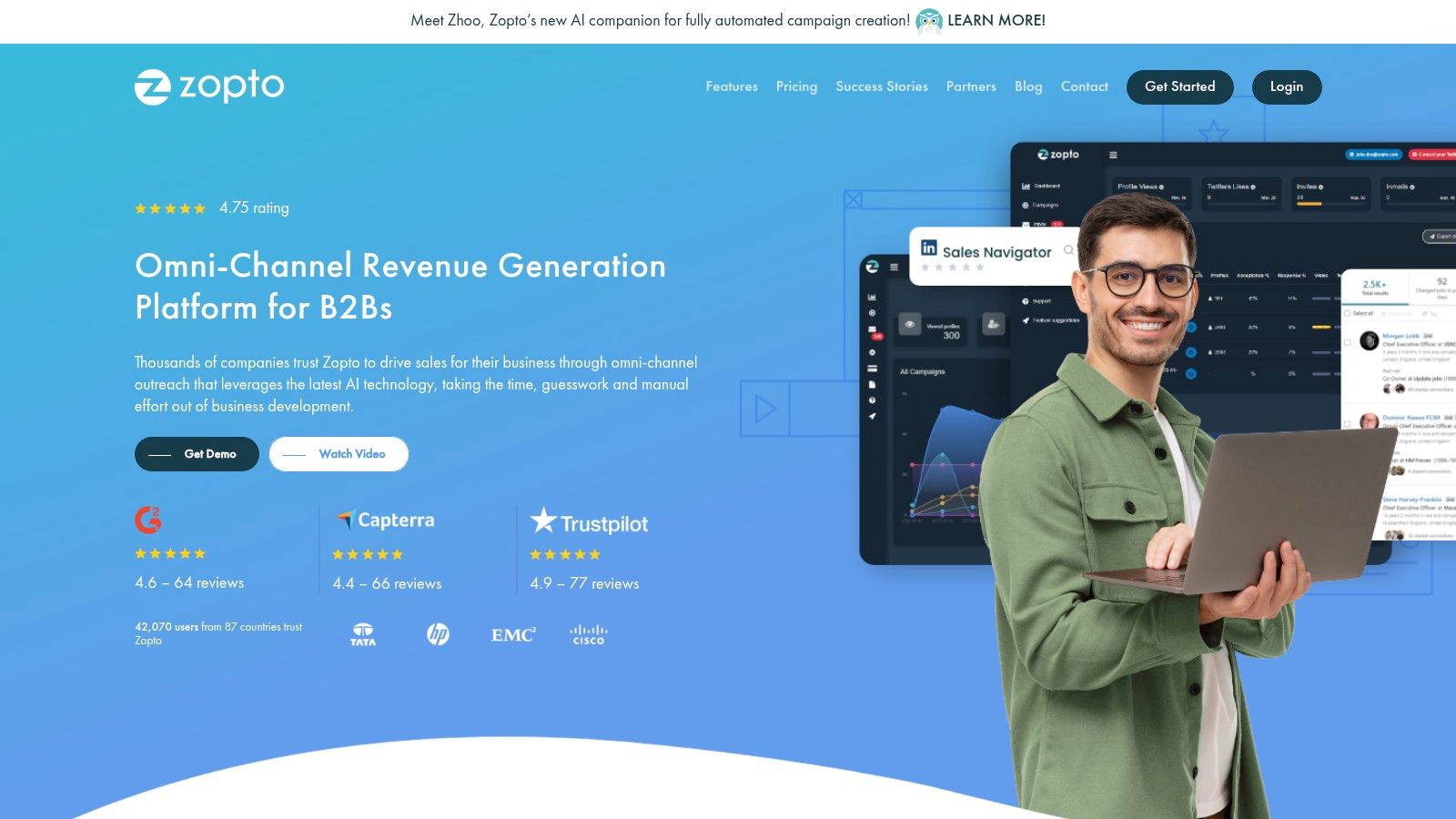
Zopto positions itself as a premier LinkedIn automation tool designed to solve the problem of scaling outreach for agencies and larger sales teams. This cloud-based platform excels at creating sophisticated, multi-channel campaigns that go beyond simple connection requests. By integrating email enrichment, Zopto solves the challenge of LinkedIn’s weekly invitation limits by allowing you to contact prospects on both LinkedIn and via email, effectively increasing your touchpoints.
Its feature set is geared towards professional teams that require deep control and analytics. With robust CRM integrations for hubs like Salesforce and HubSpot, Zopto solves the problem of disconnected workflows by providing the infrastructure needed to manage complex, high-volume lead generation efforts for multiple clients or internal departments.
Key Features & Ideal Use Case
Zopto is built for users who need a powerful, all-in-one solution for managing large-scale outreach with advanced reporting and team features. Its deep integration capabilities make it a central hub for B2B prospecting.
- Best For: Marketing agencies, enterprise sales teams, and businesses needing to integrate LinkedIn outreach directly into their existing CRM workflows.
- Standout Feature: The combination of native email enrichment, deep CRM connectivity, and comprehensive agency/team management features.
- Pricing: Pricing starts at $157/month for the “Personal” plan, with “Agency” and custom enterprise plans available for larger needs. They offer demos to showcase the platform.
While Zopto’s AI helps with templates, the true bottleneck is creating genuinely resonant and personalized messaging at scale. This is where a complementary tool like EchoWrite AI shines. EchoWrite AI solves this content problem by learning your unique voice and generating high-quality, authentic posts and messages, ensuring that the outreach you automate with Zopto feels personal and drives real engagement.
Pros & Cons:
| Pros | Cons |
|---|---|
| Robust agency/enterprise management and white-labeling | Higher entry price point compared to simpler tools |
| Deep CRM and Zapier connectivity | Feature depth can present a steep learning curve for solo users |
| Includes email enrichment to expand campaign reach | Best suited for teams rather than individual freelancers |
4. Dux-Soup
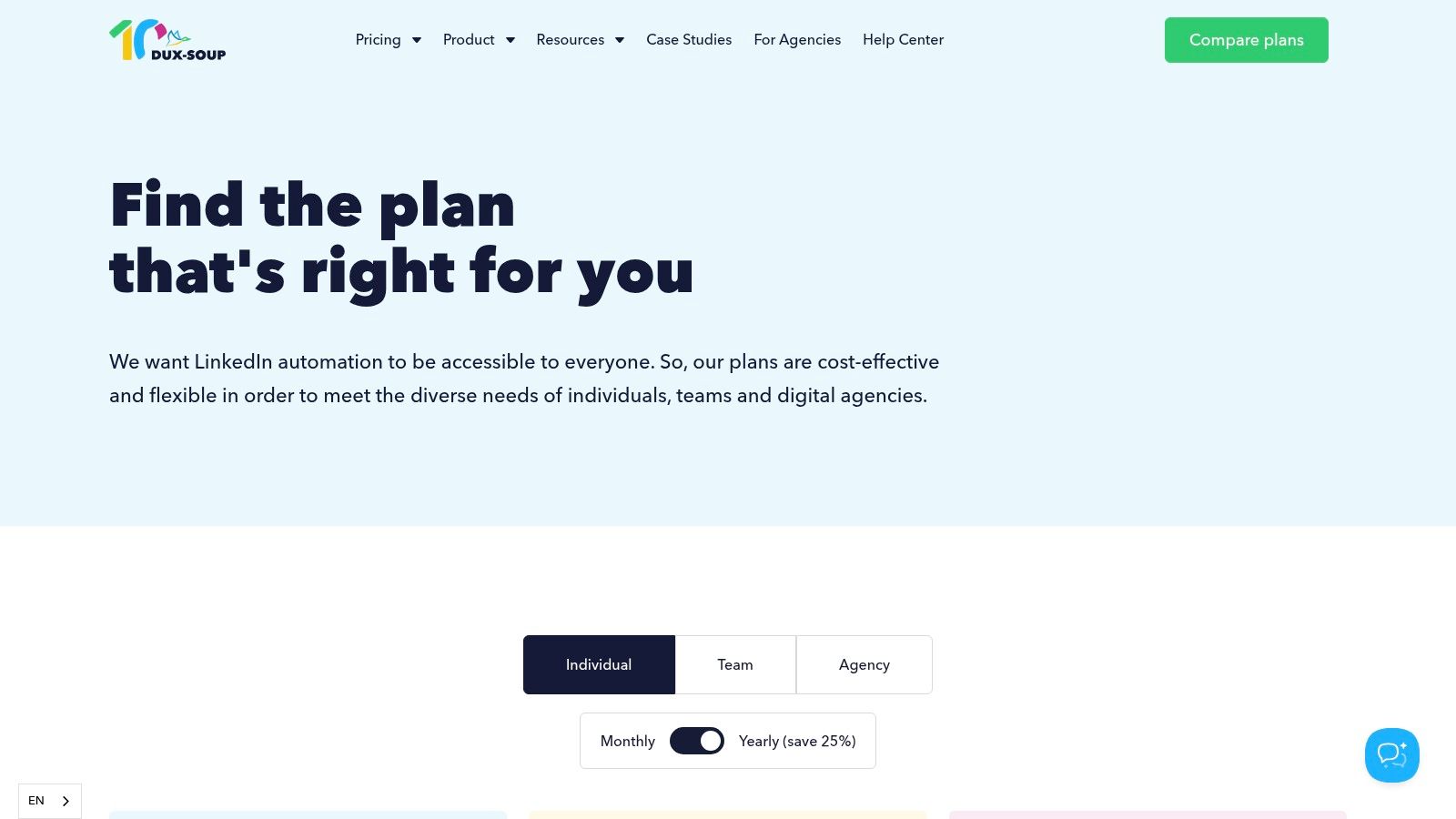
Dux-Soup has long been a staple in the LinkedIn automation space, earning its place as one of the best LinkedIn automation tools by solving the problem of inflexibility. It uniquely provides two deployment options: a browser extension and a cloud-based solution. This dual approach appeals to a wide range of users, from solo entrepreneurs who need affordability to teams needing a fully managed system.
Its strength lies in solving the issue of siloed data. Dux-Soup seamlessly connects with popular CRMs like HubSpot and Pipedrive, plus thousands of other apps via Zapier, allowing you to build a powerful lead generation engine that fits directly into your existing sales workflow. The tool automates essential activities like profile visits, skill endorsements, connection requests, and message sequences with precision.
Key Features & Ideal Use Case
Dux-Soup is designed for users who value flexibility, affordability, and deep CRM integration. Its tiered pricing makes it accessible for beginners, while its Turbo plan offers advanced features for power users.
- Best For: Solopreneurs, sales professionals, and marketers who need a cost-effective automation tool that integrates deeply with their existing CRM and sales stack.
- Standout Feature: The choice between a browser-based extension and a fully cloud-based solution allows users to pick the deployment model that best suits their budget and risk tolerance.
- Pricing: Offers multiple tiers, including Pro Dux for $14.99/month, Turbo Dux for $55/month, and Cloud Dux for $99/month, with discounts for annual billing. Visit their purchase page for details.
While Dux-Soup automates the outreach process, the quality of your messaging determines your success. This is a common bottleneck where many campaigns fail. Pairing it with EchoWrite AI solves this problem by generating personalized, high-engagement copy for your connection requests and follow-ups. EchoWrite AI’s ability to learn your unique voice ensures your automated messages sound authentic, helping you build genuine connections at scale.
Pros & Cons:
| Pros | Cons |
|---|---|
| Highly affordable entry-level plan | Browser-based automation carries a higher risk if not configured correctly |
| Flexible deployment options (local browser vs. cloud) | Top-tier features are locked behind the more expensive plans |
| Strong integration ecosystem with native CRMs and Zapier | The user interface can feel less modern than some newer competitors |
5. Meet Alfred
Meet Alfred positions itself as more than just a LinkedIn tool; it’s a comprehensive, cloud-based social selling platform. It solves the problem of juggling multiple tools by bringing LinkedIn, email, and X (formerly Twitter) into one unified campaign builder. This makes it a strong contender among the best LinkedIn automation tools for teams that need to manage both lead generation and social presence from a single dashboard.
Its ability to run campaigns based on LinkedIn Groups and Events solves the problem of finding unique targeting opportunities often missed by other platforms. The integrated CRM and smart inbox help teams manage conversations at scale, solving the issue of leads falling through the cracks. For agencies and sales departments, Meet Alfred provides a centralized hub for managing outreach and social scheduling simultaneously.
Key Features & Ideal Use Case
Meet Alfred is designed for users who want an all-in-one solution for outreach and social media management. Its team and agency features, including white-labeling and robust integrations, make it highly scalable.
- Best For: Sales teams and marketing agencies looking for a single platform to manage multichannel outreach and social content scheduling.
- Standout Feature: The native integration of LinkedIn, Email, and X outreach within a single campaign sequence, combined with social post scheduling.
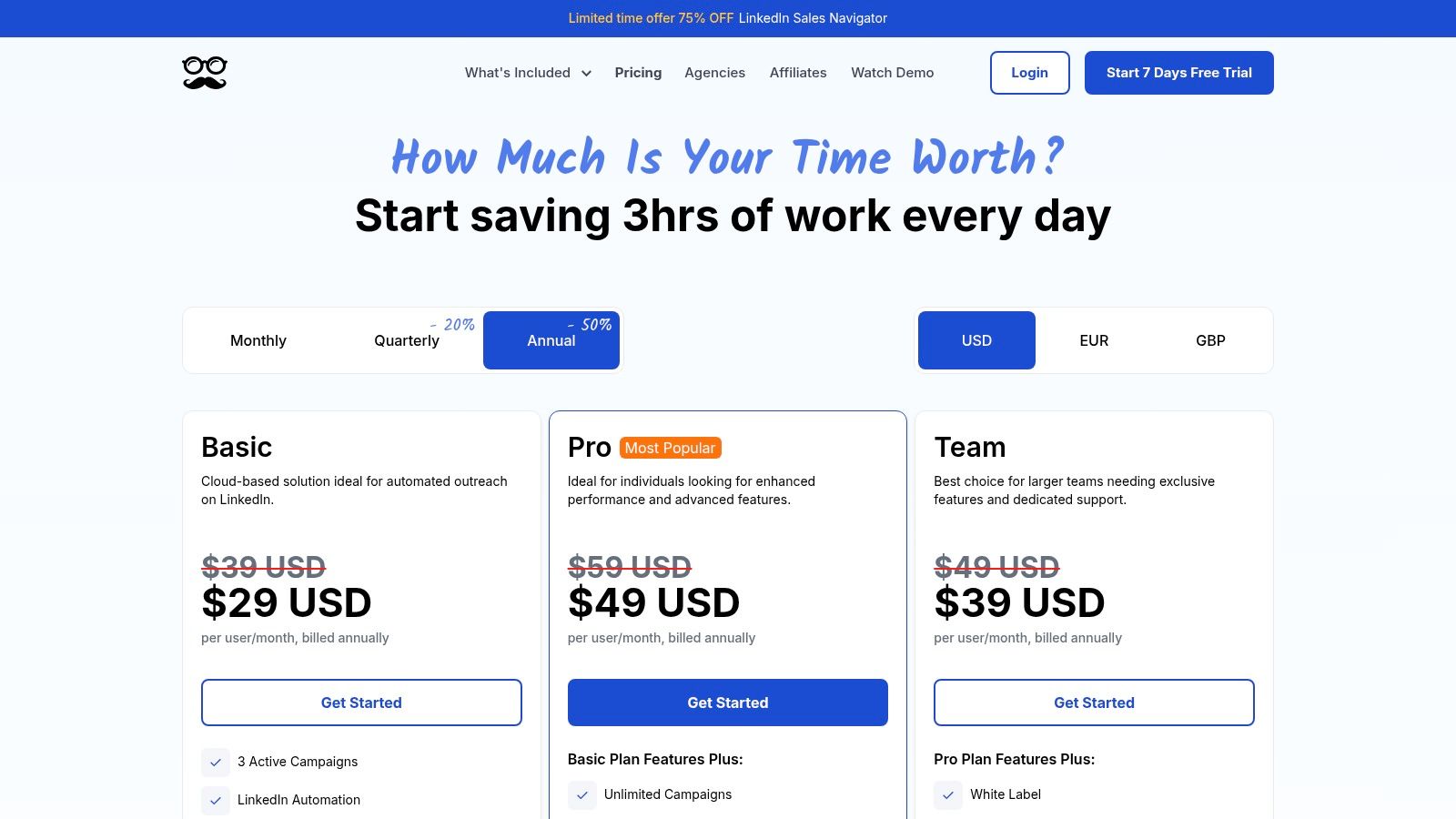
- Pricing: Starts at $39/month per user for the Starter plan when billed annually. Higher tiers with more features are available, offering significant discounts for annual commitments.
While Meet Alfred automates your campaign delivery, the challenge becomes creating content that resonates on each platform. EchoWrite AI solves this problem by generating platform-native content for your LinkedIn posts, emails, and X updates. This ensures your automated campaigns are powered by messaging that feels authentic and drives engagement. You can sharpen your approach by reading our guide to developing a small business social media strategy.
Pros & Cons:
| Pros | Cons |
|---|---|
| Broad multichannel toolkit beyond just LinkedIn | The sheer number of features can mean a longer onboarding time |
| Good for teams and agencies with white-labeling | Quarterly/annual pricing tiers can be confusing at first glance |
| Competitive annual pricing for its feature set | Interface can feel less intuitive than single-purpose tools |
6. Linked Helper
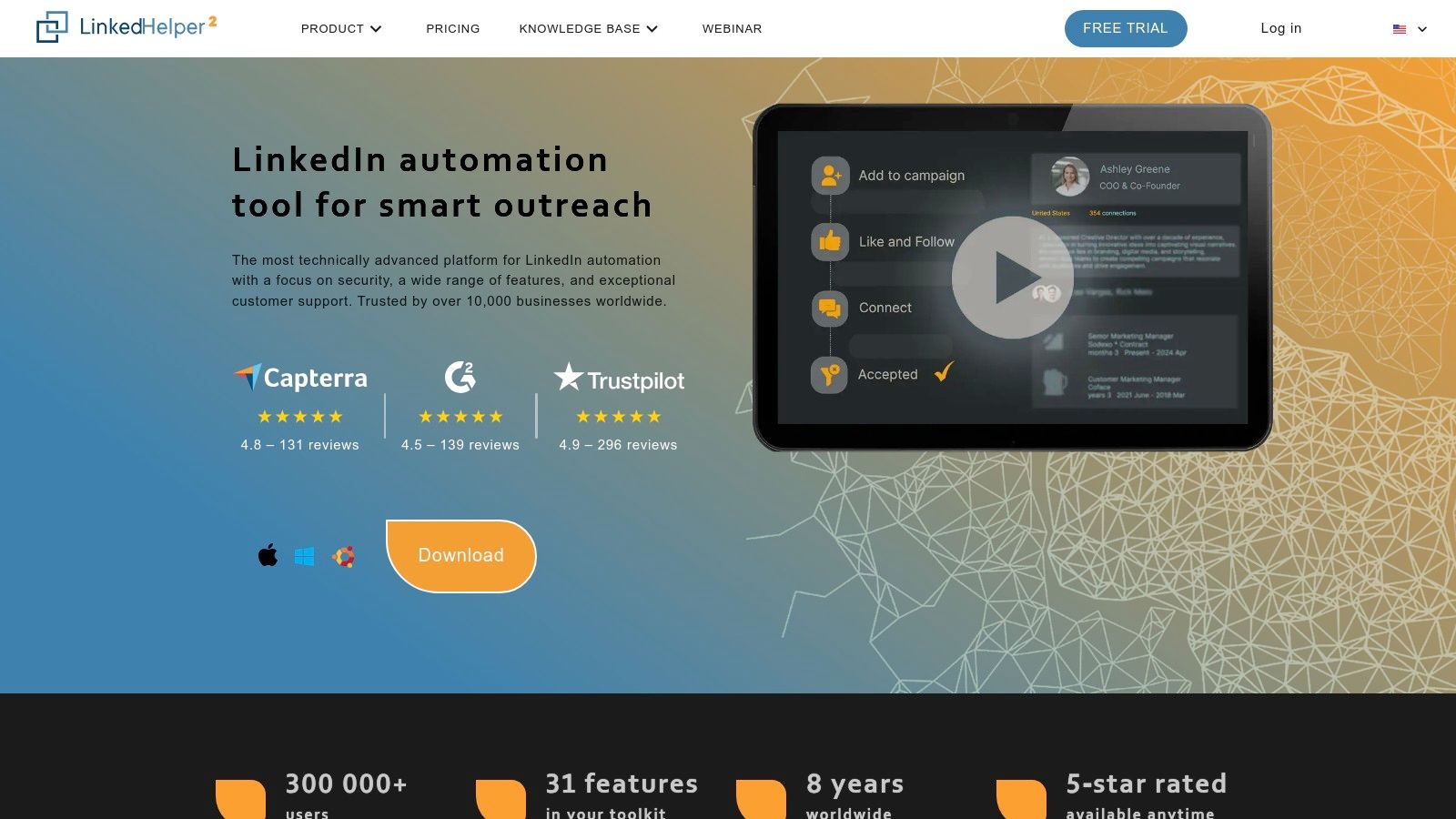
Linked Helper carves out a unique niche among the best LinkedIn automation tools by solving the problem of subscription fatigue. It operates as a downloadable desktop application, giving users direct control and a licensing model that allows you to pay for fixed durations (like one or three months) without being locked into a recurring subscription. This is particularly appealing for budget-conscious users, recruiters, and those running short-term campaigns.
The platform functions as a powerful CRM, solving the challenge of managing leads by building outreach funnels that guide prospects through a series of automated actions. It includes crucial safety features like smart reply detection to halt sequences and customizable daily limits to mimic natural human activity. By keeping your computer on, Linked Helper works in the background to consistently execute your campaigns, making it a cost-effective workhorse.
Key Features & Ideal Use Case
Linked Helper is built for users who prefer local control and flexible, non-subscription pricing. Its project-based model is excellent for recruiters filling specific roles or marketers running time-sensitive lead generation sprints.
- Best For: Recruiters, solopreneurs, and small businesses seeking a low-cost, high-control automation tool without recurring subscriptions.
- Standout Feature: The desktop-based application and fixed-duration licensing model offer unparalleled affordability and control for users who don’t need a hands-off cloud solution.
- Pricing: The Standard plan starts at $15/month, with the Pro plan at $45/month. Significant discounts are available for 3, 6, and 12-month licenses. A 14-day free trial is offered.
While Linked Helper automates the outreach workflow, the success of your campaigns still depends on the quality of your messaging. EchoWrite AI solves this problem by generating hyper-personalized connection requests and follow-up messages. This ensures your automated sequences feel authentic and engaging, significantly boosting reply rates and turning automated tasks into meaningful conversations.
Pros & Cons:
| Pros | Cons |
|---|---|
| Extremely affordable compared to cloud-based competitors | Requires your computer to be running for the tool to operate |
| Flexible licensing without recurring subscription traps | Less “hands-off” than cloud solutions and requires installation |
| Powerful built-in CRM for managing outreach funnels | The user interface can feel more complex than modern SaaS platforms |
7. Dripify
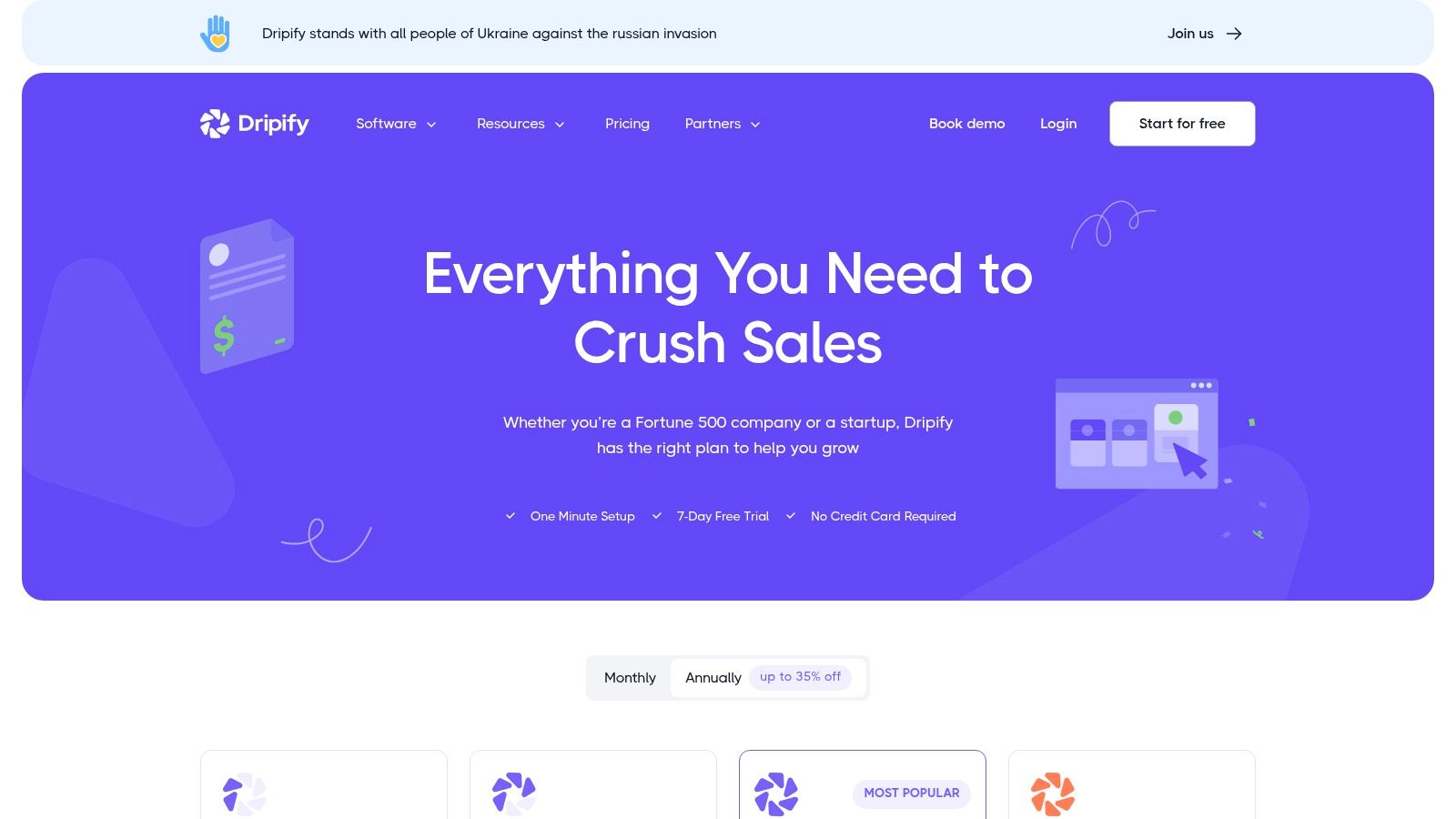
Dripify earns its spot among the best LinkedIn automation tools by solving the user’s need for a safe and performance-driven platform. It allows you to create sophisticated drip campaigns that sequence LinkedIn actions with optional email follow-ups, all while operating under realistic activity limits to protect your account. This focus on controlled, steady outreach solves the problem of account risk, making it a reliable choice for those looking for a scalable yet secure solution.
The platform provides a clear dashboard to monitor campaign performance and manage leads, solving the challenge of tracking ROI. Dripify’s ability to create campaigns from CSV uploads or standard LinkedIn searches gives users flexibility, while its built-in safety features automatically manage daily quotas to mimic natural human behavior. This makes it an excellent tool for those who want to “set and forget” their outreach campaigns with peace of mind.
Key Features & Ideal Use Case
Dripify is designed for users who need a clear, step-by-step approach to automation with strong safety guardrails. Its tiered plans allow businesses to start small and scale their outreach efforts as their team grows.
- Best For: Individuals and teams who want a straightforward, safety-focused platform with clear analytics and scalable features.
- Standout Feature: The A/B testing capability for messages and sequences allows you to optimize your outreach copy for better response rates directly within the tool.
- Pricing: Plans start at $59/month for the Basic plan, $79/month for Pro, and $99/month for the Advanced plan. A 7-day free trial is available without a credit card.
While Dripify automates the sequence, the effectiveness of each message depends on its quality. This is where EchoWrite AI solves a critical problem. By generating hyper-personalized connection requests and follow-up messages based on a prospect’s profile, EchoWrite AI ensures your automated campaigns feel genuinely human, leading to higher acceptance and reply rates.
Pros & Cons:
| Pros | Cons |
|---|---|
| Clear, tiered pricing suits different user needs | Advanced integrations like webhooks are locked to higher tiers |
| Emphasis on safety with practical daily quotas | Email finder credits are an extra cost |
| 7-day free trial with no credit card required | The user interface can feel complex for absolute beginners |
8. Waalaxy
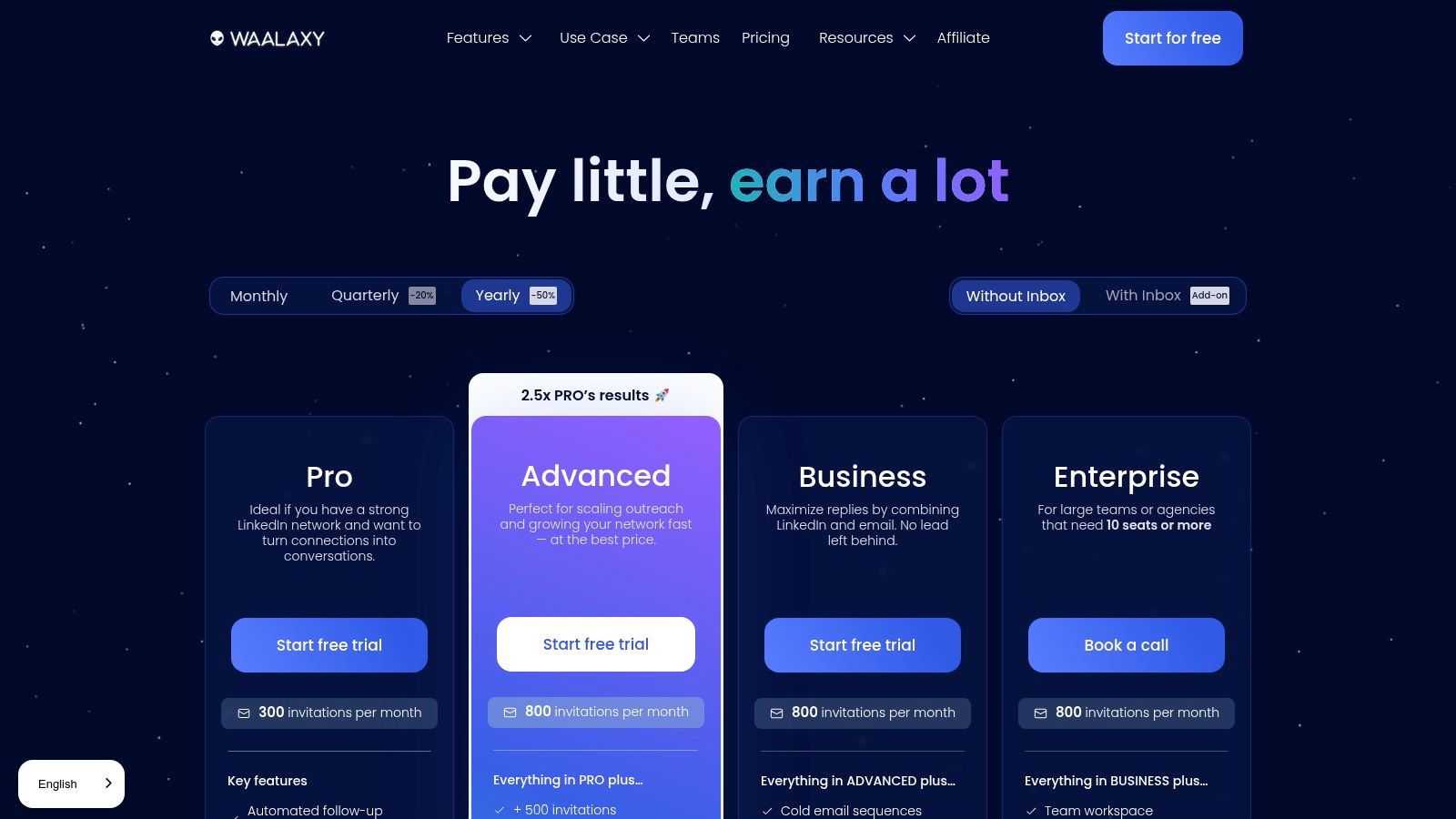
Waalaxy positions itself as a solution for freelancers, small businesses, and sales professionals who have the problem of a tight budget. It streamlines the prospecting process by allowing users to create simple, effective outreach sequences that include automated connection requests and follow-up messages. The platform simplifies importing prospects directly from LinkedIn, solving the problem of complicated setup and getting your campaigns up and running quickly.
Its key differentiator is bundling email-finder credits directly into its paid plans, solving the need for multi-channel outreach without the complexity or cost of more advanced platforms. This makes it an excellent choice for users who want to scale their initial lead generation efforts efficiently without a significant upfront investment.
Key Features & Ideal Use Case
Waalaxy is designed for simplicity and affordability, making it ideal for users just starting with automation or those running lightweight campaigns. Its straightforward interface and guided campaign creation lower the barrier to entry for effective prospecting.
- Best For: Solopreneurs, SMBs, and sales professionals looking for an easy-to-use and budget-friendly automation tool.
- Standout Feature: The inclusion of monthly email-finder credits and native CRM sync integrations offers significant value at a low price point.
- Pricing: Waalaxy offers a free-forever plan with basic features. Paid plans start from around $56 per month (billed annually) for the “Advanced” plan, increasing to approximately $88 per month for the “Business” plan with email finding.
While Waalaxy automates the “how” of outreach, your success still depends on the “what.” A tool like EchoWrite AI solves this content gap by helping you craft high-quality, engaging content for your profile and messages. By leveraging AI to generate compelling copy, you can make every automated touchpoint count. Discover how to create endless content variations from a single idea with our guide on AI content repurposing.
Pros & Cons:
| Pros | Cons |
|---|---|
| Very low starting price and a free plan | Lighter feature set compared to premium, agency-grade tools |
| Simple onboarding with helpful templates | Pricing shown in euros may vary with exchange rates |
| Well-suited for SMBs and solo operators | Limited to simpler, two-channel (LinkedIn + Email) sequences |
9. LaGrowthMachine (LGM)
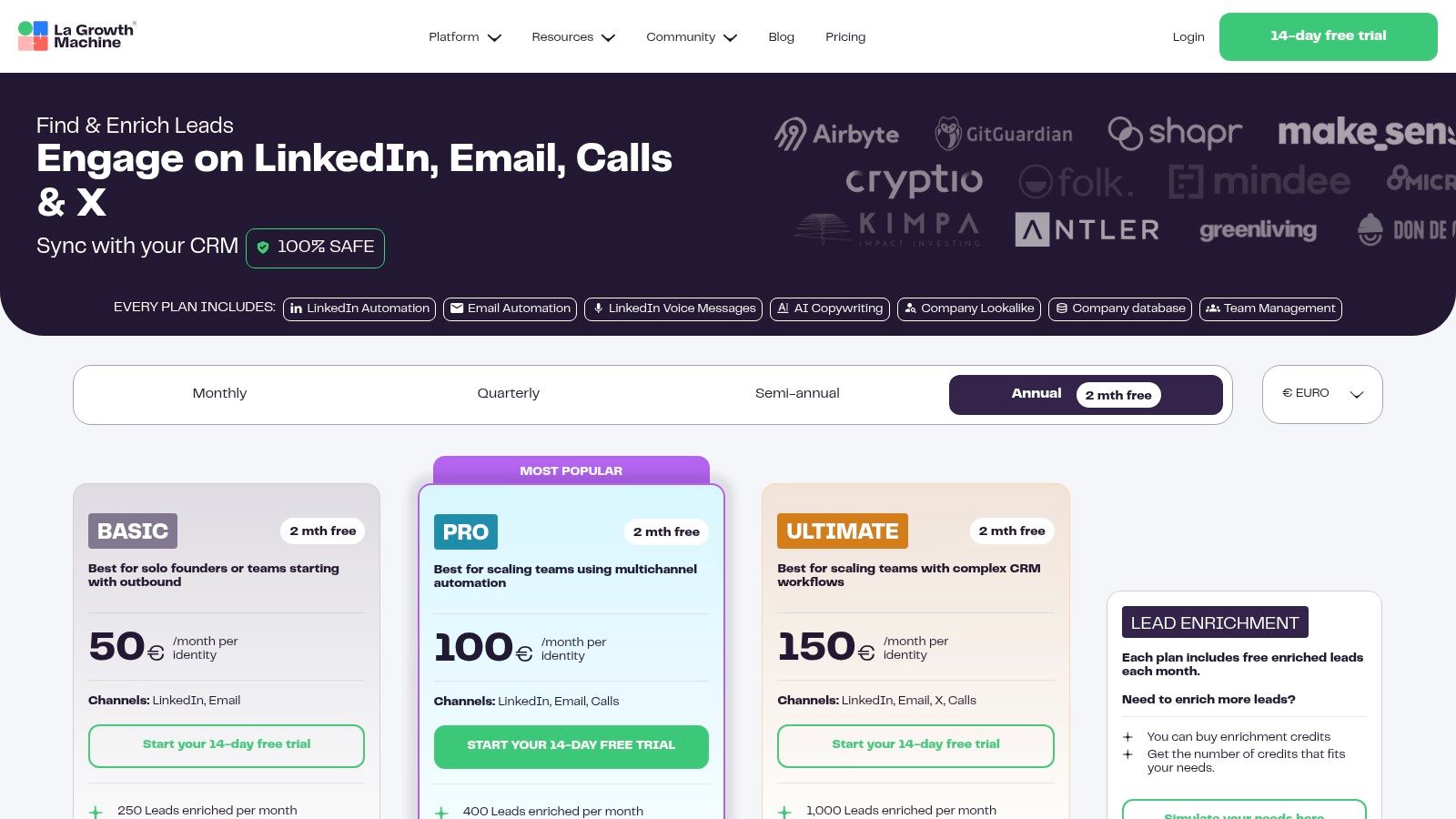
LaGrowthMachine (LGM) elevates itself among the best LinkedIn automation tools by solving the problem of executing sophisticated, safe, and data-driven campaigns. It integrates powerful data enrichment and advanced multichannel sequencing into a single platform. LGM goes beyond basic LinkedIn actions, allowing users to build complex workflows that include emails, calls, and even X (formerly Twitter) interactions, all triggered by prospect behavior.
The platform’s standout feature is its robust infrastructure, which solves the problem of account safety by utilizing cloud operation and 5G mobile proxies to minimize detection risk. Its built-in company database and lookalike targeting capabilities allow teams to find and engage ideal customer profiles with precision. This focus on data-driven, multichannel outreach makes it a formidable tool for organizations with complex needs.
Key Features & Ideal Use Case
LGM is built for teams that need to enrich lead data and execute complex, multichannel campaigns safely. Its “Identities” billing model is flexible for agencies or teams with multiple sales representatives running separate outreach efforts.
- Best For: Growth teams, sales departments, and agencies running data-intensive ABM campaigns that require multichannel touchpoints.
- Standout Feature: The combination of a built-in company database with advanced safety measures like 5G mobile proxies provides a secure framework for high-level targeting.
- Pricing: Plans start at €60/month per identity for basic automation, with higher tiers offering enrichment credits and more advanced features. Visit their pricing page for details.
While LGM orchestrates the multichannel sequence, the quality of your messaging determines its success. A tool like EchoWrite AI is the perfect partner to solve this. It helps you craft hyper-personalized LinkedIn messages, emails, and posts that resonate with high-value prospects. By feeding EchoWrite AI insights about your target accounts, you can generate compelling copy at scale, ensuring every touchpoint is impactful and drives replies.
Pros & Cons:
| Pros | Cons |
|---|---|
| Safety-first with cloud and 5G mobile proxies | ”Per identity” pricing can be costly for large-scale teams |
| Powerful enrichment and ABM-style targeting | Some advanced features require multi-identity commitments |
| Agency options and custom plans available | Euro-based pricing may be less predictable for USD-based users |
10. PhantomBuster
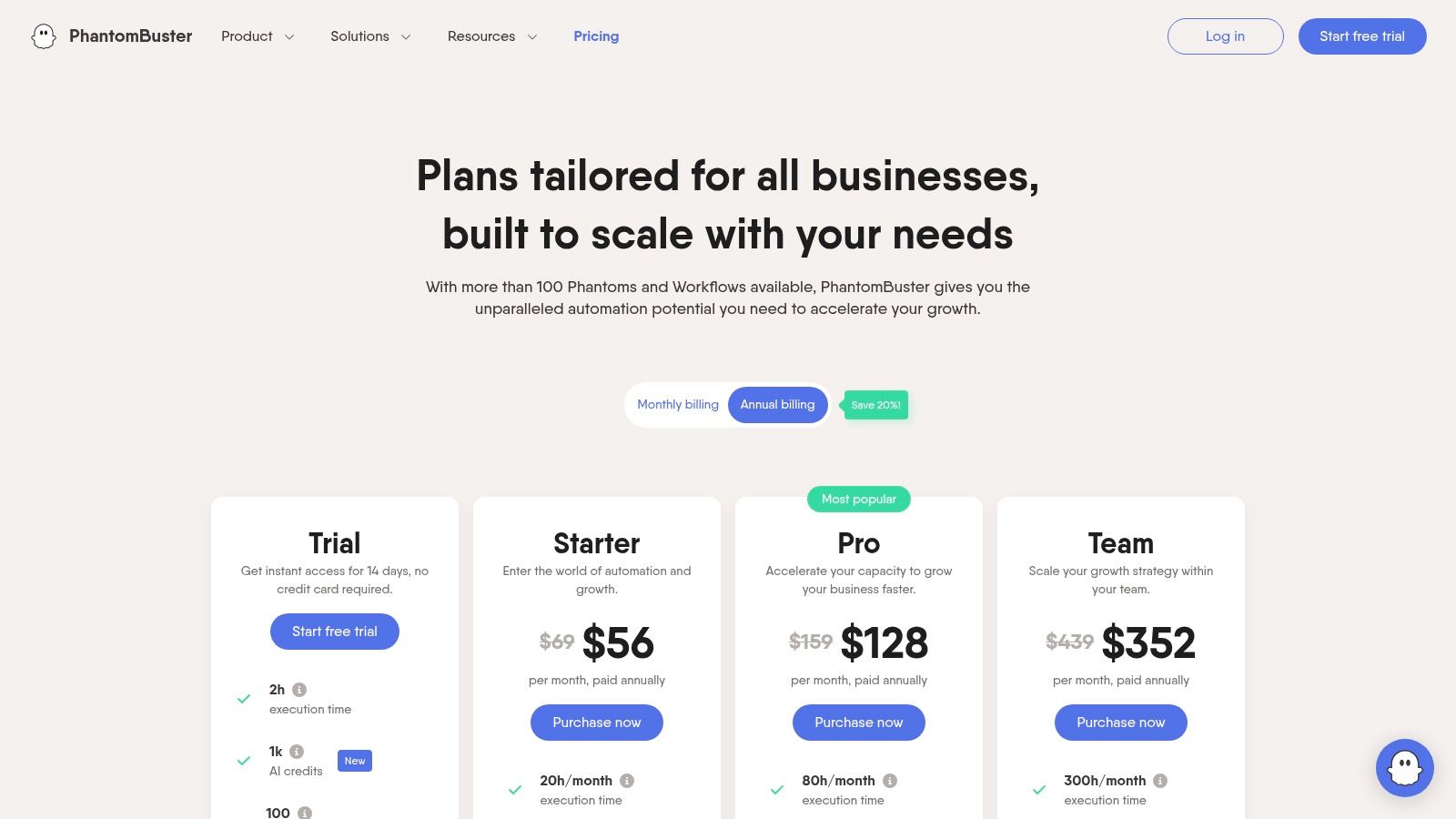
PhantomBuster carves out a unique space by solving the problem of inflexible automation. It functions less like a dedicated outreach tool and more like a powerful, versatile workflow engine. It offers a library of over 100 individual automations, called “Phantoms,” that can be chained together to create highly customized sequences for data scraping, lead enrichment, and automated actions. This makes it the ultimate solution for tech-savvy marketers who need granular control over their processes.
Instead of pre-built campaigns, you solve your unique workflow challenges by assembling your own “Flows.” You might use one Phantom to scrape profiles from a search result, another to enrich that data, and a third to send connection requests. This granular approach offers unparalleled flexibility, allowing you to integrate LinkedIn data with Google Sheets, CRMs, and other platforms via its API.
Key Features & Ideal Use Case
PhantomBuster is designed for users who see LinkedIn automation as part of a larger data and workflow strategy. Its power lies in its flexibility to extract specific data and integrate it across your entire tech stack.
- Best For: Power users, data analysts, and agencies needing to build complex, multi-platform automation workflows and perform large-scale data extraction.
- Standout Feature: The modular “Phantom” library allows for building custom, end-to-end automation sequences that are not possible with more rigid tools.
- Pricing: Starts with a limited free plan. Paid plans are usage-based, beginning at $69/month for 20 hours of execution time and scaling up with more hours, AI credits, and Phantom slots. A 14-day free trial is available on paid tiers.
While PhantomBuster automates the actions, the quality of your messaging determines your success. EchoWrite AI is the perfect complement to solve the crucial “what to say” problem. It generates the high-quality, personalized copy needed for your message Phantoms. By using EchoWrite AI to create compelling content, you ensure your sophisticated PhantomBuster workflows deliver messages that actually convert.
Pros & Cons:
| Pros | Cons |
|---|---|
| Extremely flexible with 100+ automations | More complex setup than single-purpose outreach tools |
| Works across many platforms, not just LinkedIn | Usage-based pricing can be hard to predict for new users |
| Strong integration with APIs and Google Sheets | Requires careful management to stay within LinkedIn’s rate limits |
11. Salesflow
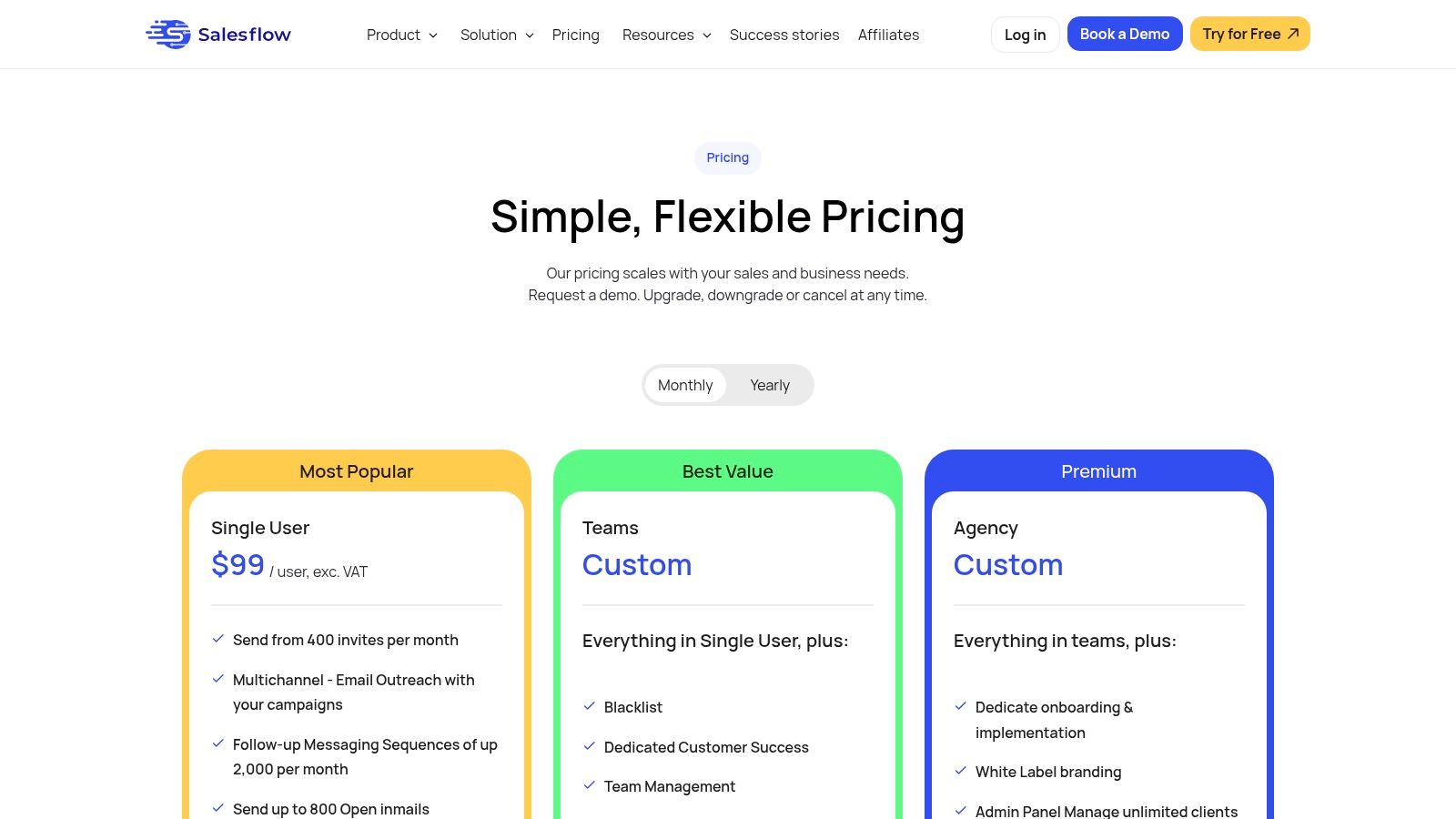
Salesflow carves out its space among the best LinkedIn automation tools by providing a streamlined, cloud-based solution that solves the problem of inefficient sales prospecting. It focuses on core outreach activities like automated connection requests and message sequences, making it a powerful option for sales teams looking to build a repeatable pipeline. Its compatibility with all LinkedIn tiers offers flexibility for teams at different growth stages.
The platform’s standout features are its AI-assisted inbox and detailed analytics, which solve the problem of managing conversations and measuring campaign effectiveness. By handling follow-ups and organizing replies, Salesflow allows sales professionals to concentrate on closing deals rather than managing administrative work, making it a solid choice for those prioritizing efficiency.
Key Features & Ideal Use Case
Salesflow is built for sales teams that need a reliable, no-frills automation engine to drive consistent outreach. Its emphasis on core prospecting functions and inbox management makes it ideal for daily sales operations.
- Best For: Sales teams and solopreneurs focused purely on outbound prospecting who need strong analytics and inbox management tools.
- Standout Feature: The AI-driven inbox management system effectively categorizes replies and streamlines follow-ups, saving significant time for active sales reps.
- Pricing: The “Pro” plan for individuals starts at $99 per user/month. They also offer custom plans for larger teams and agencies.
While Salesflow masters the automation of outreach, the success of those campaigns hinges on the quality of your messaging. EchoWrite AI solves this critical problem. By generating highly personalized, human-like copy for your connection requests and follow-ups, EchoWrite AI ensures your automated messages resonate with prospects, leading to higher acceptance and reply rates. Pairing Salesflow’s efficiency with EchoWrite AI’s content intelligence creates a truly effective prospecting machine.
Pros & Cons:
| Pros | Cons |
|---|---|
| Clear pricing for individuals and simple team options | Fewer white-label features compared to agency-focused tools |
| Strong analytics and inbox tools for daily operations | Some advanced campaign functions may require higher-tier plans |
| Purpose-built for sales teams focused on LinkedIn | Limited multichannel capabilities without purchasing add-ons |
12. Octopus CRM
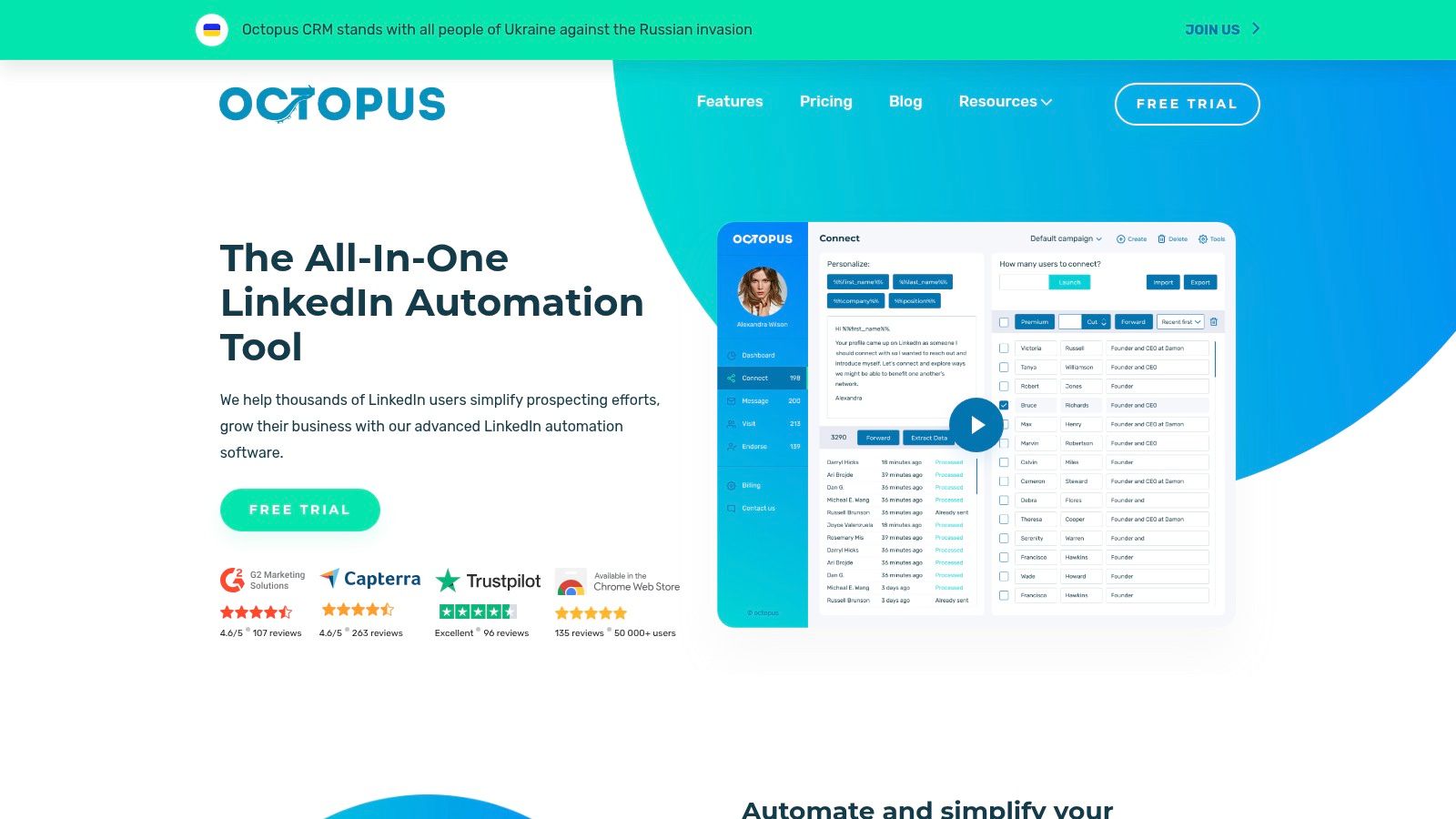
Octopus CRM enters the list as one of the best LinkedIn automation tools for users who have the problem of a strict budget. It offers a straightforward, extension-based approach to automating essential tasks like connection requests, messaging sequences, and skill endorsements. This makes it an accessible entry point for freelancers and small businesses looking to dip their toes into automation without a significant financial commitment.
Its core strength lies in solving the problem of complexity and cost. Users can build simple, linear outreach funnels, manage contacts in a basic built-in CRM, and monitor campaign performance with clear statistics. The tool also provides activity control and safety limits to help users avoid overly aggressive automation, which is a crucial feature for an extension-based tool.
Key Features & Ideal Use Case
Octopus CRM is designed for individuals and small teams who need a no-frills automation solution to save time on repetitive LinkedIn tasks. Its direct integrations with Zapier and HubSpot allow for basic workflow connections with other marketing tools.
- Best For: Freelancers, solopreneurs, and small business owners seeking a low-cost, easy-to-use automation tool for basic outreach.
- Standout Feature: Its incredibly low pricing structure makes it one of the most budget-friendly options on the market for core automation features.
- Pricing: Plans start from $9.99/month for the Starter plan, with the Unlimited plan at $39.99/month. A 7-day free trial is available for all plans.
While Octopus CRM handles the “how” of sending messages, the “what” you say is what truly drives results. Low-quality, generic messages sent at scale can damage your reputation. EchoWrite AI solves this problem by generating personalized, high-quality content for your connection requests and follow-ups. By pairing EchoWrite’s content intelligence with Octopus CRM’s automation, you ensure your budget-friendly outreach still sounds professional and compelling, boosting your reply rates.
Pros & Cons:
| Pros | Cons |
|---|---|
| Very low monthly pricing with a 7-day free trial | Extension-based automation carries a higher risk of detection |
| Simple setup for common LinkedIn tasks | Lacks the advanced safety features of cloud-based platforms |
| Suitable for freelancers and small, tight budgets | Feature depth and reliability can be less robust than premium tools |
Top 12 LinkedIn Automation Tools — Feature Comparison
| Tool | Core features | UX & quality (★) | Price & value (💰) | Target audience (👥) | Unique selling points (✨) |
|---|---|---|---|---|---|
| EchoWrite AI 🏆 | AI-powered content repurposing (YouTube/RSS/URL → platform-native posts); campaign templates & scheduling | ★★★★☆ — polished UI, analytics & voice-training | 💰 $49/mo (founding) — typically $29–79; high ROI vs hiring manager | 👥 YouTubers, bloggers, solopreneurs, small biz | ✨ Multiplies one asset into 7–16 posts; AI that learns your voice; Time-Saver Guarantee |
| Expandi | Cloud LinkedIn + email outreach, warm-up & throttling, templates | ★★★★☆ — reliable deliverability focus | 💰 One-tier per-account pricing; scales with accounts | 👥 Agencies & paid outreach teams | ✨ Account warm-up, safety-first limits, agency features |
| Zopto | LinkedIn automation + CRM integrations, AI templates, A/B testing | ★★★★☆ — enterprise-ready dashboard | 💰 Higher entry price; volume/white-label options | 👥 Teams, enterprises, agencies | ✨ Deep CRM sync, email enrichment, white-label/volume plans |
| Dux-Soup | Extension or cloud; drip campaigns, CRM integrations, lead dashboard | ★★★☆☆ — straightforward but extension-based | 💰 Very low entry price; upgrade for cloud features | 👥 Freelancers, budget-conscious users | ✨ Local vs cloud deployment; strong integrations at low cost |
| Meet Alfred | Multichannel (LinkedIn, email, X), social scheduling, CRM-like inbox | ★★★★☆ — full-featured cloud experience | 💰 Competitive annual pricing; team/white-label plans | 👥 Teams & agencies wanting outreach + scheduling | ✨ All-in-one outreach + post scheduling with team controls |
| Linked Helper | Desktop automation + built-in CRM, reply detection, safety scheduling | ★★★☆☆ — powerful but requires local upkeep | 💰 Low-cost fixed-duration licenses (no auto-renew) | 👥 Recruiters, short-term projects, budget users | ✨ Pay-for-months model; local control (no subscription lock-in) |
| Dripify | LinkedIn + email sequences, quotas, team controls, analytics | ★★★★☆ — clear flows & safety features | 💰 Clear tiered plans; add-on credits for email finder | 👥 Solo sellers to growing teams | ✨ Safety quotas and campaign protections; easy trial |
| Waalaxy | Prospecting automation, CRM sync, included email-finder credits | ★★★☆☆ — simple onboarding, lightweight UI | 💰 Very low starting price (EUR) — budget-friendly | 👥 SMBs, solo operators starting outreach | ✨ Low-cost starter option with email credits and easy import |
| LaGrowthMachine (LGM) | Multichannel ABM-style sequences, enrichment, mobile proxies | ★★★★☆ — robust for complex workflows | 💰 Per-identity billing; can be pricier at scale | 👥 Agencies, ABM teams, growth ops | ✨ Safety-first infra (5G proxies), rich enrichment & targeting |
| PhantomBuster | 100+ automations (“Phantoms”), scrapers, API & exports | ★★★★☆ — very flexible but needs setup | 💰 Usage-based by execution hours/slots; scalable | 👥 Power users, data teams, integrators | ✨ Extreme flexibility: cross-platform workflows & data exports |
| Salesflow | LinkedIn outbound, AI inbox assist, reporting, CSV imports | ★★★★☆ — sales-focused UX & analytics | 💰 Clear single-user pricing; team add-ons | 👥 Sales teams focused on LinkedIn outreach | ✨ AI-assisted inbox + straightforward outbound analytics |
| Octopus CRM | Multi-step funnels, basic CRM, Zapier/HubSpot integrations | ★★★☆☆ — simple & easy for beginners | 💰 Very low monthly price; 7-day trial | 👥 Freelancers, small teams on tight budgets | ✨ Budget-friendly funnel builder with CRM basics |
Choosing the Right Tool: Your Next Step to LinkedIn Growth
Navigating the landscape of the best LinkedIn automation tools can feel overwhelming. We’ve journeyed through twelve powerful platforms, from the browser-based simplicity of Dux-Soup to the multi-channel complexity of LaGrowthMachine. Each tool offers a unique approach to solving the core challenge of LinkedIn outreach: how to scale your efforts without sacrificing the human touch that builds genuine connections.
The key takeaway is that automation isn’t a “set it and forget it” magic button. It’s a force multiplier. The most successful users, whether they are solopreneurs, agency owners, or sales teams, understand that the right tool complements a well-defined strategy. Your success hinges not just on the software you choose, but on the quality of your targeting, the personalization of your messaging, and your commitment to engaging authentically with the connections you make.
How to Make Your Final Decision
As you weigh your options, move beyond feature lists and pricing tiers. Instead, anchor your decision in your specific goals and operational capacity. Ask yourself these critical questions:
- What is my primary problem? Are you trying to solve the problem of pure lead generation (like Expandi or Zopto), building a personal brand through content (like EchoWrite AI), or a combination of both? Your objective dictates the features you should prioritize.
- What is my technical comfort level? Are you comfortable with a cloud-based platform that runs 24/7, or do you prefer a browser extension (like Linked Helper or Octopus CRM) that gives you more direct oversight during your working hours?
- How important is safety and compliance? Every tool carries some risk, but platforms that intelligently mimic human behavior, randomize activity, and operate within reasonable daily limits are your safest bet. Prioritize tools that make safety a core feature, not an afterthought.
- Do I need a single-channel or multi-channel solution? If your strategy involves coordinating LinkedIn messages with email follow-ups, tools like Waalaxy or LGM are built for that. If your focus is exclusively on mastering LinkedIn, a dedicated tool will be more streamlined and cost-effective.
Beyond Automation: The Content Advantage
Ultimately, the most significant shift in LinkedIn strategy is moving from pure outreach to value-driven content. This is where many traditional automation tools fall short. They can send connection requests and follow-up messages, but they can’t help you solve the real problem: creating the compelling posts, articles, and carousels that establish you as an authority in your field. This is the bottleneck that legacy automation simply wasn’t designed to fix.
This is why we built EchoWrite AI. While other tools focus solely on automating the mechanics of outreach, EchoWrite AI automates the most difficult and time-consuming part of the process: creating high-quality, on-brand content that attracts your ideal audience. By learning your unique voice and multiplying your best ideas into platform-native formats, it transforms your LinkedIn presence from a simple prospecting channel into a powerful inbound lead magnet.
The best LinkedIn automation tools are the ones that empower you to work smarter, not just faster. They handle the repetitive tasks, freeing you up to focus on what truly matters: building relationships, sharing valuable insights, and growing your business. Choose the tool that aligns with your vision, commit to a safe and ethical strategy, and you’ll unlock a new level of professional growth.
Ready to move beyond basic outreach and build a true content engine on LinkedIn? EchoWrite AI helps you multiply your expertise into high-performing posts, carousels, and articles in your unique voice, turning your profile into an inbound lead machine. Discover how our platform complements the best LinkedIn automation tools by visiting EchoWrite AI to see it in action.