
 Martín Véliz

If you’re a small business owner, the social media grind is relentless. You’re losing 10, 15, or even 20 hours a week brainstorming ideas, writing captions, creating visuals, and manually scheduling every single post. This isn’t just inefficient; it’s a constant drain that pulls you away from growing your business, serving your clients, and focusing on your core strengths.
The problem isn’t your commitment. It’s the manual process. Traditional scheduling tools help you organize content you’ve already spent hours creating, but they don’t solve the real bottleneck: content creation itself. They put a Band-Aid on a process that needs a complete overhaul. What if you could reclaim those lost hours and automate not just the posting, but the entire content strategy from start to finish?
This guide cuts through the noise to showcase the best social media management tools for small business that actually solve your biggest problems. We’ll go beyond basic schedulers and dive into platforms that truly streamline your workflow. We’ll compare tools that simply queue up posts versus advanced solutions like EchoWriteAI, which intelligently solves the content creation bottleneck by generating and automating a full content calendar from your existing assets, turning days of work into minutes.
Get ready for a detailed breakdown of the top platforms. For each tool, we provide an honest assessment of its features, ideal use cases, pricing, pros, and cons, complete with screenshots and direct links. Stop managing posts and start automating your growth. Let’s find the right tool to get you off the content treadmill for good.
1. EchoWrite AI: Best for Automated Content Multiplication & Time Savings
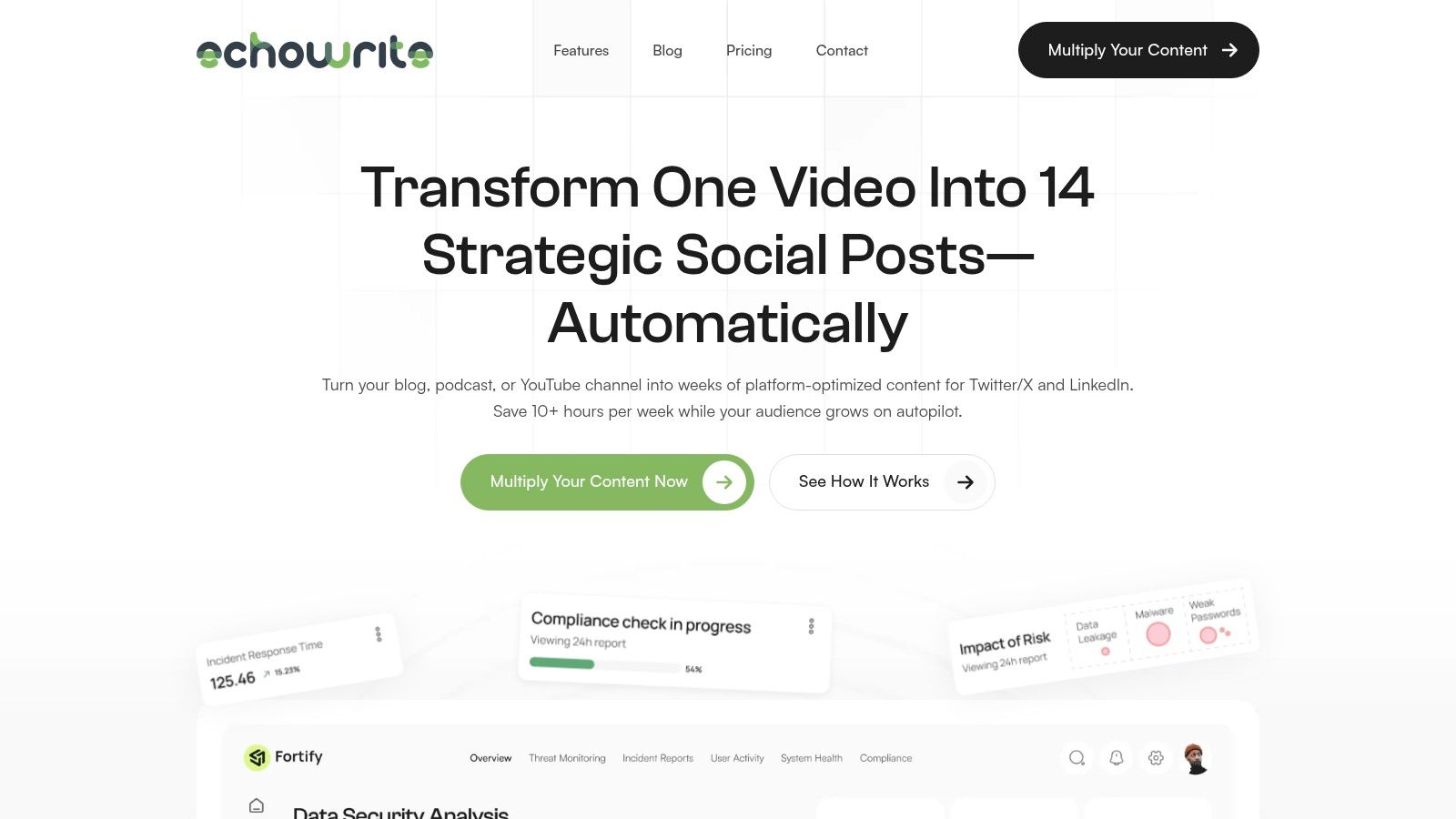
For the small business owner or solopreneur drowning in the daily demands of social media, EchoWrite AI emerges as a powerful solution designed to reclaim your time. It’s not just another scheduler; it’s an intelligent content multiplication engine. Its core function addresses your primary pain point: the endless need to create fresh, engaging social content. EchoWrite automates this entire process by transforming a single piece of long-form content, like a blog post or YouTube video, into a full campaign of platform-optimized posts.
This platform stands out as one of the best social media management tools for small business because it combines sophisticated AI with strategic, pre-built marketing templates. This means you’re not just solving the “what to post” problem; you’re getting a structured, multi-week promotional plan that you can approve in minutes, giving you back hours of your week.
Why EchoWrite AI Excels for Small Businesses
EchoWrite’s primary strength lies in its ability to replicate your unique voice and style with remarkable accuracy. The “Viral Voice AI” trains on your existing content library, ensuring the generated posts sound authentically like you, not a generic robot. This solves the common problem of AI-generated content feeling flat or off-brand. The platform’s promise to slash social media management time from over 10 hours a week to just 30 minutes is a game-changer for entrepreneurs wearing multiple hats.
Key Features & Benefits:
- Content Multiplication Engine: Turns one URL, video, or podcast into 12–16 platform-native posts, including Twitter/X threads and LinkedIn carousels.
- Viral Voice AI: Learns your distinct tone and style for 99% authentic, on-brand content creation.
- Automated Campaign Templates: Utilizes pre-built strategies like the “7-Day Echo” to schedule a multi-week promotional blitz automatically.
- Effortless Integration: Connects seamlessly with YouTube, RSS feeds, Substack, and podcasts, detecting new content within minutes to kickstart campaigns.
- Performance Analytics: Includes a time-saved calculator and content performance tracking to measure your ROI directly.
Pricing and Guarantees
EchoWrite offers introductory founder pricing at $49/month, positioning itself as a highly affordable alternative to hiring a social media manager (which typically costs $1,500–$3,000/month).
This is backed by a bold 60-day Time-Saver Guarantee, promising to save you 10+ hours per week or your money back, plus a $100 PayBack Promise, demonstrating strong confidence in its value proposition.
Who is EchoWrite AI Best For?
This tool is ideal for content-driven small businesses, YouTubers, podcasters, and solopreneurs who consistently produce long-form content but lack the time for social promotion. If your problem is maximizing the reach of every piece of content without sacrificing authenticity or spending hours scheduling posts, EchoWrite is built to solve it for you. For those looking to escape the content creation grind, you can learn more about using AI to end social media burnout.
However, its primary focus is currently on Twitter/X and LinkedIn. While it provides analytics for other platforms, users focusing heavily on highly visual platforms like Instagram may need to supplement its output. The AI’s effectiveness also hinges on having a base of existing content to learn from, so brand-new creators may need to build a small library first.
Website: https://echowriteai.com
2. Buffer
Buffer is a long-standing favorite in the social media world, and for good reason. It’s the quintessential tool for small businesses and solopreneurs who need a clean, straightforward way to schedule content without a steep learning curve. If your problem is being overwhelmed by complex dashboards and features you’ll never use, Buffer’s simplicity is a breath of fresh air.
Its strength lies in its core scheduling and analytics capabilities. The platform makes it incredibly easy to fill your content calendar for weeks in advance across major platforms like Instagram, TikTok, Facebook, LinkedIn, YouTube, and even Threads. The “best time to post” feature takes the guesswork out of your strategy, ensuring your content reaches your audience when they’re most active.
Key Features and Pricing
Buffer’s channel-based pricing model is unique. Instead of locking features behind expensive tiers, you pay per social channel you connect. This makes it one of the most affordable and scalable best social media management tools for small business owners just starting out.
- Free Plan: Connect up to 3 channels and schedule 10 posts per channel.
- Essentials Plan: Starts at $6 per month per channel and unlocks unlimited scheduled posts, an engagement inbox, and advanced analytics.
- Team & Agency Plans: Offer collaboration tools and higher channel limits for growing teams.
Pros and Cons
| Pros | Cons |
|---|---|
| Generous Free Tier: Perfect for testing the waters. | Per-Channel Billing: Costs can escalate for agencies with many clients. |
| Intuitive Interface: Extremely easy to learn and use daily. | Limited Advanced Features: Lacks deep social listening or competitor analysis. |
| Broad Platform Support: Includes newer channels like TikTok and Threads. | Basic Engagement Tools: Inbox is functional but less robust than dedicated tools. |
Buffer is the ideal choice for business owners who prioritize efficiency and ease of use over enterprise-level complexity.
Pro-Tip: If you struggle to create enough content to fill Buffer’s queue, EchoWriteAI is the perfect solution. It solves your content creation problem by generating a month’s worth of post ideas and captions in minutes, which you can then plug directly into your Buffer schedule to automate your entire workflow.
Find out more at https://buffer.com/pricing.
3. Hootsuite
Hootsuite is one of the original and most comprehensive platforms in social media management. It’s a true all-in-one dashboard designed for businesses that need robust tools for publishing, monitoring, and analytics. If your problem is scaling your operations beyond simple scheduling and you want a central hub for your entire social strategy, Hootsuite offers a powerful, enterprise-grade solution.
Its core strength is its ability to centralize complex workflows. You can manage multiple accounts across various networks from a single view, bulk schedule hundreds of posts, and monitor conversations with a unified social inbox. Features like competitive benchmarking and sentiment analysis provide deeper insights, helping you refine your approach and stay ahead of trends. For businesses that take their social media seriously, it’s a command center.
Key Features and Pricing
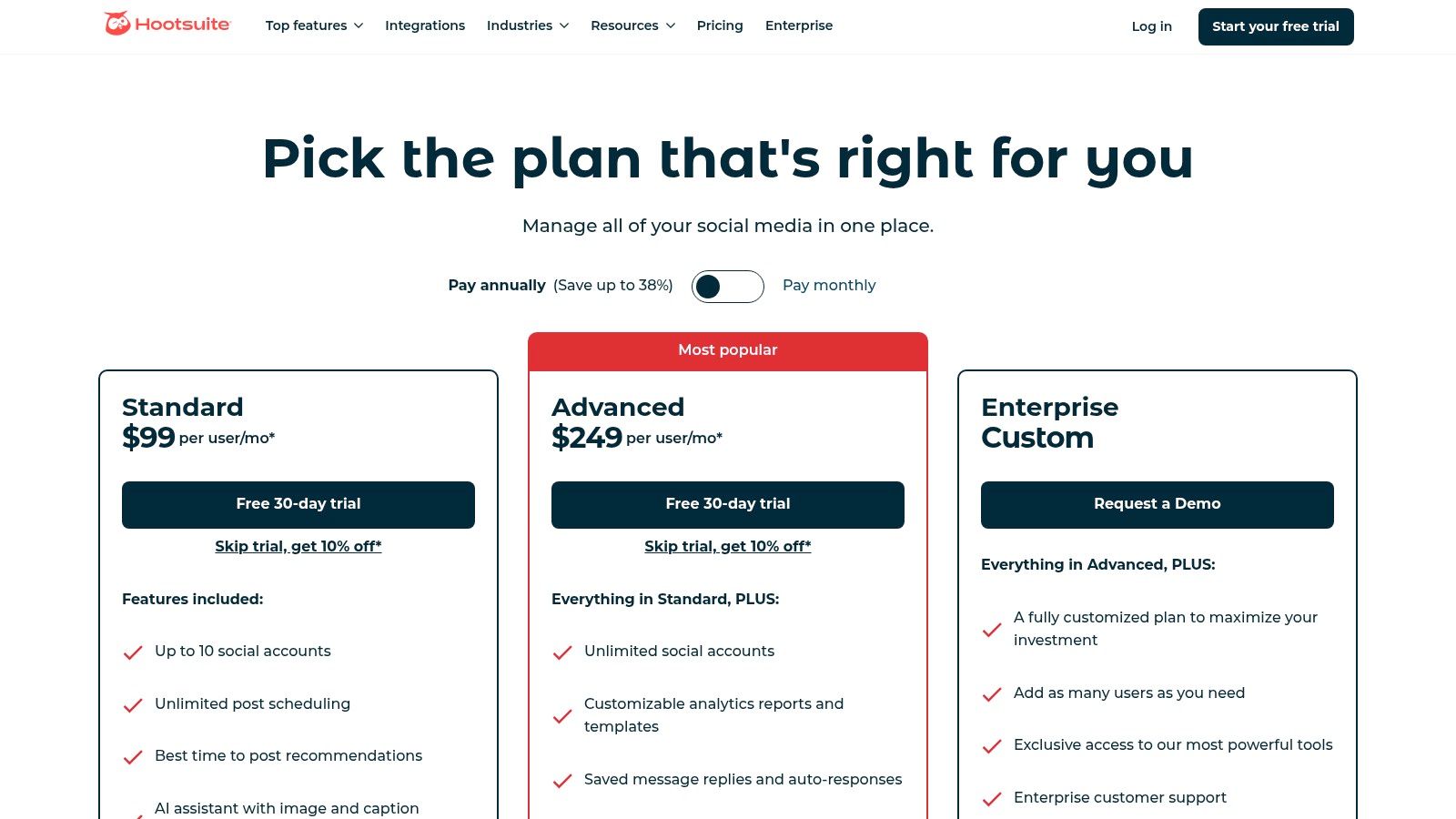
Hootsuite’s pricing is structured for teams that are ready to invest in a premium toolset, with a 30-day free trial to explore its capabilities. It stands out as one of the best social media management tools for small business teams that plan to grow.
- Professional Plan: Starts at $99 per month for 1 user and 10 social accounts, including unlimited posts and a post calendar.
- Team Plan: Starts at $249 per month, adding roles, permissions, and collaboration features for 3 users and 20 accounts.
- Enterprise Plans: Custom pricing for larger organizations needing advanced analytics, compliance, and support.
Pros and Cons
| Pros | Cons |
|---|---|
| Rich Feature Set: Offers deep analytics, social listening, and more. | Higher Price Point: Can be a significant investment for solopreneurs. |
| Scales for Growth: Easily accommodates growing teams and client lists. | Complex Interface: The vast number of features can feel overwhelming at first. |
| Extensive Integrations: Connects with hundreds of apps in its ecosystem. | Pricing Clarity: Costs can vary, so it’s best to confirm regional pricing. |
Hootsuite is the best fit for established small businesses and marketing teams who need a powerful, scalable platform to manage a comprehensive social media presence.
Pro-Tip: Hootsuite’s bulk scheduler is a huge time-saver, but creating all that content is the hard part. Solve this problem with EchoWriteAI, which can generate diverse post ideas, captions, and hashtags. You can create a CSV file full of content and upload it to Hootsuite in seconds, automating a month of work.
Find out more at https://www.hootsuite.com/plans.
4. Sprout Social
Sprout Social is a premium, all-in-one platform built for teams that are ready to move beyond simple scheduling and dive deep into data. If your small business is scaling and your problem is needing robust reporting, team collaboration features, and a centralized hub for all your social activities, Sprout Social delivers an enterprise-grade experience tailored for growth.
Its major strength is its powerful analytics suite. The platform offers detailed competitor analysis, trend identification, and presentation-ready reports that clearly demonstrate social media ROI. This makes it one of the best social media management tools for small business teams that need to justify their marketing spend and make data-driven decisions.
Key Features and Pricing
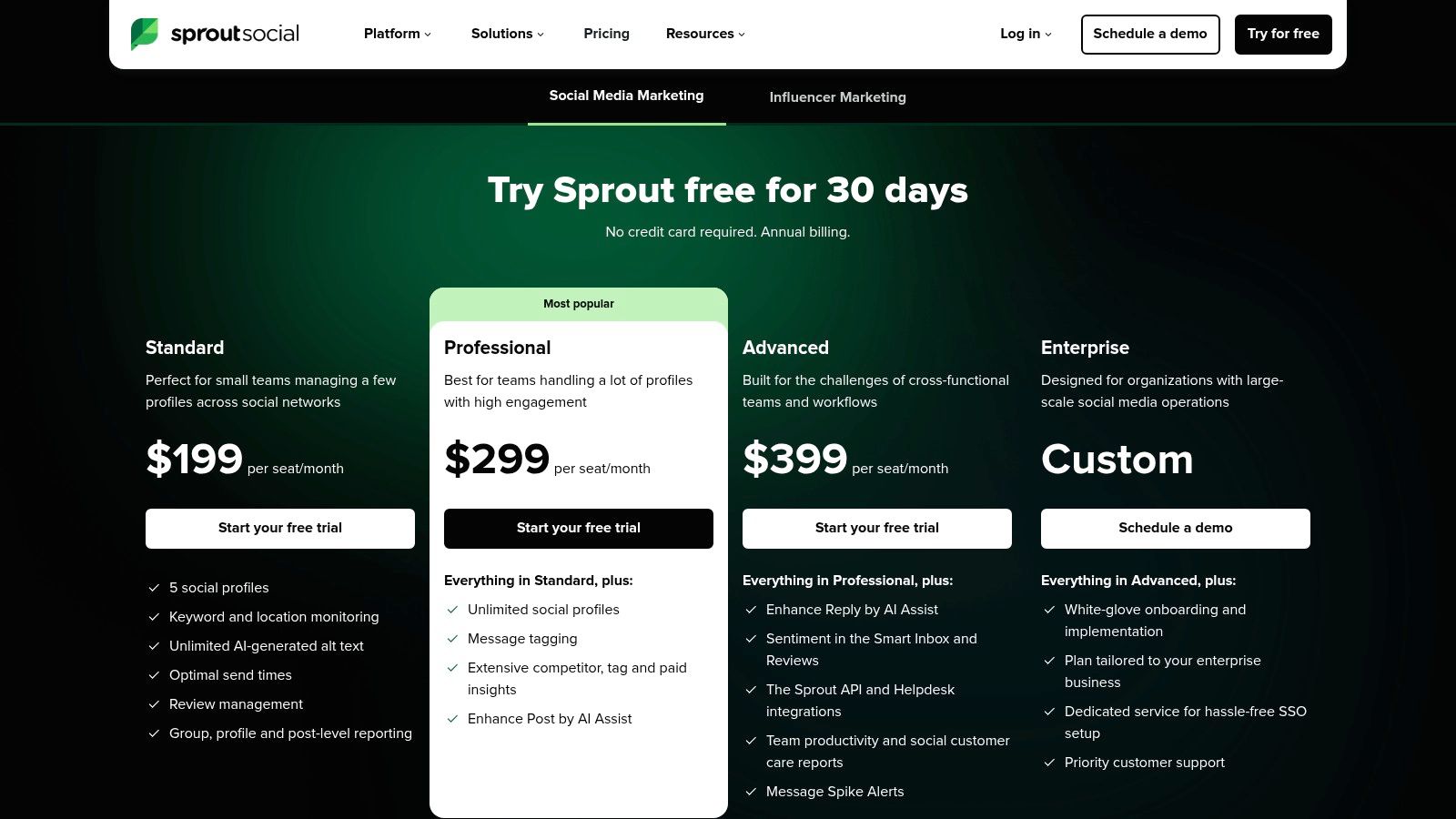
Sprout Social’s pricing is user-based, which is ideal for teams that require specific roles and permissions. While it sits at a higher price point, the investment grants access to a suite of sophisticated tools. All plans come with a 30-day free trial.
- Standard Plan: Starts at $249 per month for 1 user and includes 5 social profiles, all-in-one social inbox, and core publishing tools.
- Professional Plan: Starts at $399 per month and adds unlimited social profiles, competitor reports, and optimal send times.
- Advanced Plan: The most comprehensive tier, offering advanced automation tools, a digital asset library, and chatbot creation.
Pros and Cons
| Pros | Cons |
|---|---|
| Best-in-Class Reporting: Unmatched depth in analytics and competitor data. | Pricey Per-Seat Model: Can become expensive for teams with multiple users. |
| Strong Collaboration: Ideal for teams with approval workflows and governance needs. | Costly Add-Ons: Advanced features like social listening are extra. |
| Unified Smart Inbox: Streamlines engagement across all connected profiles. | Steeper Learning Curve: More complex than entry-level tools. |
Sprout Social is the right choice for data-focused businesses that view social media as a critical revenue channel and require powerful tools to manage it effectively.
Pro-Tip: Sprout Social’s detailed reporting can highlight content gaps in your strategy. EchoWriteAI solves this problem by instantly generating creative posts, captions, and ideas based on your best-performing topics. This ensures you’re always feeding your high-powered Sprout Social workflow with top-tier content.
Find out more at https://sproutsocial.com/pricing/.
5. Later
Later began as an Instagram-first scheduler and has evolved into a powerhouse for visual-centric brands. If your small business relies heavily on Instagram, TikTok, or Pinterest, and your problem is planning your feed aesthetically, Later’s visual-first approach will feel like a perfect fit. It’s designed to help you plan your feed, ensuring your brand looks cohesive and professional.
Its drag-and-drop visual planner is the star feature, allowing you to see exactly how your content grid will look before you post. This is a game-changer for brands that care deeply about their visual identity. Beyond scheduling, it incorporates powerful tools like a link-in-bio page and user-generated content (UGC) collection to create a more comprehensive marketing hub.
Key Features and Pricing
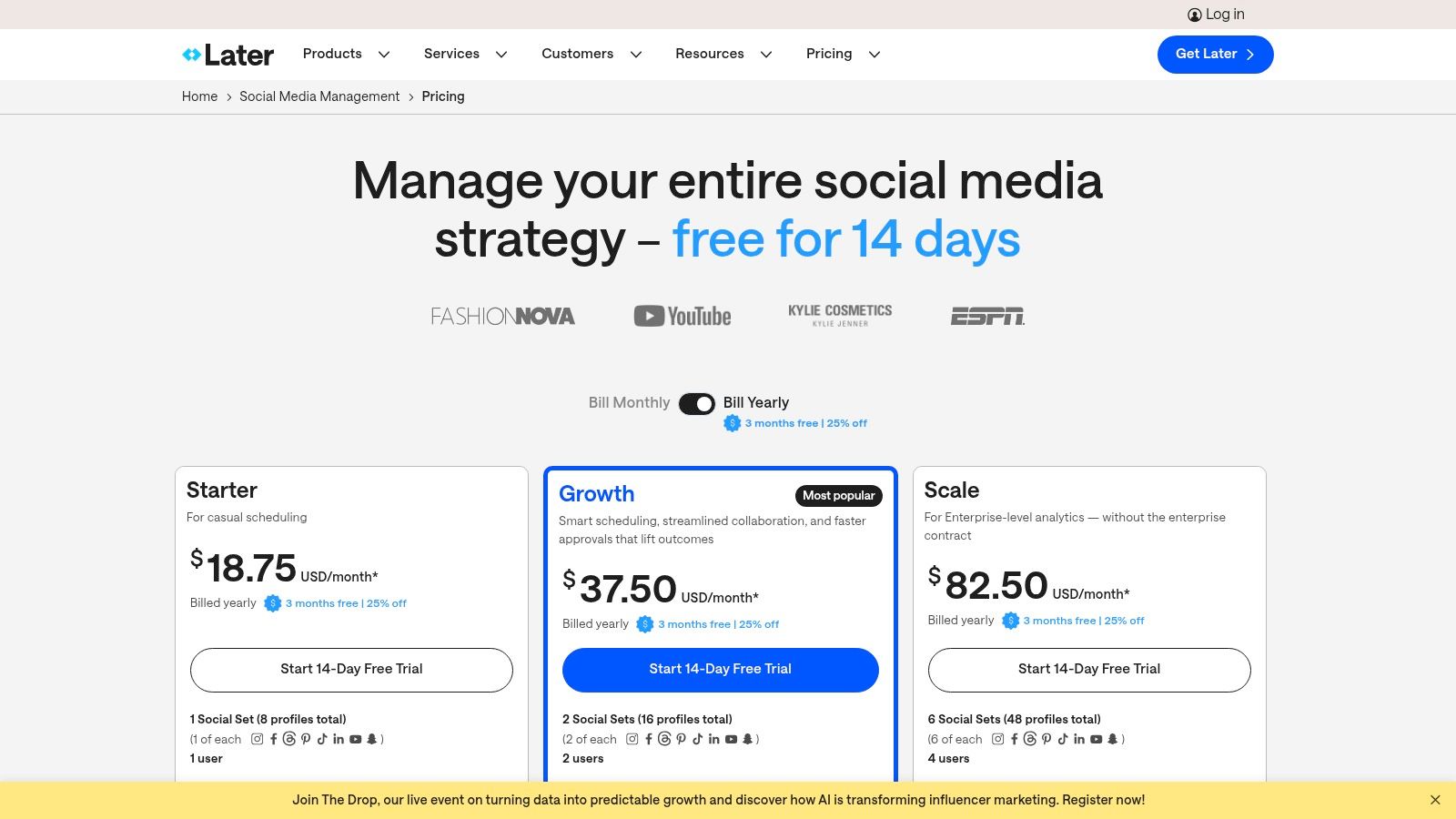
Later’s pricing is structured around user counts and the number of “social sets,” which is one of each platform (e.g., 1 Instagram, 1 Facebook, 1 TikTok). This model offers clear value at each tier, making it one of the best social media management tools for small business owners who are ready to scale their visual marketing efforts.
- Starter Plan: Starts at $25 per month for 1 social set, 1 user, and 30 posts per profile.
- Growth Plan: Starts at $45 per month, adding unlimited posts, 3 users, and features like a social inbox.
- Advanced Plan: Starts at $80 per month, designed for teams with up to 6 users and advanced analytics.
Pros and Cons
| Pros | Cons |
|---|---|
| Excellent for Visual Brands: The visual planner is unmatched. | Limited Lower Tiers: Starter plan has user and post limits. |
| Strong Usability: Very intuitive and quick to set up and learn. | Analytics Behind Paywall: Enterprise-grade analytics are only on top tiers. |
| Great Link-in-Bio Tool: Integrates seamlessly with your content. | Less Suited for Text-Heavy Platforms: Focus is clearly on visual media. |
Later is the ideal choice for product-based businesses, creators, and marketers who think visually and want to perfect their online aesthetic.
Pro-Tip: If your visual content is strong but you’re struggling with compelling captions, EchoWriteAI solves this problem perfectly. It can generate dozens of engaging, on-brand captions in minutes, which you can then simply drag and drop your media into Later and paste in the perfect text for a complete, polished post.
Find out more at https://later.com/pricing.
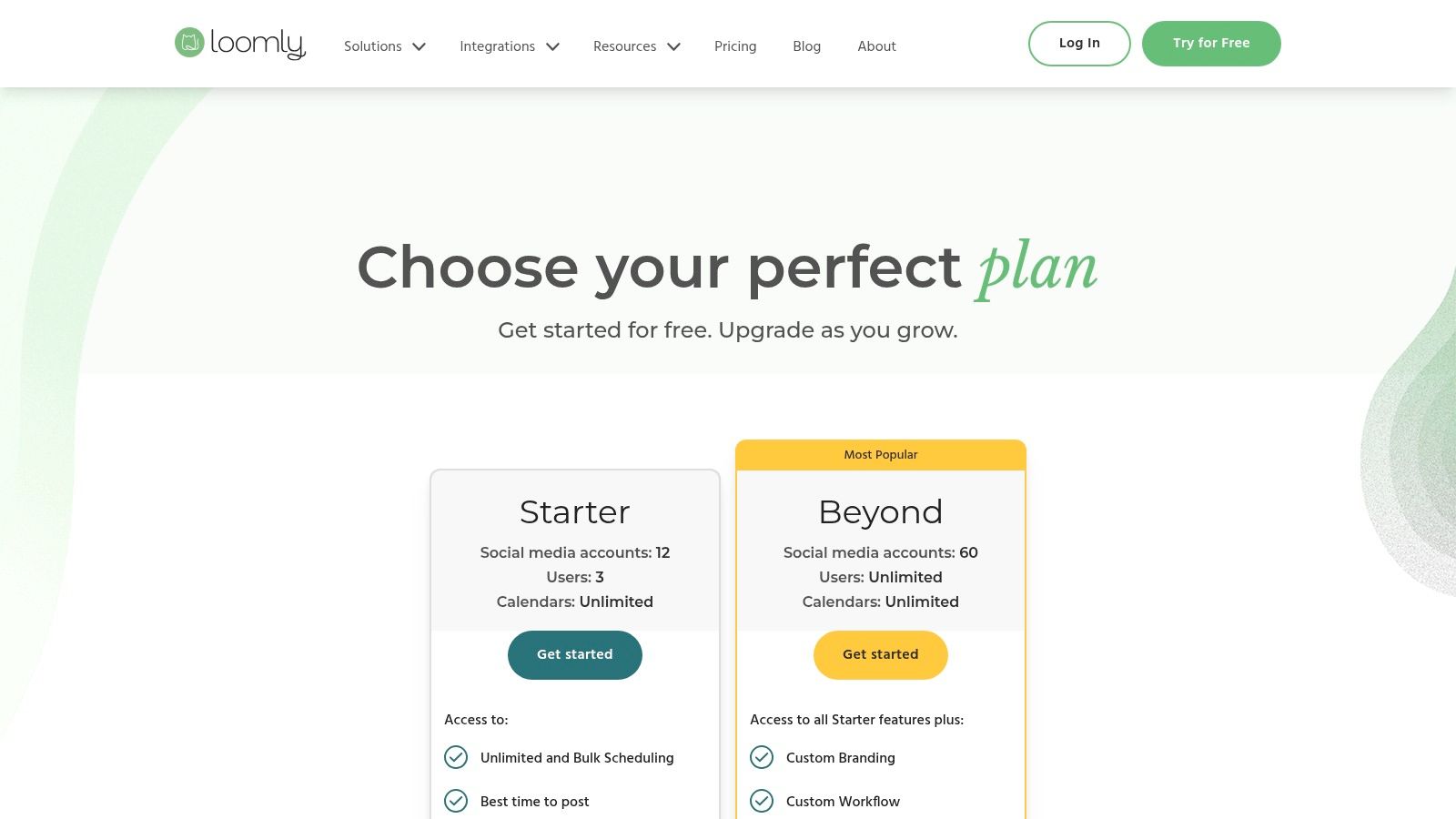
6. Loomly
Loomly is a social media management platform that shines for small teams and agencies that prioritize collaboration and content approval. It acts as a brand success platform, going beyond simple scheduling to guide you from content idea to published post with helpful prompts, an asset library, and clear approval workflows. If your problem is messy email chains to get a post signed off, Loomly is the organized solution you need.
Its workflow is built around a clean, intuitive calendar view that gives you a bird’s-eye view of your entire content strategy. Loomly provides post ideas, hashtag suggestions, and even a quick optimization check before you publish, ensuring every piece of content is polished. This makes it an excellent tool for maintaining brand consistency across multiple team members or when working with clients.
Key Features and Pricing
Loomly’s plans are structured around the number of users and social accounts, with core features available on most tiers. A standout offering is their 50% lifetime discount for nonprofit organizations, making it an accessible choice for mission-driven teams.
- Base Plan: Starts at $32 per month for 2 users and 10 social accounts.
- Standard Plan: $64 per month for 6 users, 20 accounts, and adds advanced analytics and content exporting.
- Advanced & Premium Plans: Offer higher limits and custom roles for larger teams and agencies.
Pros and Cons
| Pros | Cons |
|---|---|
| Excellent Approval Workflows: Perfect for client work and teams. | Pricing Can Be Confusing: Plan specifics are not immediately clear. |
| Post Ideas & Guidance: Helps overcome creative blocks. | Fewer Advanced Listening Tools: Not ideal for deep competitor or trend analysis. |
| Intuitive for All Users: Simple enough for clients to navigate easily. | Base Plan Lacks Some Analytics: Advanced reporting requires a higher tier. |
Loomly is one of the best social media management tools for small business teams that need a structured, collaborative environment to create and approve high-quality content.
Pro-Tip: Loomly’s content idea generator is a great start, but to truly solve the content creation bottleneck, pair it with EchoWriteAI. You can generate a diverse set of post captions and ideas, organize them in your Loomly asset library, and then use the platform’s workflow to get them approved and scheduled, creating a seamless content pipeline. Discover more in our guide to social media content creation tools.
Find out more at https://www.loomly.com/pricing.
7. Sendible
Sendible is the go-to platform for small businesses and marketing agencies whose main problem is needing robust team collaboration features without an enterprise-level price tag. It strikes a perfect balance between power and usability, offering sophisticated tools like client dashboards, content approval workflows, and in-depth reporting that help growing teams stay organized and efficient.
Where Sendible truly shines is in its agency-focused design. It allows you to create customized, white-label reports and dashboards for your clients, strengthening your brand’s professional image. The platform supports a wide array of networks, including direct posting to Google Business Profile, making it a comprehensive solution for managing a diverse online presence.
Key Features and Pricing
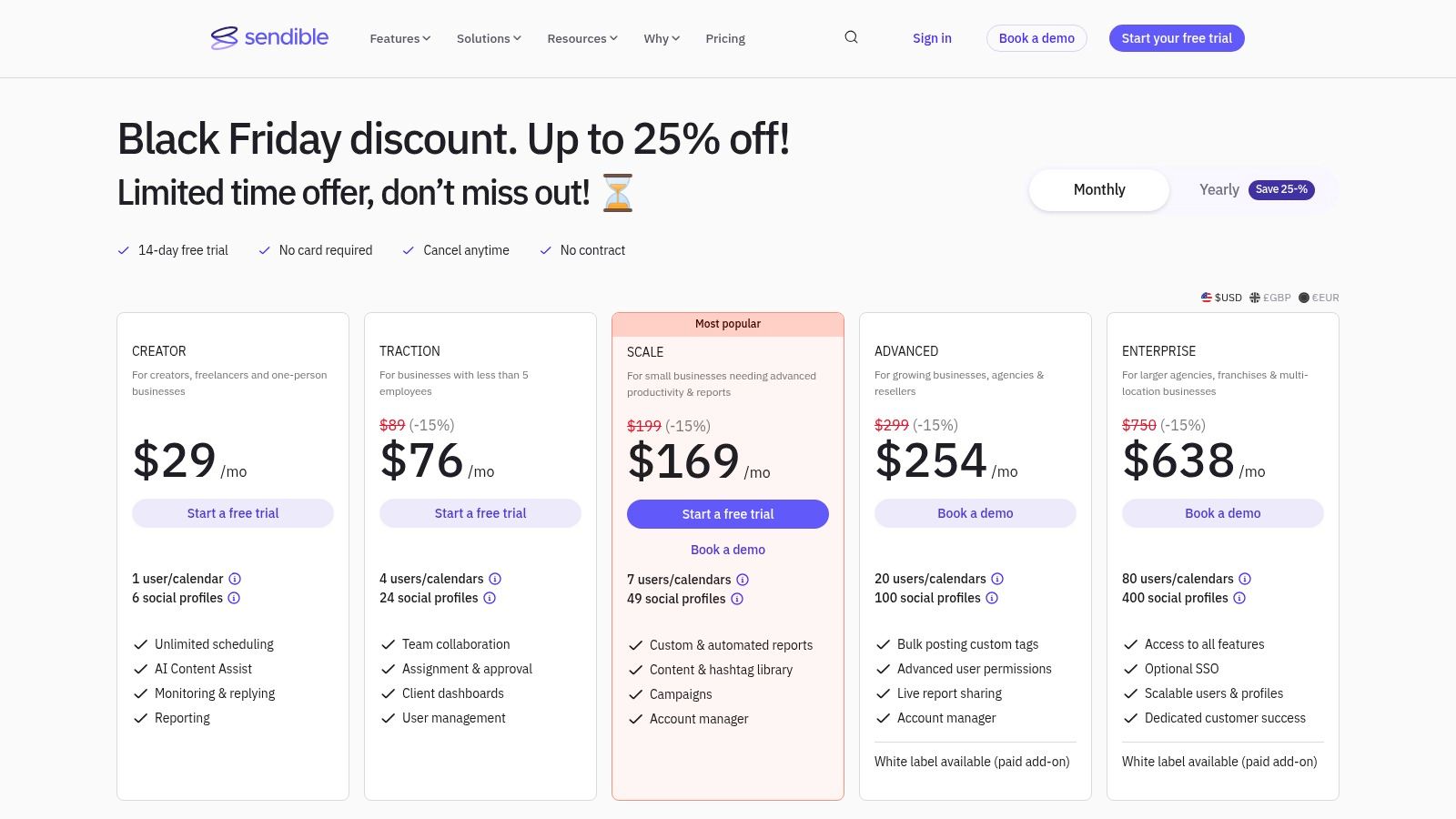
Sendible’s plans are structured around the number of users and social profiles, making it easy to scale as your business or agency grows. Each tier builds upon the last, adding more advanced features and higher limits.
- Creator Plan: Starts at $29 per month for 1 user and 6 profiles.
- Traction Plan: Starts at $89 per month, increasing to 4 users and 24 profiles, adding team collaboration tools.
- White Label Plan: Custom pricing for agencies needing fully branded dashboards and reports.
Pros and Cons
| Pros | Cons |
|---|---|
| Excellent Value: Great for multi-user small teams and agencies. | Slight Learning Curve: Interface is more detailed than entry-level tools. |
| Strong Agency Features: White-label options and client dashboards. | Add-On Costs: Some advanced features come at an extra cost on higher tiers. |
| Helpful Onboarding: Great support options to get you started. | Interface Can Feel Dense: The depth of features may overwhelm beginners. |
Sendible is one of the best social media management tools for small business teams that need to collaborate effectively on content and report on their success.
Pro-Tip: While Sendible helps organize your team, you still face the problem of creating content. Solve this by pairing it with a dedicated content generator like EchoWriteAI to create a full pipeline of unique, strategic posts. Generate diverse post angles and captions in EchoWriteAI, then use Sendible’s bulk scheduler to upload and organize everything for your team’s approval.
Find out more at https://www.sendible.com/pricing.
8. SocialBee
SocialBee is a powerful ally for small businesses whose main problem is content automation and consistency. Its standout feature is the category-based scheduling system, which lets you group your content by theme (e.g., blog posts, special offers, behind-the-scenes) and then create a posting schedule based on those categories. This “set it and forget it” approach ensures your feed never runs dry.
For busy entrepreneurs, this is a game-changer. You can designate certain content categories as “evergreen,” and SocialBee will automatically recycle those posts after a set period, keeping your profiles active with minimal manual effort. This makes it an exceptional tool for solving the problem of maintaining a constant presence without having to create brand-new content every single day.
Key Features and Pricing
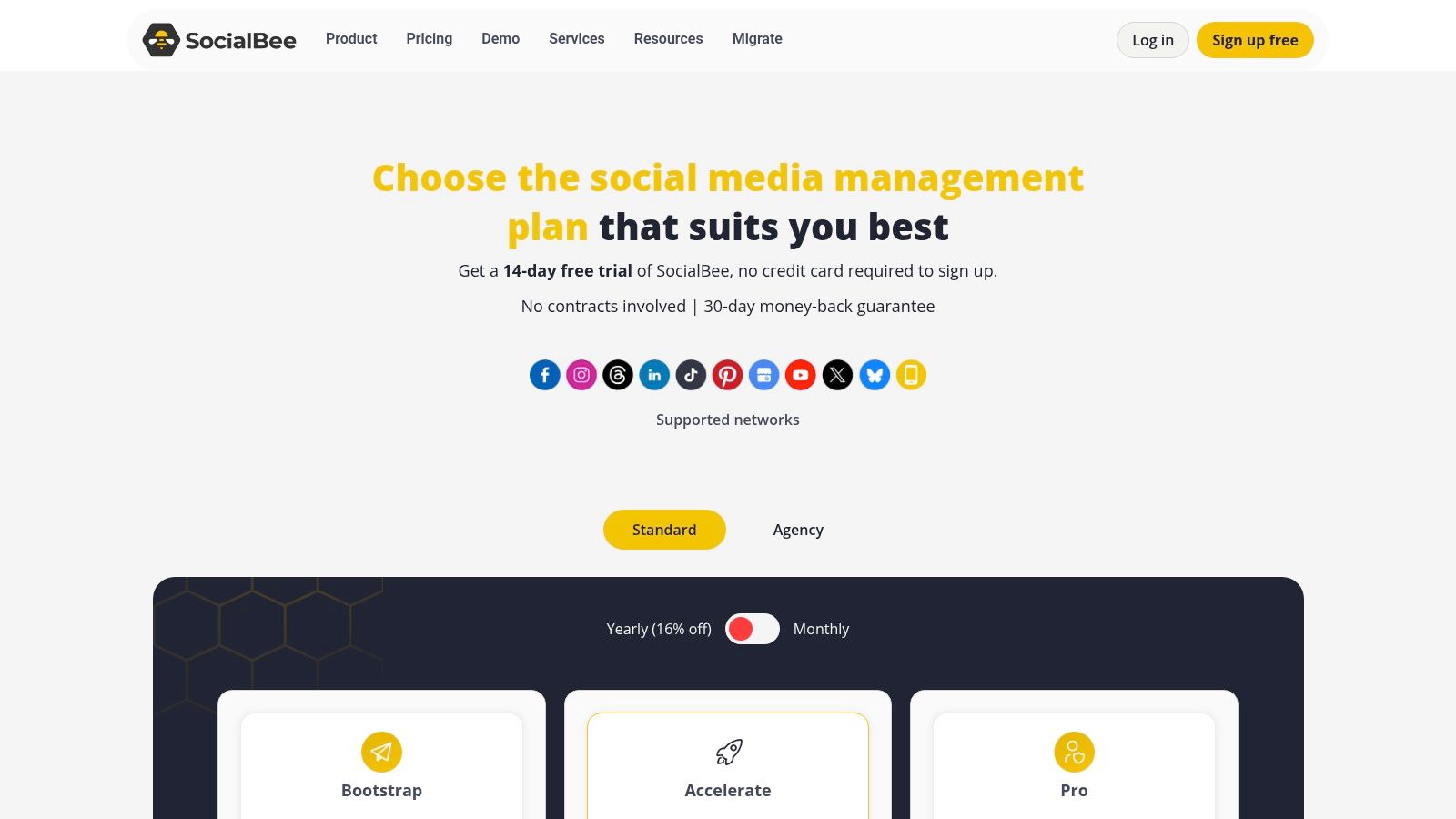
SocialBee’s plans are structured to be highly accessible for small teams and solopreneurs, with a strong emphasis on providing core automation features at a low price point. This makes it one of the best social media management tools for small business owners who want to maximize their content output.
- Bootstrap Plan: Starts at $29/month for 5 social accounts and 1 workspace.
- Accelerate Plan: $49/month, increasing to 10 social accounts.
- Pro Plan: $99/month, offering 25 social accounts and 5 workspaces, ideal for small agencies.
Pros and Cons
| Pros | Cons |
|---|---|
| Excellent Content Recycling: Ideal for evergreen content automation. | Basic Analytics: Lacks the deep reporting of more enterprise-focused tools. |
| Category-Based Queues: Simplifies scheduling complex content mixes. | UI Can Feel Busy: The interface prioritizes features over clean aesthetics. |
| Very Affordable: Great value for the number of features offered. | Fewer Integrations: Less robust connections compared to larger platforms. |
SocialBee is the perfect choice for business owners who want to put their content strategy on autopilot and focus on other areas of their business.
Pro-Tip: Maximize SocialBee’s evergreen recycling by solving your content creation problem with EchoWriteAI. You can generate dozens of timeless tips, quotes, and industry facts, load them into a SocialBee category, and let the tool automatically keep your profiles active for months. Find out more about how to repurpose your content effectively.
Find out more at https://socialbee.com/pricing/.
9. Agorapulse
Agorapulse offers a robust, all-in-one social media suite that strikes a perfect balance between powerful features and user-friendly design. It’s an excellent step-up for small businesses that have outgrown basic schedulers and whose problem is needing more sophisticated tools for engagement, team collaboration, and reporting without the enterprise-level price tag.
The platform truly shines with its unified social inbox, which pulls in comments, mentions, and even ad comments across all your profiles into one manageable stream. This feature alone makes it one of the best social media management tools for small business teams aiming to provide stellar customer service and ensure no interaction is ever missed. Robust, exportable reports and team workflows add another layer of professionalism.
Key Features and Pricing
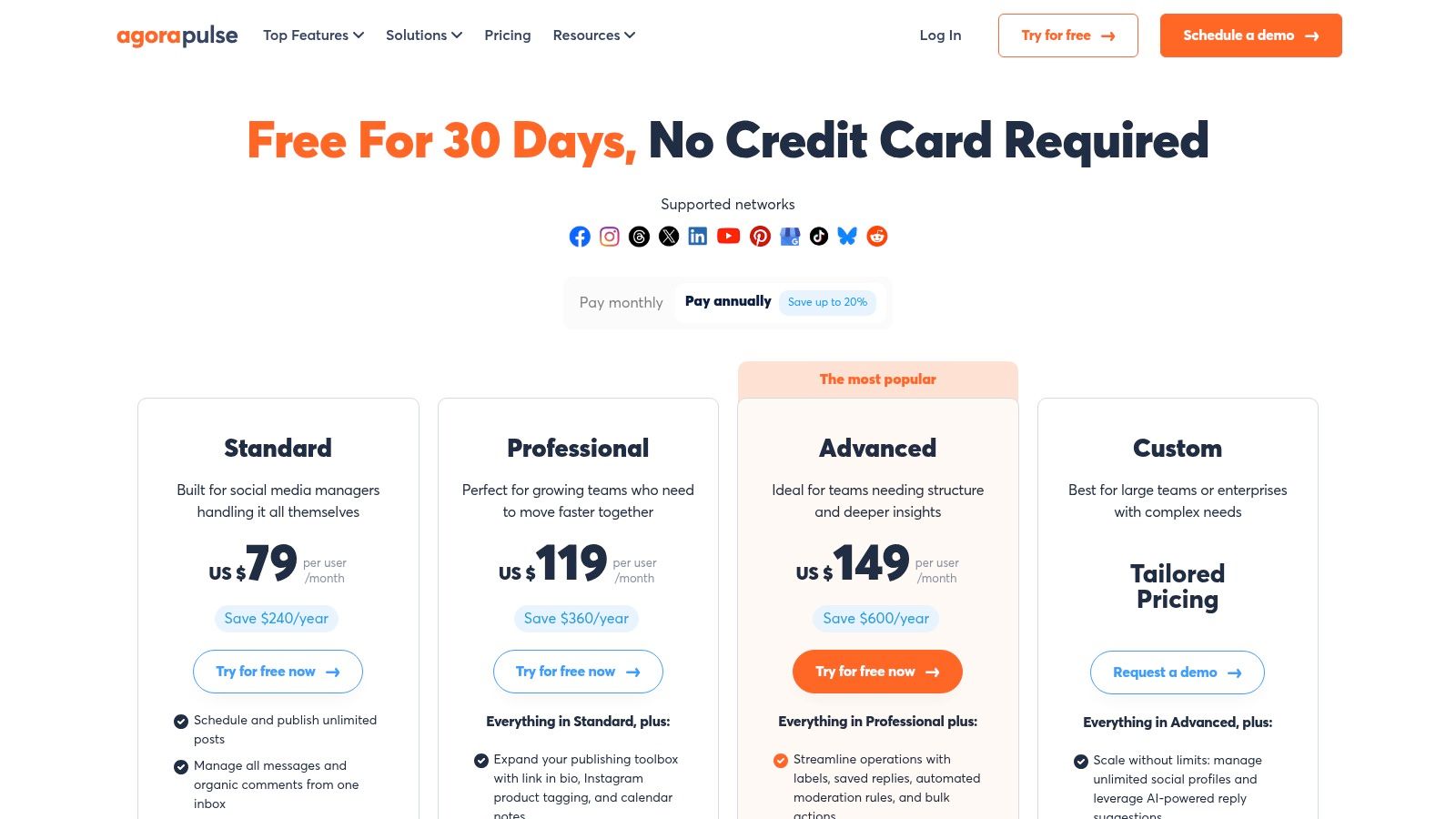
Agorapulse offers a generous 30-day free trial on its paid plans, allowing ample time to explore its capabilities. Pricing is transparent and based on the number of users and profiles needed.
- Free Plan: Includes 1 user and 3 profiles with basic scheduling and a social inbox.
- Standard Plan: Starts at $49 per user/month (billed annually) for 10 profiles and includes advanced reporting and a shared calendar.
- Professional & Advanced Plans: Offer more profiles, users, and advanced features like team assignments and ad comment monitoring.
Pros and Cons
| Pros | Cons |
|---|---|
| Excellent Social Inbox: Unifies all engagement, including ad comments. | Per-User Pricing: Can become costly as your team grows larger. |
| Powerful Reporting: Create professional, branded reports with ease. | Limited Listening: Less robust than dedicated social listening tools. |
| Generous Free Trial: A full 30 days to test paid features. | Learning Curve: More feature-rich, so it can take longer to master. |
Agorapulse is the ideal choice for growing businesses that need a powerful moderation and reporting tool to manage a high volume of social interactions efficiently.
Pro-Tip: The key to getting the most out of Agorapulse’s powerful inbox is solving the problem of having a consistent stream of engaging content. Use EchoWriteAI to generate diverse and compelling post ideas, then schedule them in Agorapulse to spark conversations and fill your inbox with opportunities to connect with your audience.
Find out more at https://www.agorapulse.com/pricing.
10. Metricool
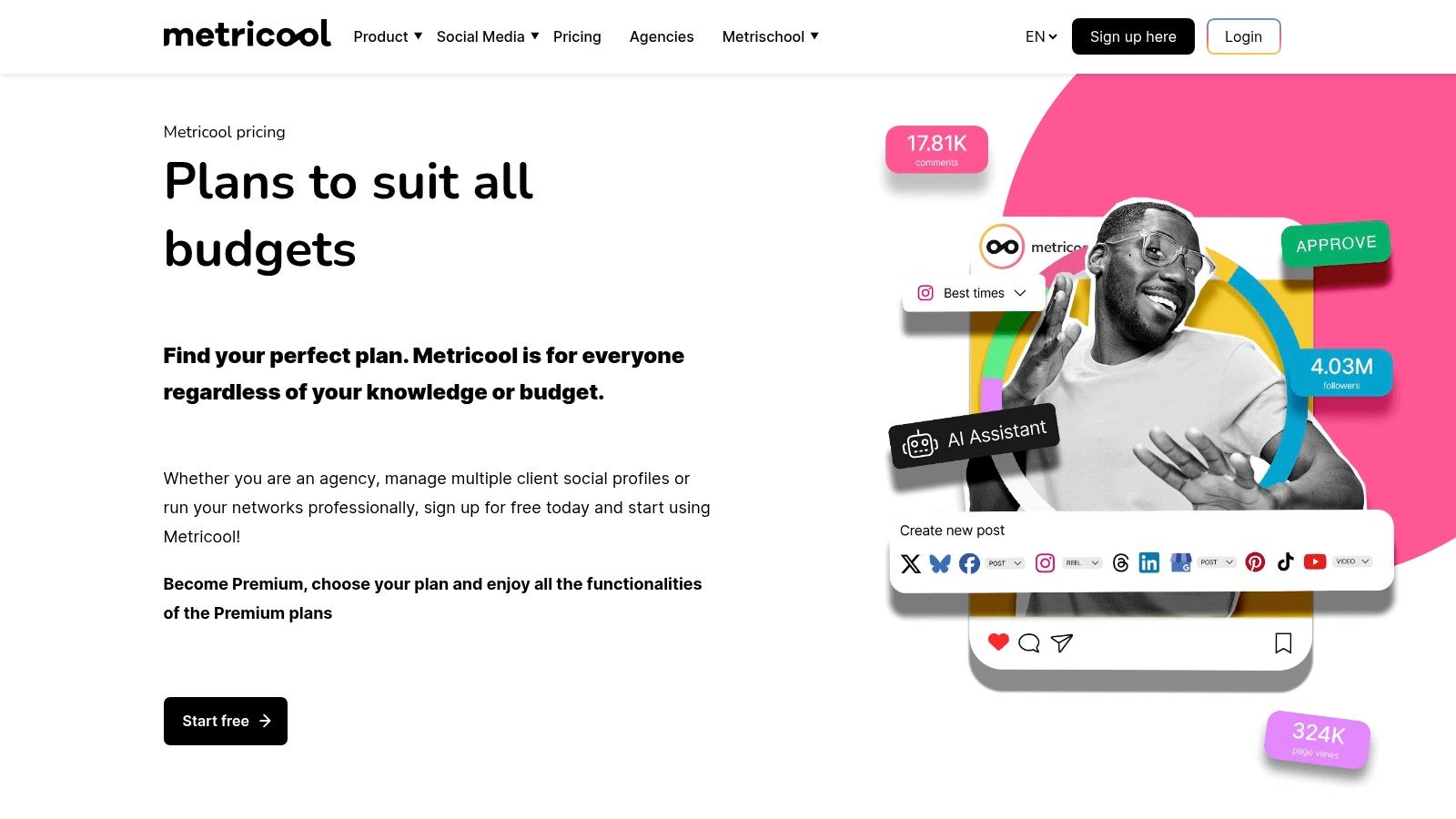
Metricool is a fantastic all-in-one tool for data-driven solopreneurs and small businesses whose problem is operating on a tight budget. It goes beyond simple scheduling, offering a powerful suite of analytics, competitor tracking, and ad management features often reserved for more expensive platforms. If you want to understand what’s working without breaking the bank, Metricool delivers exceptional value.
Its core strength is unifying planning, analytics, and advertising in one clean dashboard. You can schedule content for all major platforms, analyze your performance with unlimited historical data on paid plans, and even track your competitors’ strategies. The ability to manage and review Facebook and Google Ads campaigns directly within the same interface makes it a uniquely efficient hub for your entire digital presence.
Key Features and Pricing
Metricool’s pricing is incredibly accessible, with a generous free plan and low-cost paid tiers that add more brands and features. This makes it one of the best social media management tools for small business owners who need deep analytics without a hefty price tag.
- Free Plan: Connect 1 brand (1 of each social network) and schedule up to 50 posts.
- Starter Plan: Starts at $18 per month for 5 brands and unlocks unlimited scheduling, unlimited historical data, and Looker Studio integration.
- Advanced & Custom Plans: Offer more brands, team collaboration features, and white-label reporting.
Pros and Cons
| Pros | Cons |
|---|---|
| Very Low Cost: Extremely affordable, especially for multiple brands. | Add-on Costs: Full support for some networks like X (Twitter) costs extra. |
| Strong Analytics: Competitor tracking and ad integration are rare at this price. | Lighter Governance: Lacks advanced approval workflows for larger teams. |
| Useful Integrations: Connects seamlessly with Canva and Google Drive. | UI Can Be Busy: The interface packs a lot of data, which may feel dense at first. |
Metricool is the perfect choice for the analytical business owner who wants to connect the dots between their organic content and paid advertising performance.
Pro-Tip: Metricool solves the data problem, but you still need to solve the content problem. Use EchoWriteAI to generate high-performing post variations based on your top posts identified in Metricool. This creates a powerful feedback loop to constantly improve your content strategy with minimal effort.
Find out more at https://metricool.com/pricing/.
11. Zoho Social
For small businesses already invested in the Zoho ecosystem, Zoho Social is an absolute powerhouse. It solves the problem of disconnected marketing efforts by offering a deeply integrated solution that links social media directly with your customer relationship management (CRM) and broader campaigns. If you use Zoho CRM, this tool is designed to close the loop between social engagement and sales.
Its strength is its holistic approach. You can monitor brand mentions, manage reviews, and publish content from a unified dashboard that feels familiar to any Zoho user. The platform provides a clear publishing calendar, a bulk scheduler, and the ability to create listening columns to track important conversations, making it one of the most comprehensive best social media management tools for small business teams who need more than just a scheduler.
Key Features and Pricing
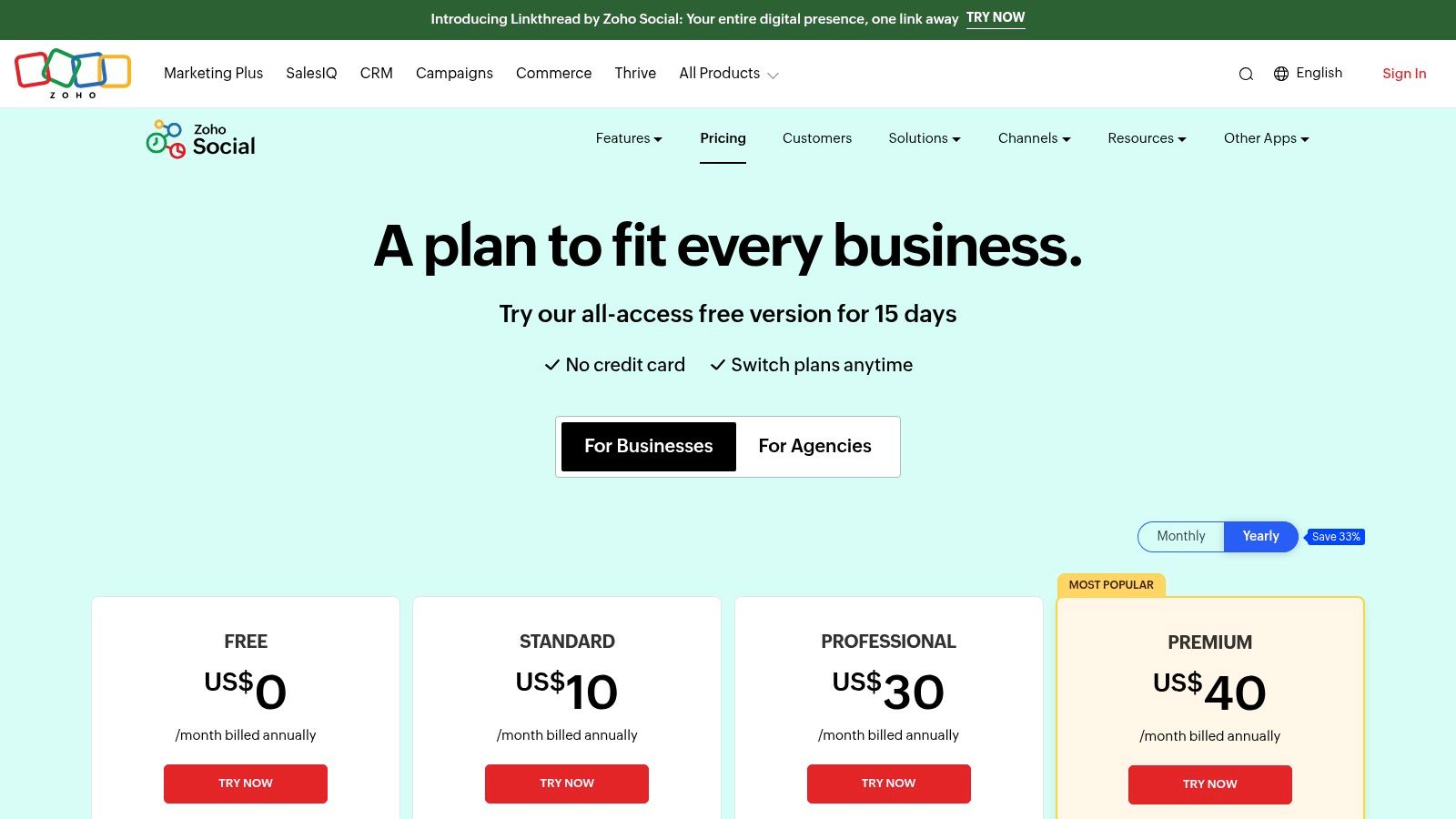
Zoho Social offers straightforward pricing tiers that scale with your business needs, including a free-forever plan perfect for getting started. The real value unlocks when you integrate it with other Zoho products.
- Free Plan: Manage 1 brand with 7 social channels, but with limited features.
- Standard Plan: Starts at $15 per month for 1 brand, 7 channels, and unlocks core scheduling and reporting features.
- Professional & Agency Plans: Start at $40 per month and add advanced features like SmartQ scheduling, team collaboration, and client management tools.
Pros and Cons
| Pros | Cons |
|---|---|
| Deep Zoho Ecosystem Integration: Unmatched value for existing Zoho users. | Less Intuitive for Non-Zoho Users: Can feel complex if used standalone. |
| Comprehensive Feature Set: Includes scheduling, listening, and reporting. | Regional Pricing Variations: Offers and pricing can differ based on location. |
| Excellent Value for Money: Affordable plans packed with powerful features. | Advanced Features Gated: Some key tools require higher-priced plans. |
Zoho Social is the logical choice for businesses that want a single source of truth for their marketing and sales data, connecting social media performance directly to business outcomes.
Pro-Tip: The biggest challenge with a powerful tool like Zoho Social is keeping its content calendar full. Solve this problem with EchoWriteAI, which can generate diverse and engaging post ideas, captions, and articles. You can then use Zoho’s bulk scheduler to upload a month’s worth of AI-generated content in one go, saving you dozens of hours.
Find out more at https://www.zoho.com/social/pricing.html.
12. Capterra (Social Media Management category)
Capterra isn’t a social media tool itself, but rather a powerful research directory that helps you solve the problem of information overload. Think of it as the ultimate starting point when you feel lost in a sea of options. Instead of blindly signing up for free trials, Capterra lets you filter hundreds of tools based on your specific needs, budget, and desired features, all backed by verified user reviews.
This platform empowers you to make an informed decision without the sales pressure. You can create shortlists, compare feature sets directly, and read honest feedback from other small business owners. It’s an indispensable resource for ensuring the tool you choose truly aligns with your goals, saving you from wasting time and money on a platform that isn’t the right fit.
Key Features and Pricing
Capterra is completely free for users to browse and compare software. Its business model relies on vendors paying for placement and leads, but the core research functionality is open to everyone. This makes it one of the most valuable free resources when searching for the best social media management tools for small business.
- Comprehensive Filters: Narrow down options by features (e.g., content calendar, analytics), pricing model, and business size.
- Verified User Reviews: Gain insights from real users about a tool’s strengths and weaknesses.
- Side-by-Side Comparisons: Select a few top contenders and compare their offerings in a clean, organized table.
- Free to Use: Access all comparison data and reviews without a subscription.
Pros and Cons
| Pros | Cons |
|---|---|
| Saves Significant Research Time: Quickly create a shortlist of relevant tools. | Sponsored Listings: The top results may be paid placements, not organic ranks. |
| Unbiased User Reviews: Provides a transparent look at user satisfaction. | Pricing Isn’t Always Current: You must click through to the vendor for exact pricing. |
| Extensive Software Directory: Covers nearly every tool on the market. | Review Overload: The sheer volume of options can still feel overwhelming. |
Capterra is the perfect first stop for any business owner who wants to survey the landscape before committing to a single platform.
Pro-Tip: Once Capterra helps you narrow down your top 2-3 choices, solve your content problem by using EchoWriteAI to create a small batch of posts. Test how easily this content can be scheduled in each tool’s free trial to see which platform offers the smoothest workflow for your daily routine.
Find out more at https://www.capterra.com/social-media-management-software/.
Top 12 Social Media Management Tools for Small Business — Comparison
| Tool | Core features | UX / Quality (★) | Price & Value (💰) | Target audience (👥) | Unique strengths (✨ / 🏆) |
|---|---|---|---|---|---|
| 🏆 EchoWrite AI | AI content-multiplication, campaign templates, platform-native posts, analytics | ★★★★★ Authentic voice replication (claims 99%) | 💰 $49/mo (founding); huge time savings vs hiring | 👥 YouTubers, solopreneurs, SMBs | ✨ Viral Voice AI, strategic “7‑Day Echo” templates, auto-scheduling, 60‑day guarantee |
| Buffer | Scheduler, analytics, engagement inbox, team collaboration | ★★★★☆ Simple, quick-to-learn UI | 💰 Low entry / generous free tier | 👥 Solo owners, lean teams | ✨ Broad channel coverage, easy setup |
| Hootsuite | Publishing, unified calendar, bulk scheduling, benchmarking | ★★★★☆ Feature-rich, mature platform | 💰 Mid–High (enterprise options) | 👥 SMBs → enterprises | ✨ Extensive ecosystem, competitor insights |
| Sprout Social | Advanced reporting, approval workflows, collaboration | ★★★★☆ Premium analytics & governance | 💰 High per-seat (add-ons raise cost) | 👥 Growing SMBs & teams | ✨ Deep reporting, strong collaboration controls |
| Later | Visual content calendar, Smart Scheduling, link‑in‑bio, UGC tools | ★★★★☆ Visual-first, intuitive | 💰 Mid (competitive for creators) | 👥 Visual brands, Instagram/TikTok creators | ✨ Visual planning, product tagging, UGC focus |
| Loomly | Calendar, approvals, asset library, post helpers | ★★★★☆ Client-friendly, approachable | 💰 Mid (flexible billing) | 👥 Small teams, agencies, clients | ✨ Simple approvals, idea prompts, client workflows |
| Sendible | Team calendars, client dashboards, white‑label, reporting | ★★★★☆ Agency-oriented UX | 💰 Mid (scales by users/profiles) | 👥 SMBs & agencies | ✨ White-label, client dashboards, onboarding support |
| SocialBee | Category queues, evergreen recycling, AI writing aids | ★★★★☆ Automation-focused, cost-effective | 💰 Low (affordable plans) | 👥 Solo entrepreneurs, small teams | ✨ Evergreen recycling, queue presets |
| Agorapulse | Publishing, unified inbox, reporting, team workflows | ★★★★☆ Strong moderation & transparency | 💰 Mid (clear annual discounts) | 👥 SMBs to midmarket teams | ✨ Inbox/moderation strength, exportable reports |
| Metricool | Scheduling, analytics, ads integration, competitor tracking | ★★★★☆ Budget-friendly analytics | 💰 Low (free tier + affordable plans) | 👥 Very small teams, creators | ✨ Affordable competitor insights & reporting |
| Zoho Social | Publishing, monitoring, RSS, CRM integrations | ★★★★☆ Integrated with Zoho ecosystem | 💰 Mid (best value if using Zoho) | 👥 Zoho customers, SMBs, agencies | ✨ CRM & marketing integrations, clear plan tiers |
| Capterra (directory) | Vendor comparisons, filters, verified reviews, saved lists | ★★★★☆ Helpful research UX | 💰 Free to use | 👥 Buyers researching tools | ✨ Verified reviews, side‑by‑side comparisons, vendor links |
The Smart Choice: From Manual Scheduling to True Automation
Navigating the crowded landscape of social media management tools can feel overwhelming. We’ve explored a wide spectrum of options, from robust enterprise-level platforms like Sprout Social to focused schedulers like Later. Each tool offers a unique value proposition, promising to streamline your workflow and organize your calendar. But as a small business owner, your most significant problem is the constant drain on your time. The critical question isn’t just “Which tool can help me post consistently?” but rather, “Which tool can solve my content creation problem and give me back my time?”
The answer lies in understanding the fundamental difference between management and automation. Most of these tools are excellent for managing a social media process. They are powerful assistants if you already have the content and the hours to dedicate to feeding the machine. They help you organize chaos, but they don’t solve the source of it: the relentless need for fresh, high-quality content. For a founder or lean marketing team, this is merely a more efficient way to stay on the content treadmill.
Making the Leap: From Assistant to Strategist
The true solution for small businesses isn’t just scheduling posts; it’s automating the entire content creation and strategy lifecycle. This is where the paradigm shifts. Instead of spending 10-15 hours a week brainstorming, writing, and scheduling, you can leverage a platform that does the heavy lifting for you. This is the core philosophy behind EchoWriteAI. While a tool like Hootsuite lets you schedule 20 posts in an hour, a content multiplication platform like EchoWriteAI creates those 20 posts for you, tailored for each network, from a single core idea in minutes.
This transition transforms your role from a content operator into a strategic editor. Your problem is no longer manually filling a content calendar. Instead, you provide the initial spark—a blog post or video—and the AI handles the multiplication, adaptation, and scheduling. Your involvement shrinks from hours of hands-on work to minutes of review and approval. This isn’t just an improvement; it’s a fundamental solution to your time-scarcity problem.
How to Choose Your Path Forward
As you make your final decision on the best social media management tools for small business, consider which problem you most need to solve:
- Problem: Disorganized Team Communication. Solution: Tools like Sendible or Agorapulse offer fantastic collaboration and approval workflows built for teams.
- Problem: A Messy Instagram Feed. Solution: Later remains a strong, user-friendly choice for planning an aesthetically pleasing visual presence.
- Problem: Overcomplicated Tools. Solution: Buffer provides an elegant and straightforward scheduler for getting posts lined up without a steep learning curve.
- Problem: No Time for Content Creation. Solution: This is where a true automation partner like EchoWriteAI becomes the smartest investment. It’s designed to solve the content bottleneck for the business owner who needs to be the CEO, marketer, and salesperson all at once.
Ultimately, the right tool isn’t just about features; it’s about a strategic fit for your business reality. Don’t settle for a tool that just helps you manage the work. Choose the solution that eliminates it, buying back your most finite resource—time—so you can reinvest it into scaling your business.
Ready to stop managing social media and start automating your growth? See how EchoWrite AI transforms your existing content into a month’s worth of strategic social posts in minutes, giving you back the time to focus on what truly matters. Discover the power of true content automation and start your journey at EchoWrite AI today.