 Martín Véliz
Ever stare at that blinking cursor on a new LinkedIn post, feeling the pressure to say something brilliant? You know you have valuable expertise, but turning it into content that grabs attention feels like a constant struggle. We’ve all been there.
It’s a familiar kind of paralysis. You need to sound smart, share something genuinely useful, and somehow cut through all the noise in the feed. This pressure is exactly why so many professionals post inconsistently—or not at all. The mental gymnastics required to craft a compelling post just feels too draining.
This usually leads to one of two dead ends: you either post a generic, forgettable update that gets zero traction, or you just give up and stay silent, letting potential clients and connections scroll right past you.
The real issue isn’t a lack of knowledge. You’re an expert in your field. The problem is you don’t have a system for turning that expertise into content that people actually want to read, and you’re losing valuable time in the process.
Why “Just Posting” Doesn’t Cut It
If your strategy is to “post when inspiration strikes,” you’re setting yourself up for failure. Creative lightning doesn’t strike on schedule, and those long, quiet gaps between posts are telling the LinkedIn algorithm to ignore you. You end up guessing what your audience wants and throwing content at the wall, hoping something sticks. It rarely does.
This guide is designed to fix that. I’m going to give you a repeatable framework that turns your raw ideas into posts that grab attention and start conversations. It’s time to stop fighting the blank page and start building a real presence.
The biggest challenge on LinkedIn isn’t figuring out what to say. It’s learning how to say it in a way that stops the scroll in less than three seconds. A system is what gets you there.
Instead of waiting for a muse that may never show up, you can build a reliable content engine. By embracing tools designed for AI-powered social media management, you can turn content creation from a chore into your most effective tool for building your personal brand.
This is where a platform like EchoWriteAI comes in. It’s built to solve the classic problems of time and creative burnout. It helps you brainstorm ideas, draft posts, and keep your content calendar full. You bring the expertise; we provide the system to make it shine.
Deconstructing a Post That Actually Performs
Ever wonder why some LinkedIn posts get all the attention while others just… don’t? It’s not luck or magic. The most successful posts aren’t just random flashes of inspiration; they’re built on a reliable framework designed to stop the scroll and spark real conversation.
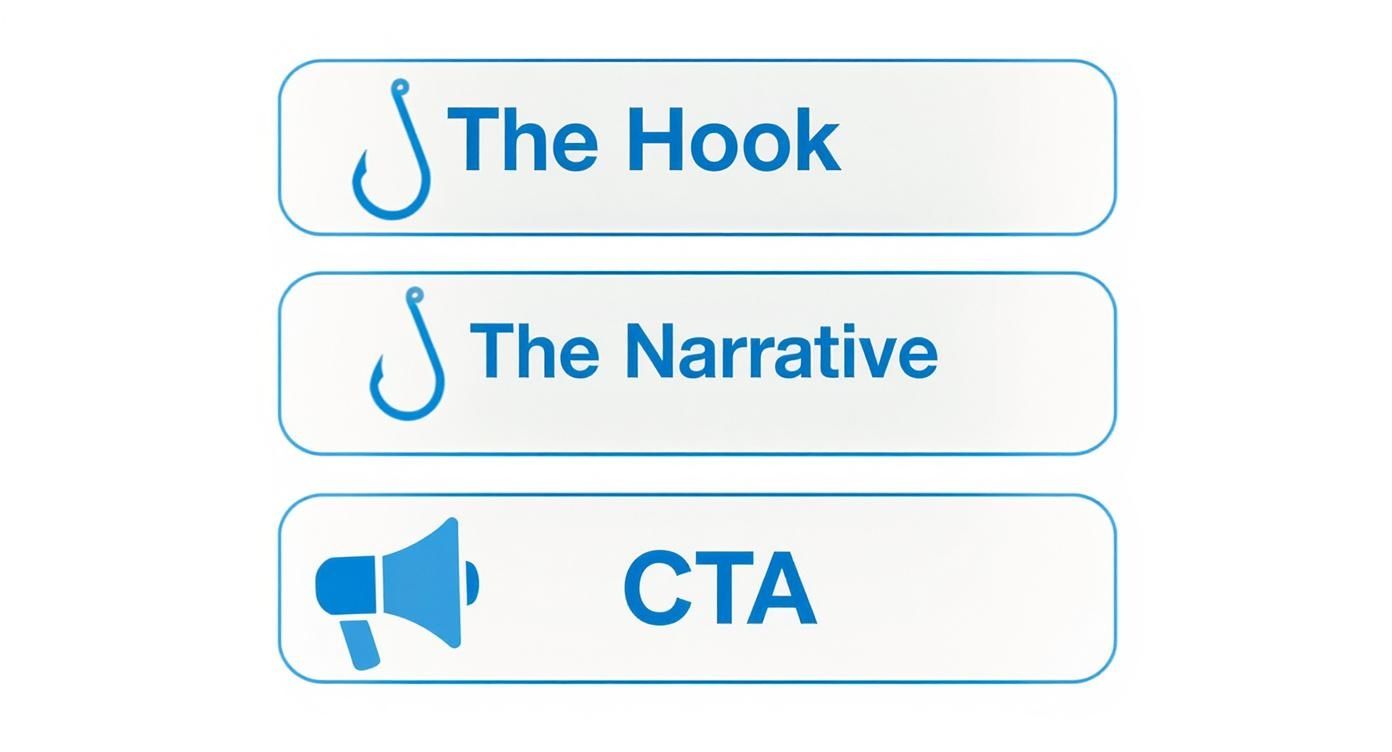
Once you see this structure, you can stop throwing content at the wall and hoping it sticks. Think of it like a simple three-act play for the LinkedIn feed: the hook, the narrative, and the call to action. Each piece has a specific job, and when they come together, your message lands with serious impact.
Nail the First Two Lines With a Powerful Hook
You’ve got maybe three seconds, tops. That’s all the time you have before someone’s thumb keeps moving. The first one or two lines of your post are all anyone sees before they have to click “see more.” This is your make-or-break moment.
Your hook has to be sharp, intriguing, and promise something valuable is coming. Forget the boring, generic openings. Try one of these proven angles instead:
- Go against the grain: “Everyone says you need to hustle 24/7. Here’s why that’s terrible advice.”
- Tap into a common pain point: “Ever feel like you’re shouting into the void on LinkedIn?”
- Drop a surprising number: “95% of professionals are making the same critical mistake on their profile.”
- Start in the middle of a story: “Last year, I got fired by my biggest client. It was the best thing that ever happened to me.”
Let’s be real, coming up with fresh hooks is tough. It’s where most of us get stuck and start procrastinating. This is exactly where a tool like EchoWriteAI solves the problem. It generates dozens of unique hook ideas for your core message, so you always have a compelling way to kick things off.
Build the Narrative and Deliver the Goods
Okay, you got the click. Now what? The body of your post has to deliver on the promise you made in the hook. This is absolutely not the place for a dense wall of text. People don’t read on LinkedIn; they scan.
Use short paragraphs, single-line sentences, and bullet points to break up your text and make it easy on the eyes. This is where you tell your story, share your hard-won lesson, or lay out your framework. Stick to one core idea and make it count. Your goal is to give your reader a tangible piece of value that makes them feel smarter, more capable, or simply understood.
That’s how you build trust and become the go-to voice in your industry—one valuable post at a time.
End With a Clear Call to Action
The final piece of the puzzle is the call to action (CTA). So many people just let their posts fizzle out or, worse, ask for a meaningless “like.” A strong CTA doesn’t just end your post; it starts the conversation and tells your audience exactly what you want them to do next.
A great CTA sparks genuine discussion, which is precisely what the algorithm is looking for. In fact, posts that get quality comments within the first hour can see a 35% boost in visibility. The platform wants to see real people having real conversations. You can get a deeper dive into how the LinkedIn algorithm works in 2025 over at Agorapulse.
Instead of begging for likes, try asking a direct question that’s easy to answer:
- “What’s one mistake you’d add to this list?”
- “How have you tackled a similar situation?”
- “Am I missing anything? Drop your thoughts below.”
Again, if you draw a blank, EchoWriteAI can generate engaging CTAs tailored to your post, helping you turn passive scrollers into active participants in your comments section.
Adopt Proven Post Formats That Connect
We’ve all been there—staring at a blank screen, wondering what on earth to post. It’s a total content killer that wastes your time and energy.
But here’s the secret: the most successful creators on LinkedIn aren’t reinventing the wheel every single day. They rely on a handful of proven post formats, or archetypes, that are practically guaranteed to connect with a professional audience.
Once you master these, you solve the “what do I post?” problem for good. Instead of waiting for a lightning bolt of inspiration, you can simply plug your ideas into a structure that’s already built for engagement. This is how you create a reliable content engine.
At its core, every great LinkedIn post has three parts that work together to turn a casual scroller into an active participant.
Let’s look at four powerful archetypes that bring this simple structure to life.
The Personal Story
People do business with people, not logos or job titles. This is why the Personal Story format is so incredibly effective—it builds trust by humanizing your professional brand.
This isn’t about TMI or oversharing. It’s about strategically connecting a personal experience to a universal business lesson. Think about a recent project that went sideways, a failure that taught you a hard lesson, or an unexpected win.
The magic happens when you show vulnerability and extract a clear takeaway for your audience. For example, instead of complaining about a difficult client, frame it as a story about learning to set better boundaries. That’s how you make your advice feel earned, authentic, and truly relatable.
The Actionable Lesson
Your audience is busy. They’re scrolling their feeds looking for quick, practical ways to get better at their jobs. The Actionable Lesson gives them exactly that.
This is your chance to deliver immediate value with a digestible tip, a mini-tutorial, or a “how-to” they can use right away. Break down a complex idea into simple steps. For example, you could share “3 ways to improve your cold emails” or “The one question you must ask in every sales call.”
These posts position you as a generous expert who isn’t afraid to share what you know.
When you consistently teach your audience something useful, they start to see you as an indispensable resource. You become the person they stop scrolling for because they know they’ll learn something valuable.
The Contrarian Take
Want to stop the scroll dead in its tracks? Respectfully challenge a popular belief in your industry. The Contrarian Take disrupts expectations and makes people think, which is a powerful combination on a noisy platform.
This isn’t about being controversial for controversy’s sake. It’s about offering a fresh, well-reasoned perspective that goes against the grain.
Start with a common piece of advice and then explain why you disagree. Something like: “Everyone says to network more. Here’s why you should network less—but smarter.” The key is to back up your opinion with solid logic, data, or personal experience. Your goal is to spark a healthy, intelligent debate in the comments. To learn more about starting these conversations, check out our guide on the best engagement questions for social media.
By thoughtfully questioning the status quo, you establish yourself as a true thought leader, not just another voice repeating the same old talking points.
The Shareable Checklist
Sometimes, the most valuable thing you can offer is clarity and organization. The Shareable Checklist does just that. It takes a process, a list of resources, or a set of best practices and presents it in a simple, easy-to-save format.
Think of things like:
- A pre-flight checklist for launching a new product.
- A list of essential tools for a remote team.
- 5 questions to ask before hiring a freelancer.
This format is a magnet for saves and shares because it’s pure utility. You’re giving your audience a resource they can come back to again and again, reinforcing your value with every view.
Choosing the Right Archetype for the Job
So, when should you use each one? It all depends on your goal for that specific post. This table breaks down the strengths of each archetype to help you decide.
LinkedIn Post Archetype Comparison
| Post Archetype | Primary Goal | Best For | EchoWriteAI Application |
|---|---|---|---|
| Personal Story | Build trust & relatability | Humanizing your brand, sharing failures as lessons, and connecting on an emotional level. | Feed it a personal anecdote, and it will help you structure the narrative and pull out a powerful takeaway for your audience. |
| Actionable Lesson | Provide immediate value | Demonstrating expertise, teaching a skill, or offering a quick win to solve a common problem. | Input a complex concept or process, and it will break it down into a clear, step-by-step “how-to” post. |
| Contrarian Take | Spark conversation & establish authority | Challenging industry norms, sharing a unique perspective, and driving high levels of engagement. | Give it a popular industry belief, and it will help you craft a well-reasoned argument against it, complete with a compelling hook. |
| Shareable Checklist | Offer utility & encourage saves | Simplifying complex information, providing resources, and creating content with a long shelf life. | Provide a topic (e.g., “onboarding new clients”), and it will generate a practical, easy-to-digest checklist format. |
The challenge, of course, is taking a raw idea and shaping it into one of these polished formats. That’s where a tool like EchoWriteAI solves your problem. You can feed it a core concept—like a recent project success or a key insight from an article—and it helps you frame it as a compelling story or a valuable lesson, cutting through the creative friction and saving you hours of time.
Use Smart Formatting to Increase Readership
Let’s be honest. Even the most groundbreaking idea will get ignored on LinkedIn if it’s a giant wall of text. People don’t read on social media; they scroll and scan. This is why smart formatting isn’t just a nice-to-have. It’s absolutely essential if you want your posts to get seen, let alone read.
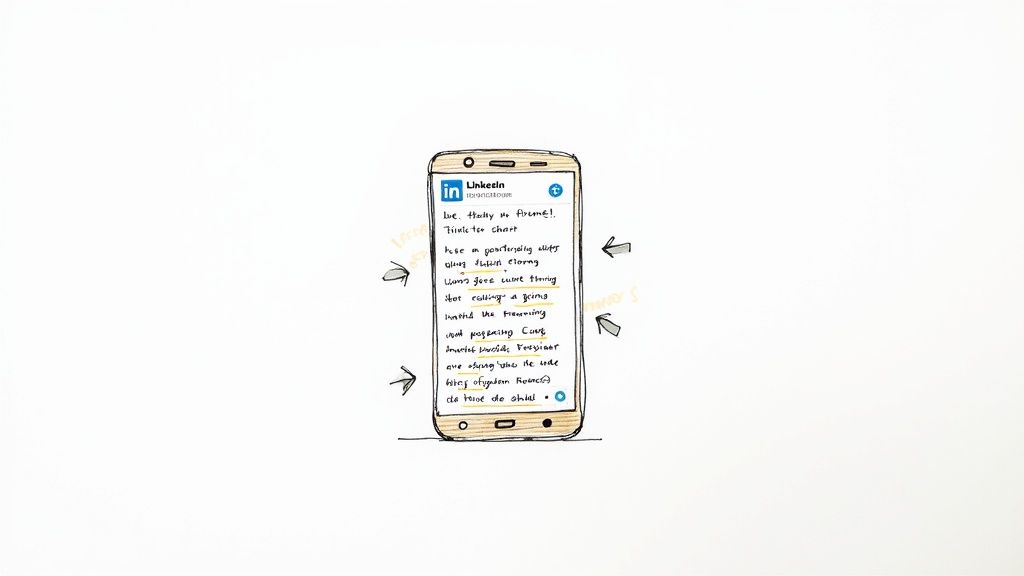
Your job is to make your content as easy to consume as possible. Think of formatting as creating visual signposts. You’re guiding the reader’s eye through your message, making it effortless for them to pull out the key takeaways without feeling overwhelmed. This is where you can get clever with white space, emojis, and hashtags to really make your content pop.
Create Visual Breathing Room
The quickest way to make someone scroll right past your post? A massive, dense paragraph.
You need to break it up. Keep your paragraphs super short—we’re talking one to three sentences, max.
Even better, use single-line sentences for emphasis. It creates a natural pause, forcing the reader to slow down and really absorb what you’re saying. This simple trick is probably the single most powerful formatting hack for boosting readability on the platform.
Use Emojis and Hashtags Strategically
Emojis are more than just playful decorations; they’re incredibly effective visual cues. I often use them to replace boring old bullet points or just to inject a bit of personality that aligns with my brand. A single, well-placed emoji can instantly draw attention to your call to action or set the tone for your entire post.
Hashtags, on the other hand, are all about distribution. They get your content in front of people who aren’t already following you. I’ve found a simple framework works best:
- Stick to 3-5 relevant hashtags. Anything more starts to look desperate and spammy.
- Go for a mix of broad and niche. For example, pair a huge tag like
#marketingwith more specific ones like#b2bcontentstrategyor#leadgenerationtips. - Tuck them away at the end. This keeps the main body of your post clean, focused, and easy to read.
The problem is, remembering which hashtags perform best and manually applying all this formatting is a tedious, time-consuming task. It’s easy to forget a step and hurt your post’s reach.
This is a perfect example of a problem EchoWriteAI solves. Instead of guessing, our platform automatically suggests relevant, high-performing hashtags based on your content. It also applies optimized formatting—like short paragraphs and smart spacing—ensuring every post is primed for the algorithm without you having to think about it.
Spark Conversations With Mentions
Want to give your post an instant reach and engagement boost? Start tagging relevant people and companies.
When you mention someone using the ”@” symbol, your post has a chance of showing up in their network’s feed. That’s a massive visibility multiplier. The key is to only tag people who are genuinely part of the conversation. Did you just feature a guest on your podcast? Tag them. Referencing an insightful report from another company? Tag them, too.
This pulls them right into the discussion, often sparking a comment or a share that introduces your content to a whole new audience. Just remember there’s a firm character limit for LinkedIn posts, so every mention needs to count.
Amplify Your Message With Video Content
If you’re sticking to text-only posts on LinkedIn, you’re missing out on the platform’s single most powerful engagement tool. Video isn’t just another format; it’s a way to build trust and stop the scroll in a way static posts just can’t compete with. It lets you show your personality and expertise with far more depth than words on a screen ever could.
Don’t just take my word for it—the data is overwhelming. LinkedIn video posts get five times more engagement than simple text updates. Think about that for a second. If you really want to take it up a notch, live video generates an unbelievable 24 times more comments and reactions than pre-recorded content. You can dig into even more LinkedIn engagement stats here to see just how essential video has become.
Overcoming the Video Hurdle
Of course, knowing video works is one thing. Actually making it is another. I talk to professionals all the time who get stuck right here. They worry they don’t have a professional camera or they’re just too camera-shy to hit “record.”
Here’s the secret: your audience isn’t expecting a Hollywood production. They want real, valuable insights from a real person. You can start small, using nothing more than the smartphone in your pocket.
- Quick Tip Videos: Just shoot a 60-second clip sharing one solid piece of advice.
- “Behind-the-Scenes” Glimpses: Show a quick look at your process or a moment from your workday. It’s simple and humanizing.
- Repurposed Snippets: Did you host a webinar or have a great client call? Pull a powerful 2-minute segment and share it.
The whole point is to connect in a direct, human way. When people can actually see and hear you, it forges a bond that text simply can’t match.
The real challenge isn’t just filming the video; it’s packaging it for success. A great video can still fall flat without a strong script and compelling post copy to introduce it and drive conversation.
This is where the creative process often grinds to a halt. You’ve finally recorded the video, but now you’re back to staring at a blank screen, trying to write the perfect LinkedIn post to go with it.
We built EchoWriteAI to smash through that exact bottleneck. Instead of getting stuck, you can use our platform to script your videos for clarity and impact. Then, once your clip is ready, EchoWriteAI generates powerful post copy—complete with a scroll-stopping hook and a clear call-to-action—to ensure your message lands perfectly. We help you amplify your voice without the extra work.
Your Framework for Consistent LinkedIn Growth
Let’s be honest, trying to come up with engaging LinkedIn posts day after day can feel like a chore. The secret isn’t some mystical formula, but a solid system. Once you nail the core parts of any great post—a killer hook, a compelling story, and a clear call to action—and lean on proven post types, you stop staring at a blank screen and start creating with purpose.
This kind of repeatable framework takes the guesswork out of the equation, saving you from the creative drain and burnout that so many people face.
But here’s the real bottleneck: it’s not that you don’t know what to do. It’s finding the time and mental energy to actually do it, day in and day out.
That’s where having the right tool changes the game. You need a partner that can handle the tedious, repetitive work—the brainstorming, the drafting, the formatting—so you can focus on what really matters: connecting with people and building your brand.
This is precisely why we built EchoWriteAI. It’s designed to take your rough ideas and help you shape them into polished, professional posts in a fraction of the time.
Want to get even more out of your efforts? You can dive into AI content repurposing and learn how to transform a single blog post or video into an entire month’s worth of LinkedIn content. By letting a smart tool handle the heavy lifting, you can finally make your LinkedIn presence a consistent, powerful asset for your career—without it taking over your entire life.
Got Questions About Posting on LinkedIn? Let’s Get Them Answered.
Alright, you’ve got the playbook. You know the hooks, the post structures, and the formatting tricks. But even with the best plan, nagging questions can pop up and stop you in your tracks.
Let’s clear the air and tackle some of the most common hurdles I see people face.
How Often Should I Actually Be Posting on LinkedIn?
This is the big one, isn’t it? The honest answer is that consistency is way more important than sheer frequency.
It’s better to post 2-3 high-quality pieces a week—every week—than to post every single day for a month and then burn out and disappear. The goal is to stay on your network’s radar without flooding their feeds. The real challenge isn’t hitting “post”; it’s having something valuable to say that often.
This is where a lot of people get stuck. It’s a massive time-sink. Tools like EchoWriteAI can be a lifesaver here, helping you spin a single idea into several different posts so you can keep that pipeline full without dedicating your entire day to writing.
When Is the Absolute Best Time to Post?
You’ll see a million articles telling you to post during standard business hours, usually something like 9 AM to 5 PM, Tuesday through Thursday. And sure, that’s a decent starting point.
But the real best time? It’s whenever your audience is scrolling. Dive into your LinkedIn Analytics. Look at the data for your past posts—when do you see spikes in views and engagement? That’s your sweet spot.
Honestly, though, don’t overthink it. A truly great post will get traction even if you publish it at a supposedly “off-peak” time. The bigger problem is not having that great post ready to go in the first place.
Don’t let the “perfect” time become the enemy of the “good” post. The quality of your content will always matter more than the minute you hit publish.
What Do I Do About Negative Comments?
First reaction: delete and block, right? Resist the urge. Unless it’s genuine spam or abuse, a negative comment is still a form of engagement, and the algorithm sees it that way.
Take a breath and respond with professionalism. Thank the person for sharing their thoughts, address their point calmly (without getting defensive), and see if you can guide the conversation to a more constructive place.
Believe it or not, handling a negative comment with grace can build more trust and credibility than a post filled with nothing but praise. It shows you’re open to dialogue and confident in your position.
Struggling to find the time to turn your expertise into a consistent flow of standout LinkedIn content? The bottleneck isn’t usually a lack of ideas—it’s the lack of a system and the hours it takes to execute. EchoWriteAI is built to solve that, transforming your existing content into weeks of strategic social media posts, automatically. Stop the burnout and start building your brand. Start multiplying your content today at echowriteai.com.